I noticed yesterday that Zimmich isn’t working right, it doesn’t fully load the page, and it locks up Zimaos page too, and Chrome asks me if I want to wait or kill both immich and Zimaos home page. I’m not sure how to fix it. I’m starting to wonder if it really is the solution for me now. If I have to uninstall it and reinstall it, perhaps I should look at other options. I really want something to load my 130gb of google photos into on the nas.
And I need it to be something my wife can use. Something can autobackup pictures from my phone. Is there any way to uninstall and then install again and not lose all my photos and albums in it?
Before you touch Immich, make a safety copy of your photos first.
Locate the folder where Immich stores its photos (usually under /DATA/AppData/ or the external drive you selected).
Copy that entire photo folder to a USB drive, another NAS, or a PC.
Double-check you can actually see the images/videos on the backup.
Once that’s done, you can safely uninstall and reinstall Immich, just be very careful NOT to delete the photo storage folder during removal. Only remove the app/containers, not the data directory.
Your photos live in that folder, not “inside” Immich.
If the folder remains, your library is safe.
I’m starting to experience the same issue. There’s no problem when I log in from the mobile app, but I’m having the same issue when I log in from the browser.
Immich is super heavy and may be too much for some basic systems (including the base model Zimacube in some cases). If Immich will allow you, try to get into Admin setting and then machine learning settings and disable it completely to see if that improves the stability. Once its stable, you can go back in and try use a couple different AI models to see if it will work.
When my Immich did an initial run of the AI models on my library, the CPU on my base model Zimacube was maxed. All other apps stuttered for a bit but never completely froze up. I’m using Immich V2, Clip Model: ViT-B-32__openai, Facial model: buffalo_l. I do quarterly photo dumps, so I just do it at times when other apps are not using a lot of resources to avoid interruptions with other services.
My ZimaOS computer has 16GB of RAM and an i5-8500T processor. All machine learning tasks completed successfully. I’m currently using immich to view photos. But one morning, immich stopped working properly. I don’t think there will be any issues with the machine learning setting.
Hi!
Same stuff here.
It freezes the web interface every time i log in..no way to browse any album.
It went fine for months now..i didn’t do anything to the system. ZimOS is running on 1.5.1 stable release. Immich is at v. 2.2.3 firstly installed via the BigBear repo with machine learning.
Edit: it seems all fine browsing from the companion app on android phone but not via the web browser in the admin page.
Hi! I didn’t clean the cache but i tried with two other browsers.. i couldn’t browse my backups normally as usual..it’s always stuck on loading the library..i can only see the menu on the left and in the upper part of the page.
It’s not a browser issue. I have tried it in Chrome, and Firefox. On Firefox Where I had never once signed into Immich, it has the same problem. Here is what it is stuck on in Firefox.
It appears to be a problem for more than just me.
I have a system that I’m pretty sure this is not a machine learning issue.
I’ll be attempting an uninstall and install it again, and fingers crossed that I can not lose the photo library. I have a db backup that hopefully I can restore.
I’m having the same issue. I’m new to ZimaOS, and while installing Immich it keeps freezing when I try to log in through the browser. I thought I was doing something wrong during the installation until I saw this post.
I am also having the same issue. I can seem to access all of my images and videos through the app (Android), but when I try to access it via browser (either locally or through my hosted web address), I get a menu up top and down the side, but no images. Then it completely locks the browser pages for ZimaOS and Immich up. It was working completely flawlessly on 2.2.1, before I upgraded.
Hi, As a workaround, My suggestion is to import your photo library as an external library rather than direct import. It will separate the bulk of photos/videos from thumbnails and other metadata in the app. Anytime you can get your whole bulk of photos out of the app easily. In addition I think it will reduce the burden to app. Try that with next re-installation. Let me know the outcome. Immich is a heavy app with fast development. So there can be many bugs. Anyway above method works fine for me.
I’m wondering if an update to a newer release could fix the issue..
Into the web browser i can see the server running well as shows the image attached.
I’m using an external library. I copied my library to another location on my external HDD. After uninstalling and reinstalling immich, I’m still encountering the same issue.
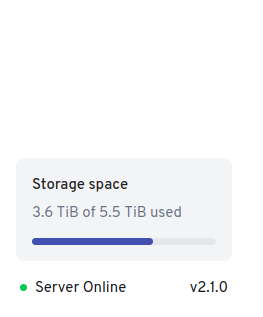
Hi, I am using immich v 2.1.0 stable version. It works without any issue. I f you are using the latest (unstable) versions could you please try falling back/ reinstall and try with stable version. It might solve the issue.
As i supposed in my previous post it just took time to wait for the container to update itself to get all problems fixed. I just updated Immich via the ZimaOS system update and everything works again fine. No need to mess up with backups and reinstall.
Hope it will fix also yours.