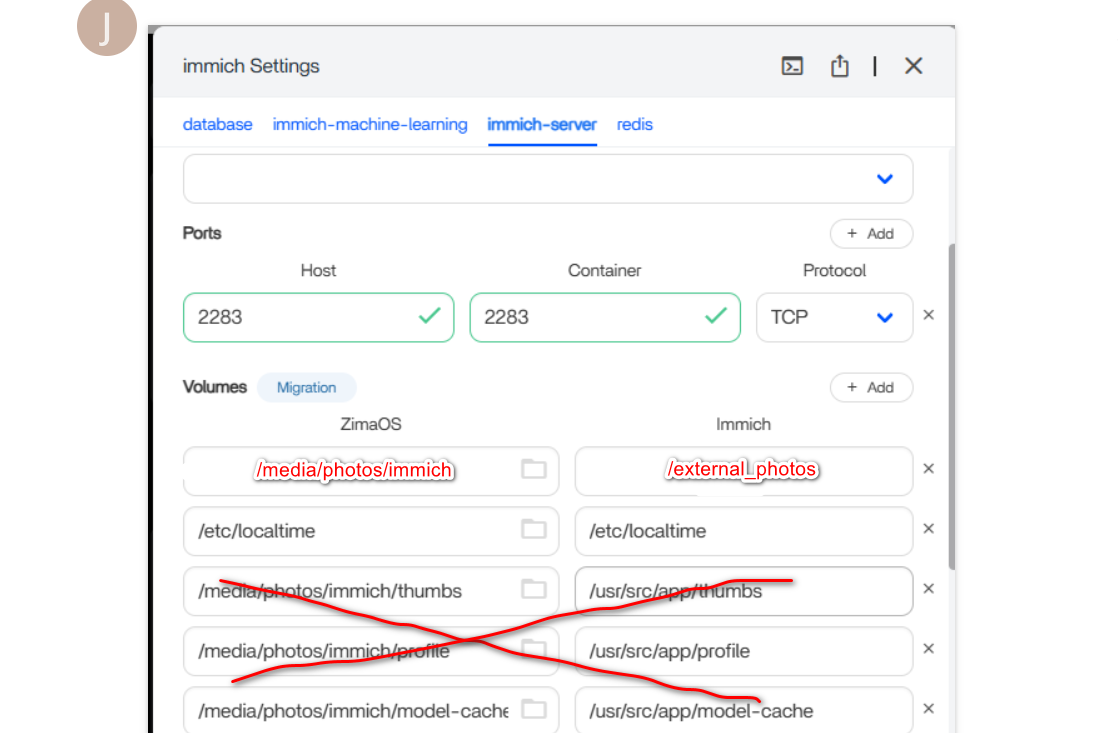
I have made a homemade NAS. I had it all set up with ZimaOS, and it worked well. Except when the machine was idle for a few hours, up to 24 hours. Somewhere in there, and it would freeze. No remote connectivity or waking it up while sitting at the machine.
I read that other people had the same problem with this ZimaOS. One of the solutions was to do a reset. I did the reset.
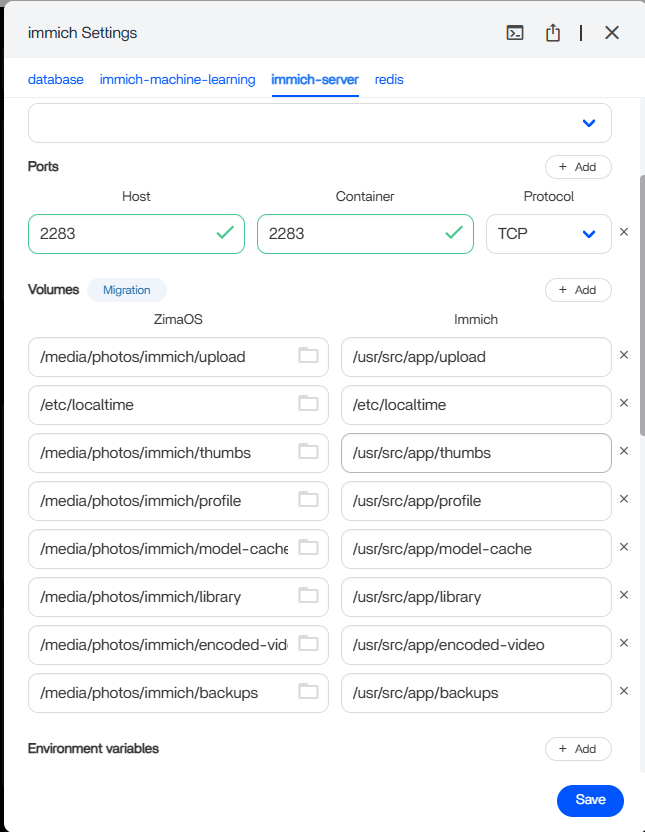
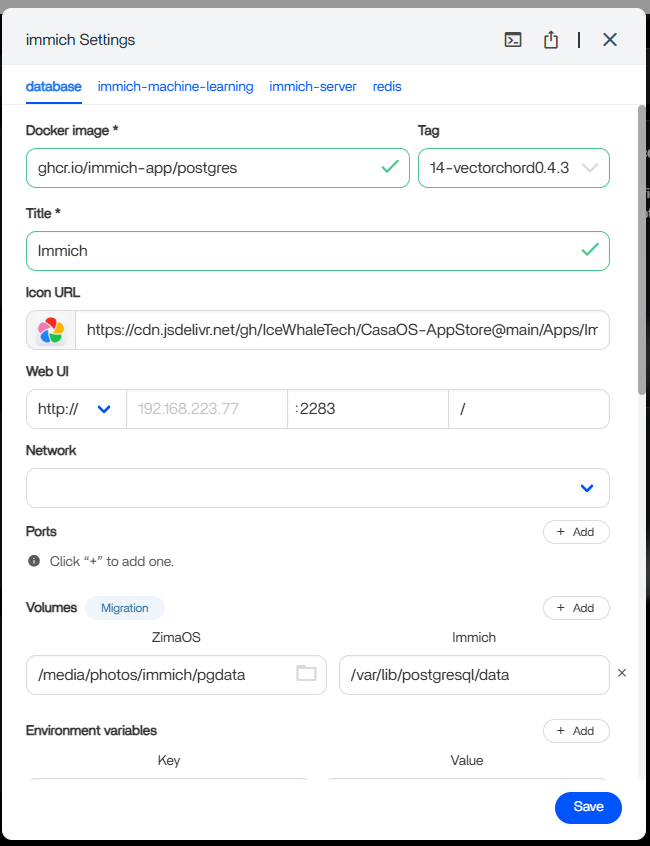
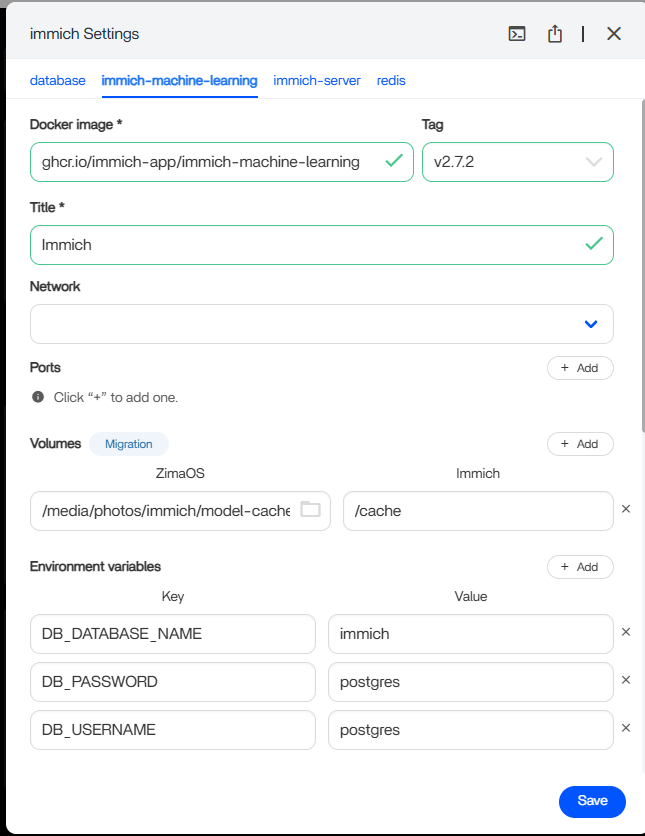
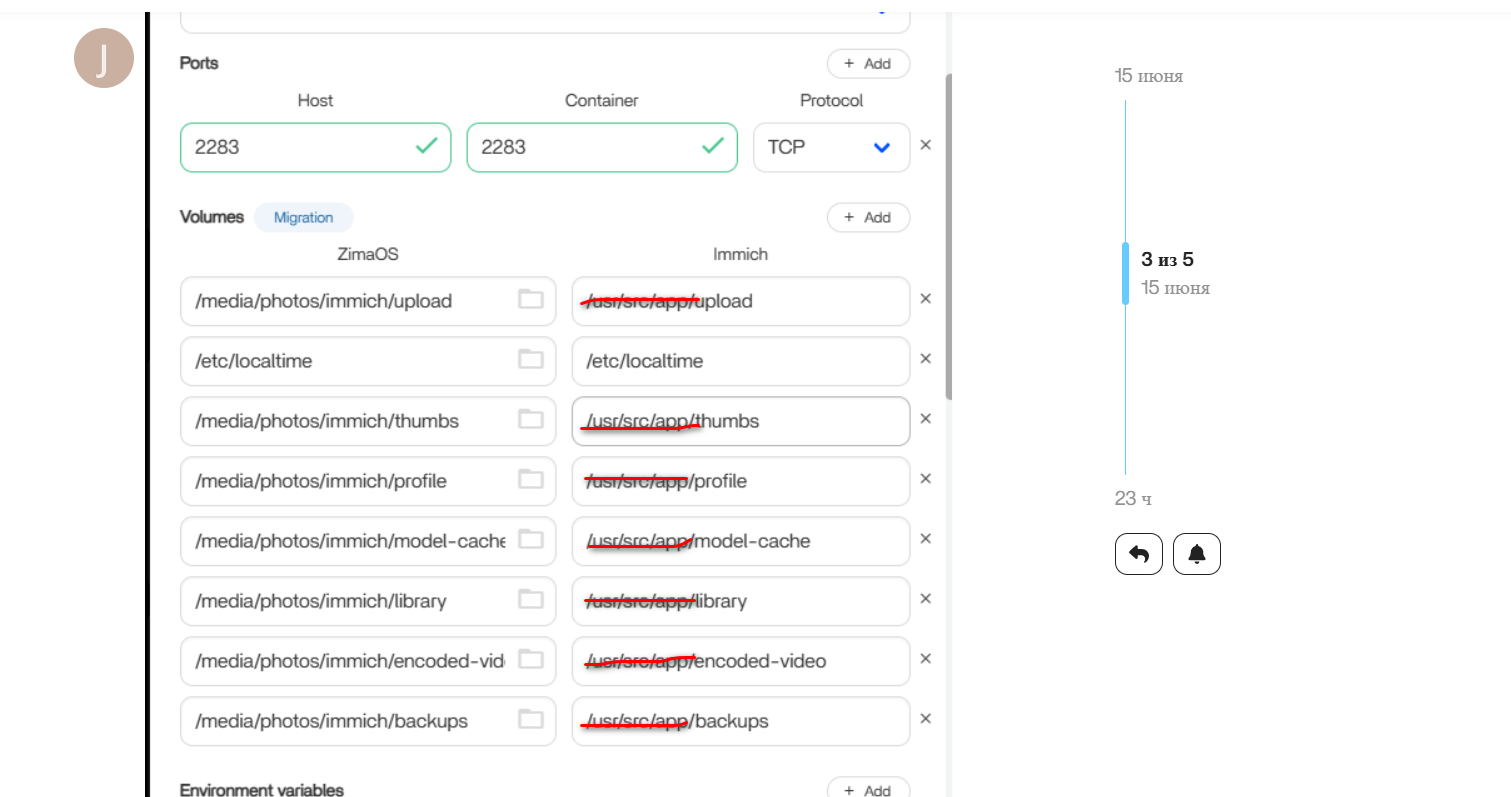
I have 5 drives. A 512 GB SSD for the OS and 4 x 1 TB older disk drives configured as a RAID 6 for photos. The reset went well. The RAID was still there with all the folders, and the contents of the folders were intact. I knew I had to reinstall Immich. I did that, and all was working well until I tried to recreate the paths to the various Immich folders in the setup.
I did not make a copy of those. Originally, Gemini AI helped me set the paths up. This time, Gemini is not so helpful. Tried many and nothing so far.
Is there someone out there who can help me configure the paths?
OS Drive = ZimaOS-HD >> AppData, Backup, DATA, Documents, Downloads, Gallery, and Media
I know the previous path started with /Media/
RAID 6 folders = photos >> AppData, immich,
immich folders >> backups, encoded-video, library, model-cache, pgdata, profile, thumbs, upload.
“upload” shows many folders, each containing a photo,
“library” is empty
“pgdata” has multiple subfolders and files.
While I want to get this working again, the computer has already frozen, and I have been unable to figure out how to find or generate an error log.
That will be a different discussion. One step at a time. If someone can help with the correct paths, I’d be appreciative. And I have tried several paths, none of which have reconnected me to my photos.
Obviously, I am new to this, and if you have a better solution, I’d be happy to learn about it.
Thank you.
Jerlo