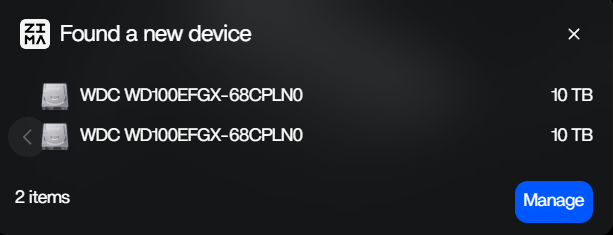
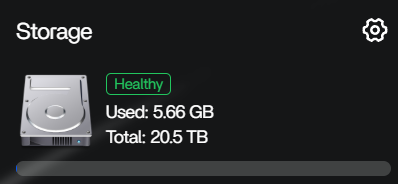
I don’t see the “Start” button here, even though I have my disks connected to my server. My dashboard can find and recognize those devices and are shown as separate “USB” drives. My Google searching tells me that Zima doesn’t allow RAID setups with USB drives, but I was following along to Dammit Jeff’s video “I Spent a Year Replacing My Subscriptions. Here’s How.”, which includes a clip at 19:28 that already has the “Start” button. In that same video, he also uses the same USB DAS setup that I’m using, so I’m not sure what I’m doing wrong or misunderstanding.
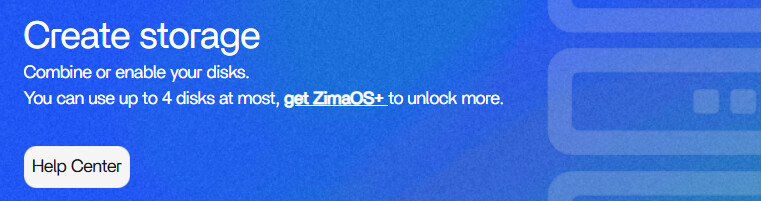
If you want to create RAID using DAS, please wait for our next release, which will implement this feature.
I am in the same predicament. Building a home server for me, my company, and my family has been on my list for a while and seeing that video and him pointing out HDD pricing not coming down any time soon I bit the bullet and am making my first server. Based on 777-Spider’s message sounds like its just a waiting game for now. so hopefully the next release will come out soon. I cant get but so far in my setup and deploying it to my family until i can get that set up. (also as this is my first comment on a forum ever, I just want to say I am glad ZimaOS has such an active community.)
If you’d like to experience it early, you can join our Discord community https://discord.gg/f9nzbmpMtU
1
and find me, 777-Spider. I’ll invite you to the beta testing group.
I think that I was a bit too hasty when building my server to be fair. I don’t think I did enough research on my server, I mostly followed what Jeff did without doing much of my own research. After I got my home server functioning, I’m already experiencing a lot of annoying issues not mentioned in his video (disk formatting, USB-based DAS not being very stable compared to NAS for multi-drive setups, messier setup) which is unfortunate but completely my fault.
Sure, how do I contact you? By DM or a specific channel?
Just DM me