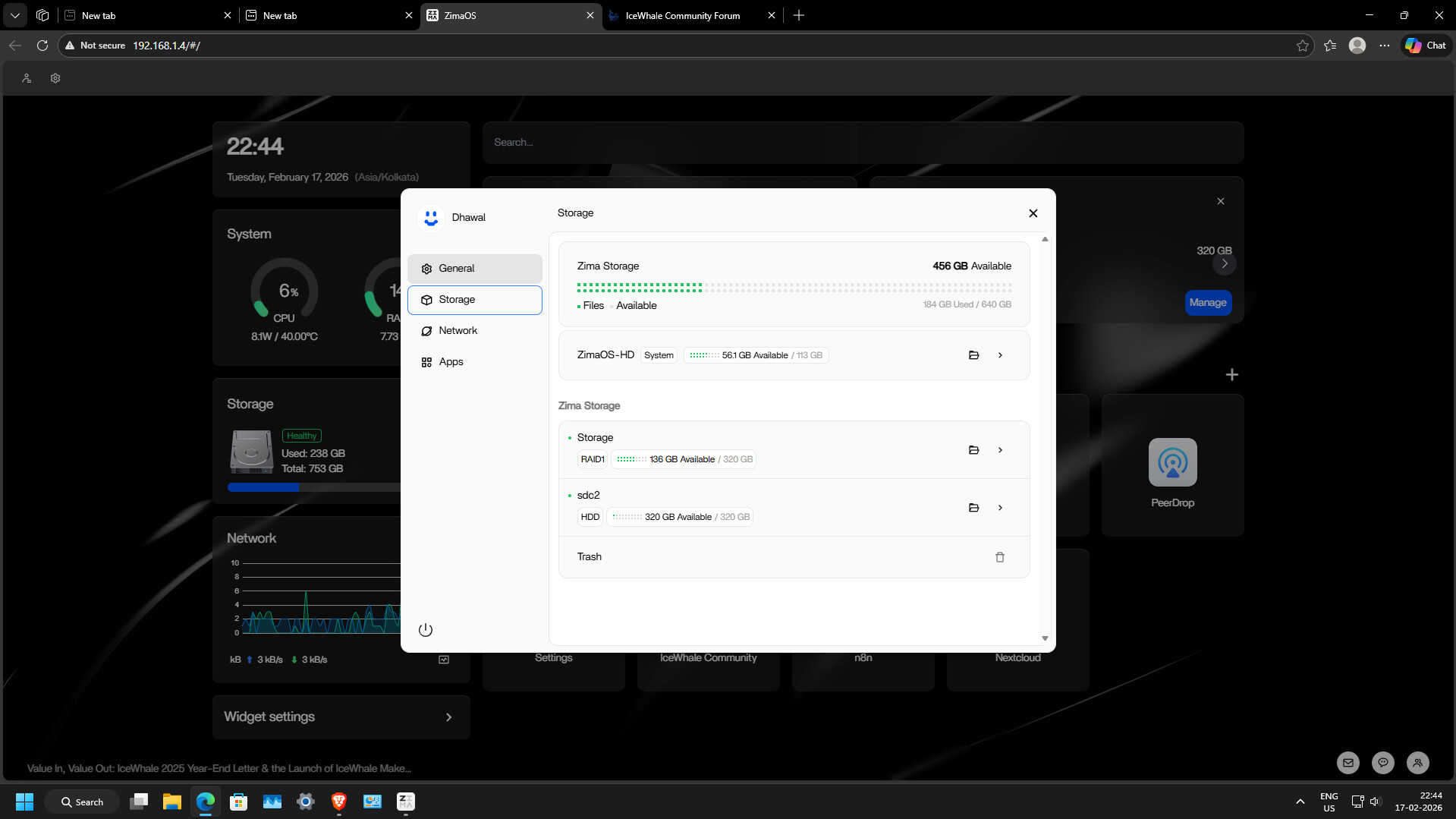
i am unable to format sdc2 and it is giving the error code 1
I believe error code 1 usually appears when the partition is mounted or currently in use.
I suggest first checking all connected drives and their current filesystem:
lsblk -f
This shows:
- All disks and partitions
- Their filesystem type (ntfs, ext4, etc.)
- Whether they are mounted
Then check specifically if sdc2 is mounted:
mount | grep sdc2
If it is mounted, I suggest unmounting it first:
umount /dev/sdc2
After that, you can format it to ext4:
mkfs.ext4 /dev/sdc2
Please note this will erase all data on that partition.
If formatting still fails, I suggest checking system messages:
dmesg | tail -50
If you share the output of lsblk -f, we can better understand the current state of the drive.
but where to do this by cinnectibng to ssh or direcrttly via web
You’ll need to do this over SSH, not from the web UI.
I believe the ZimaOS web interface does not allow low-level formatting commands like mkfs or wipefs, so this must be done from the terminal.
Steps:
- Enable SSH
Settings → Developer → Enable SSH - Connect from another computer:
ssh root@YOUR_ZIMA_IP
Example:
ssh root@192.168.1.4
- Then run the commands:
lsblk -f
umount /dev/sdc2
mkfs.ext4 /dev/sdc2
I suggest posting the output of lsblk -f first before formatting, just to confirm the correct device.
ok thanks i am doing this as it is lets see
all done properly lots of thanks for the in detailed help
Hi,
been trying to format NTFS internat drive that I’ve been using for about a month, and thought it’s about time to finally format it to BTRFS, as the drive recently started acting weird and got quite hot (~43 deg. C) while not being used in any way. It seems like it being accessed by something that prevents it from spin down.
Anyway, I tried to format it, then disable it by using the main ZimaOS cockpit/website. Received the “Error 1” message instead, so I tried to do it manually. The drive (sdb) has two partitions, GPT (sdb1) and NTFS (sdb2), and currently isn’t mounted. Following the usual commands to verify it, only confirmed that everything should be ready for me to format it using mkfs.btrfs command.
Even with force flag, I receive an “Device or resource busy” error. My guess is that whatever keeps the drive active, it is the same thing that prevents me from formatting it. No monitoring tools (htop, btop, iostat) could tell me why the unmounted drive is constantly being used and by what, and if it actually is.
Is there any way to force it to spin down and turn off? Once I reboot the entire PC, ZimaOS is going to mount it again as an NTFS. So, my only idea would be to remove the drive and try to format it on another PC. But before i do that, I’d like to ask here first.
EDIT —
Eventually I did what I said; Removed the drive, mounted it on another PC (Fedora 43) with an external enclosure, and formatted it to btrfs. After reinstalling the drive back, ZimaOS prompted to manage new drive, reformatted it again, and it works.