I’m running ZimaOS and I’d like to make a folder on my system accessible to Plex (installed from the ZimaOS App Store), but I can’t figure out the right way to do it.
I’ve attached a few screenshots showing:
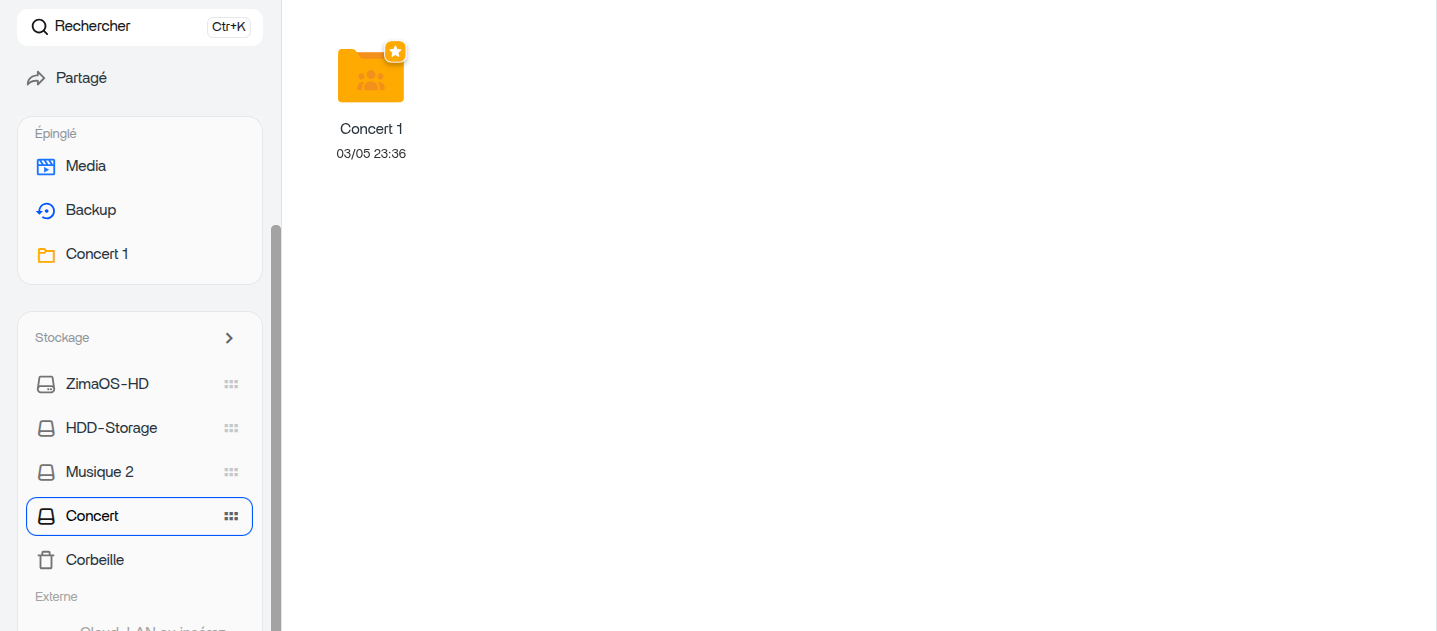
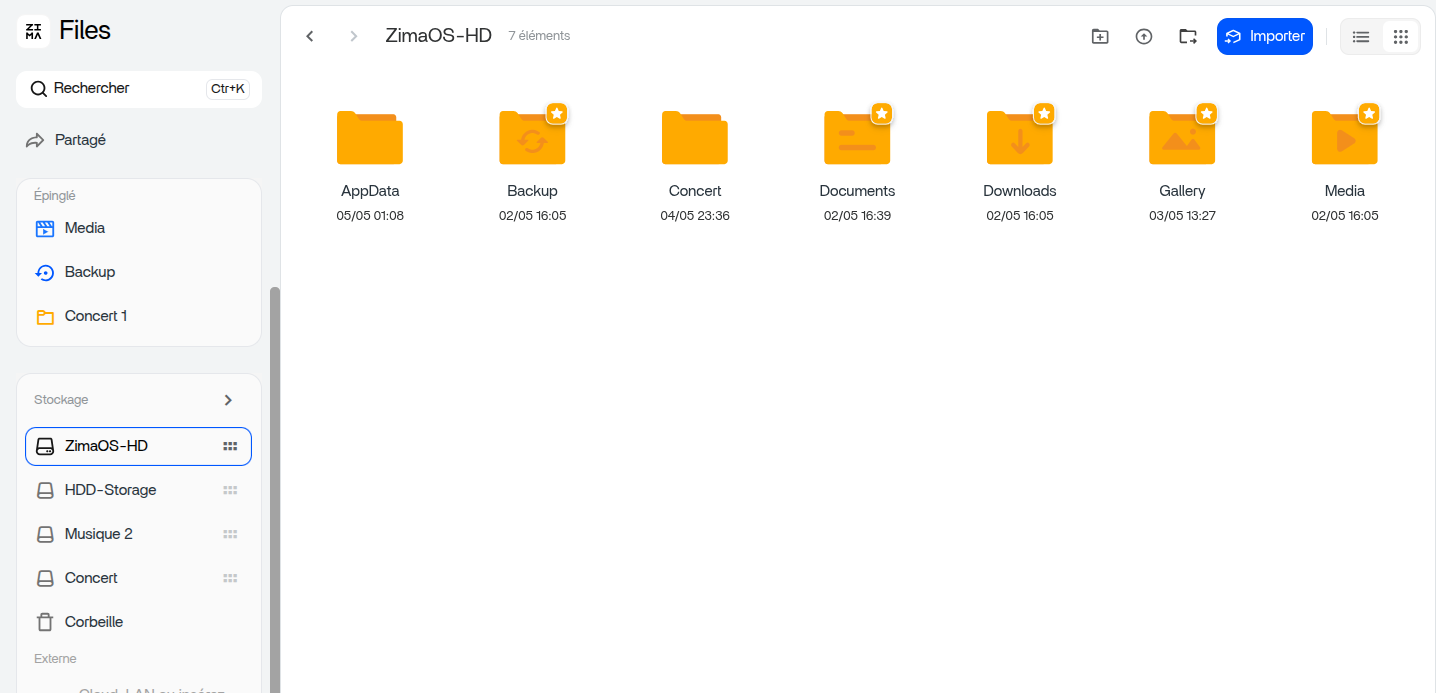
My current folder structure on the storage
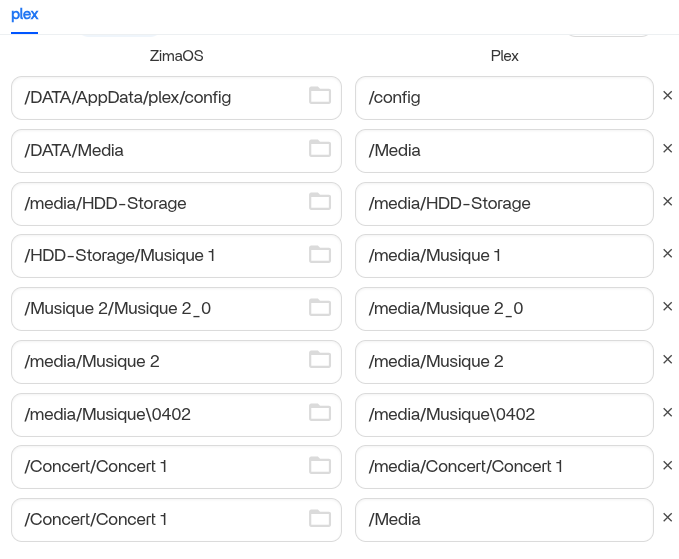
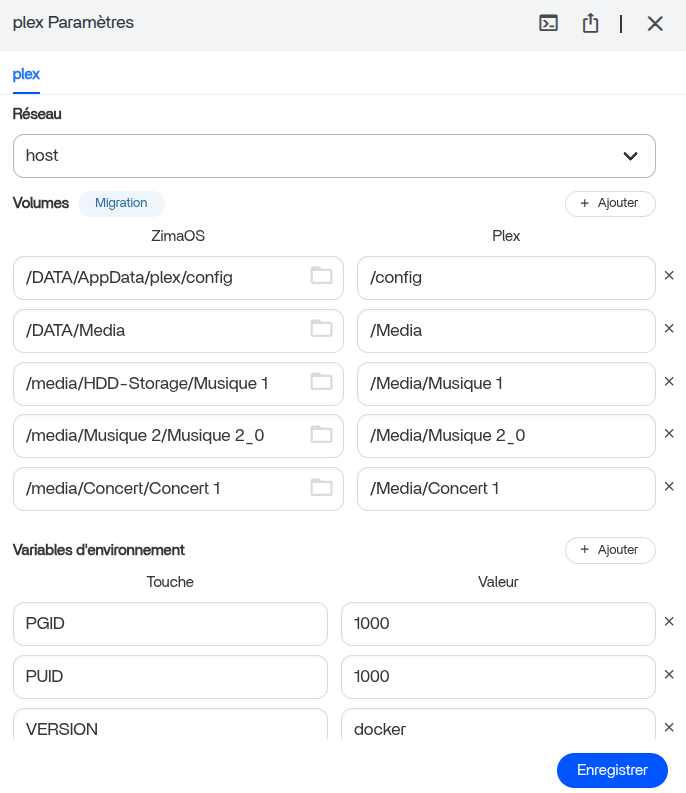
The Plex container settings page
What I see when I try to add a library inside Plex
Could someone please walk me through:
Where exactly should I place my media files (recommended path)?
How do I mount that folder as a volume in the Plex container so Plex can see it?
Are there specific permissions I need to set?
I’m fairly new to ZimaOS, so a step-by-step would be hugely appreciated. Thanks a lot in advance for your help!
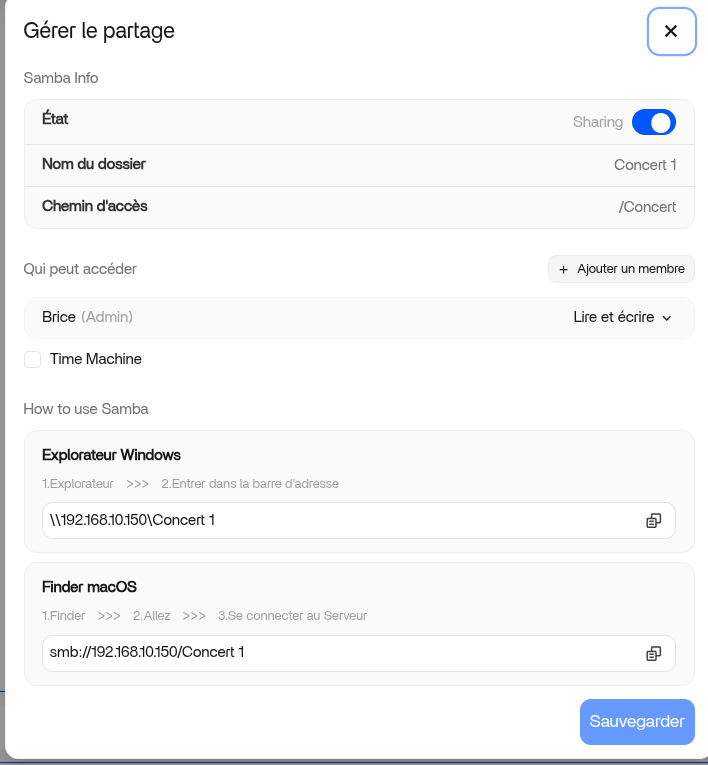
Your screenshots show several different paths, such as /Concert, /Musique 2, and /media/.... I would avoid mixing those for now because it can get confusing quickly. Start with one clean folder first, confirm Plex can see it, then add more folders later.
For permissions, usually Plex only needs read access to the media folder. If Plex still cannot see the files after the mount is added, then the next thing to check is folder permissions.
I think the main confusion here (and this will probably help other new users too) is that ZimaOS Files shows the friendly shared-folder view, while Plex/Docker needs the real mounted Linux path.
So at first, seeing:
/Concert/Concert 1
made it look like that was the full system path.
But later in the Plex volume settings, the actual mounted path became visible:
/media/Concert/Concert 1
and that’s when everything started making sense.
Also, each line in the Plex volume section is a separate Docker mount. That’s why there are several paths listed there. For example:
/DATA/AppData/plex/config -> /config
is Plex’s configuration storage, while the others are media folders being exposed into the Plex container.
Usually the cleanest setup is one main media mount such as:
/DATA/Media -> /Media
then Plex can simply browse folders underneath it like:
/Media/Movies
/Media/Music
/Media/Concerts
instead of adding many separate mounts one by one.
Nothing wrong with your current setup though, the important part is that Plex can now see the correct folders and everything is working.