Hello everyone!
I saw someone asking about HTTPS here before, but they still haven’t given me a clear answer.
So how can I make sure all apps installed on my zimaOS device work with HTTPS?
There is no “easy” way to do this. You can’t just click a button, and have everything run through https, because you’re on a private network etc.
I would start researching Cloudflare Tunnels, Tailscale, or Caddy as a reverse proxy.
I think most people run the apps they want HTTPS through a Cloudflare tunnel. This allows you to connect to your LOCAL apps from outside your network using https.
Tailscale is also quite popular.
To connect to my storage from outside, I use my domain and a static IP address. But I keep getting messages that the connection is not secure.
If you have a Domain Name, you can either install a SSL certificate (lets encrypt) is free. Or again, use Cloudflare. Cloudflare offers using the Domain Name, it works well.
How or where do I install Letes Encrypt?
Sorry, I gave you wrong info. I was thinking about you being on a “webhost” which is where the SSL comes into play.
I think your best option is probably going to be Cloudflare or Tailscale.
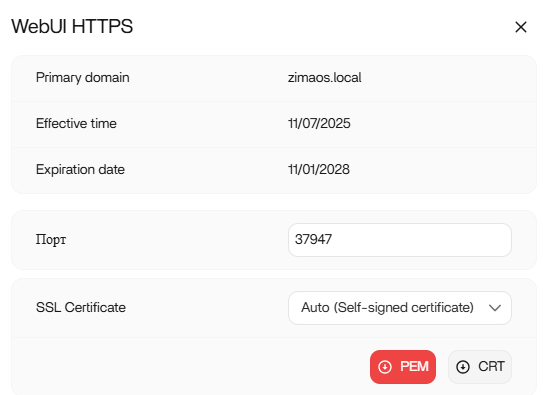
Hello!
Is there a solution to my problem?
Or are all users connected via HTTP and everyone is happy with it?
I think the answer has been given to you. You need an SSL certificate, either free from Lets Encrypt or from your domain provider. Cloudflare also gives you a free certificate. I think you need to do some research on this.
Alternatively, you can use tunnels or Tailscale.
1 Like