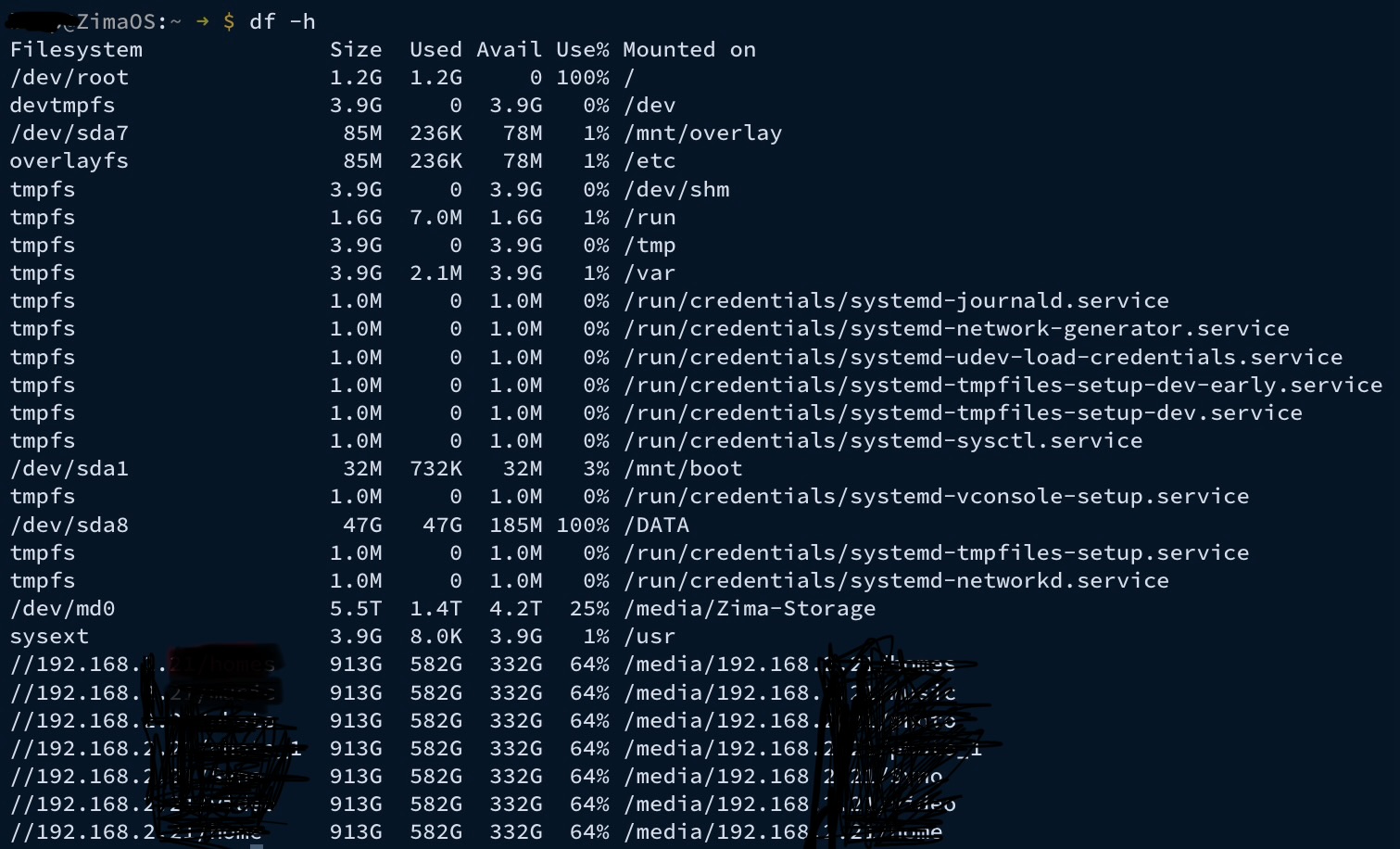
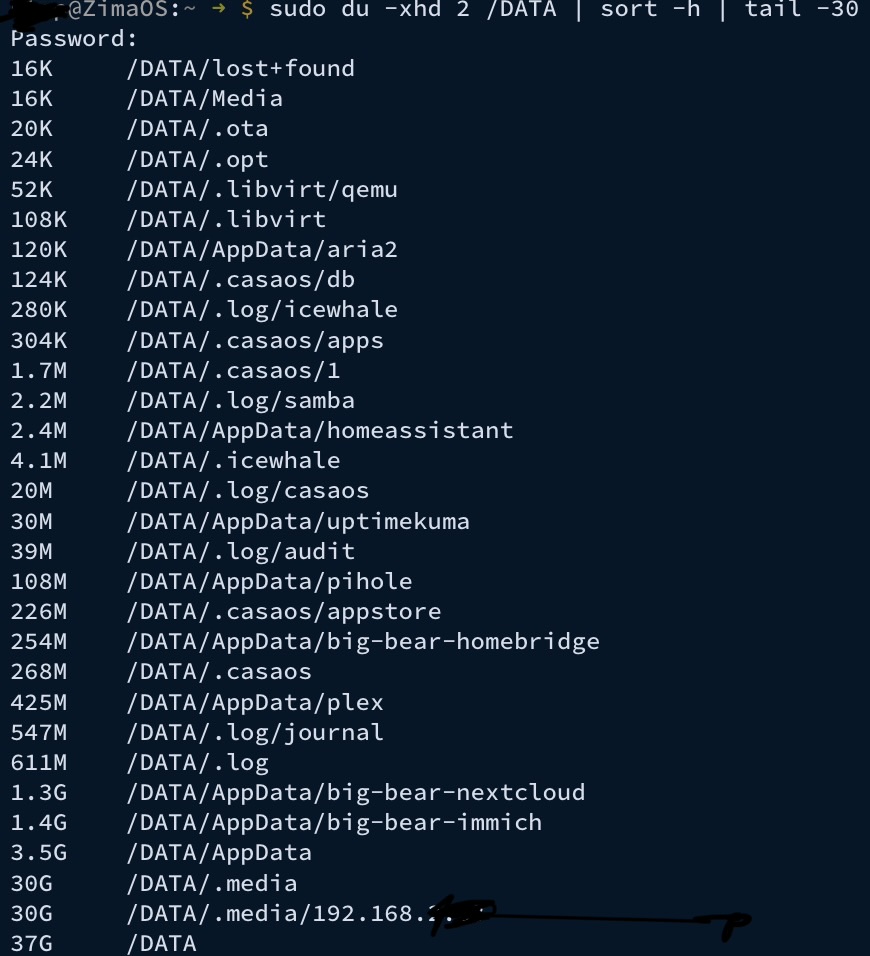
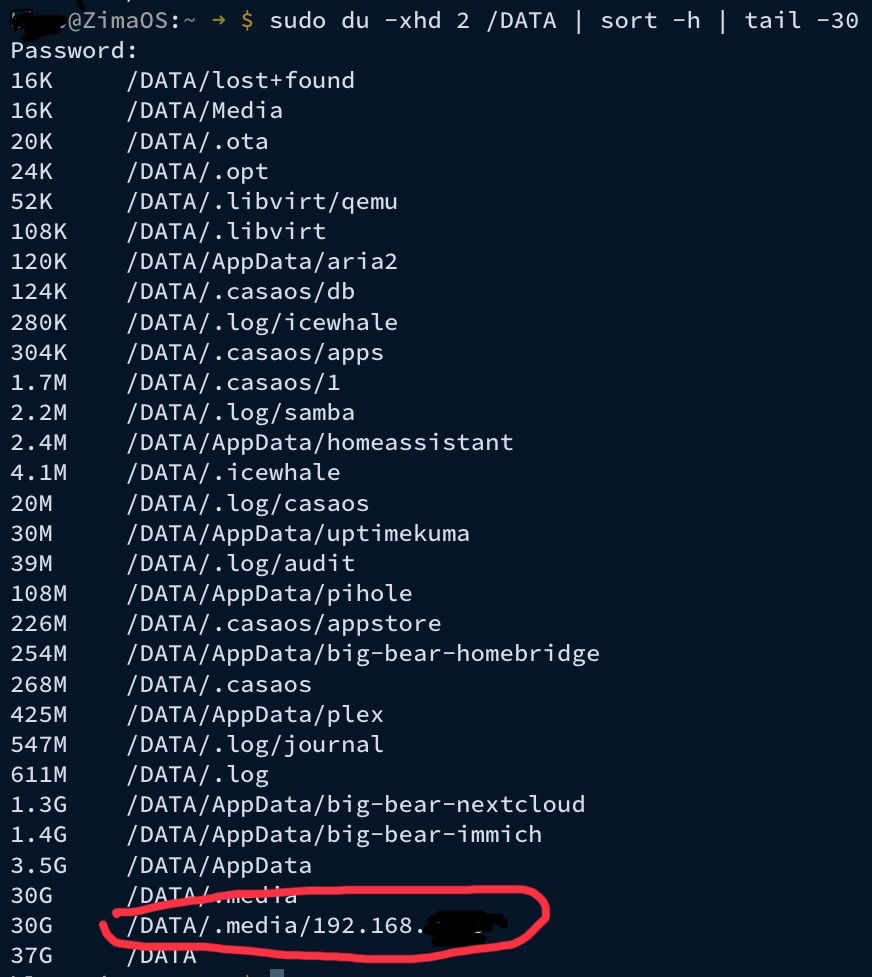
You’ve done everything right here, and your output is actually very clear (nice job).
What your results show (in plain English)
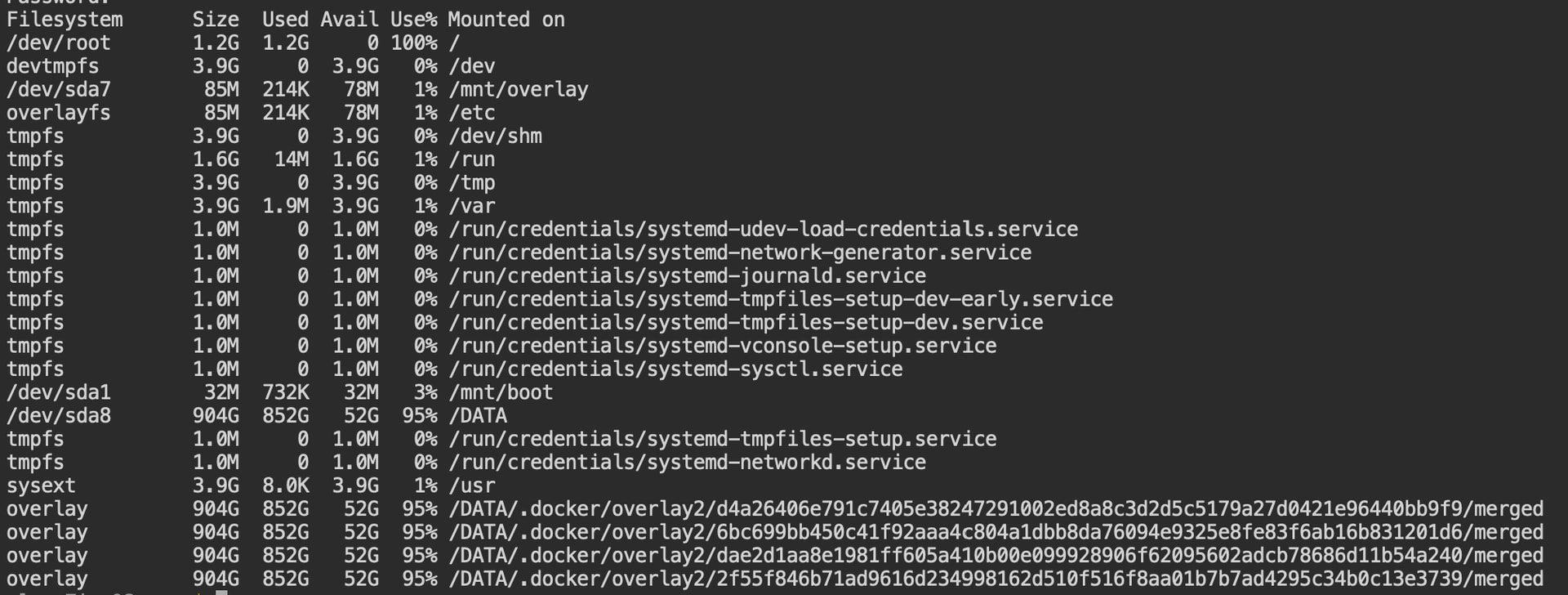
You are not losing space to Docker at all.
Your Docker usage is tiny:
- Images only ~1GB
- Containers basically nothing
- No volumes/build cache
So pruning Docker won’t help much — and that matches what you saw.
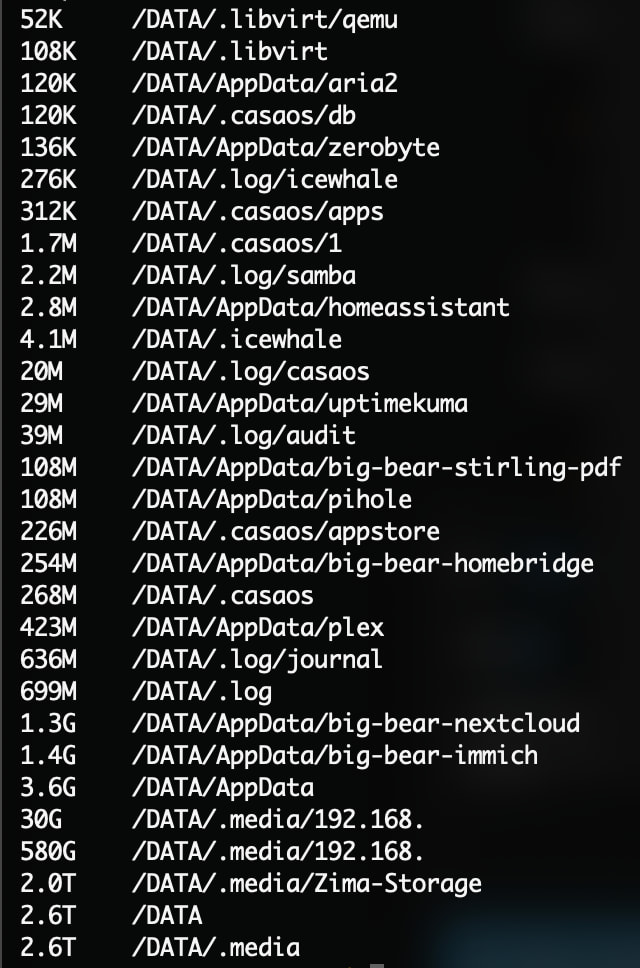
The real space is here:
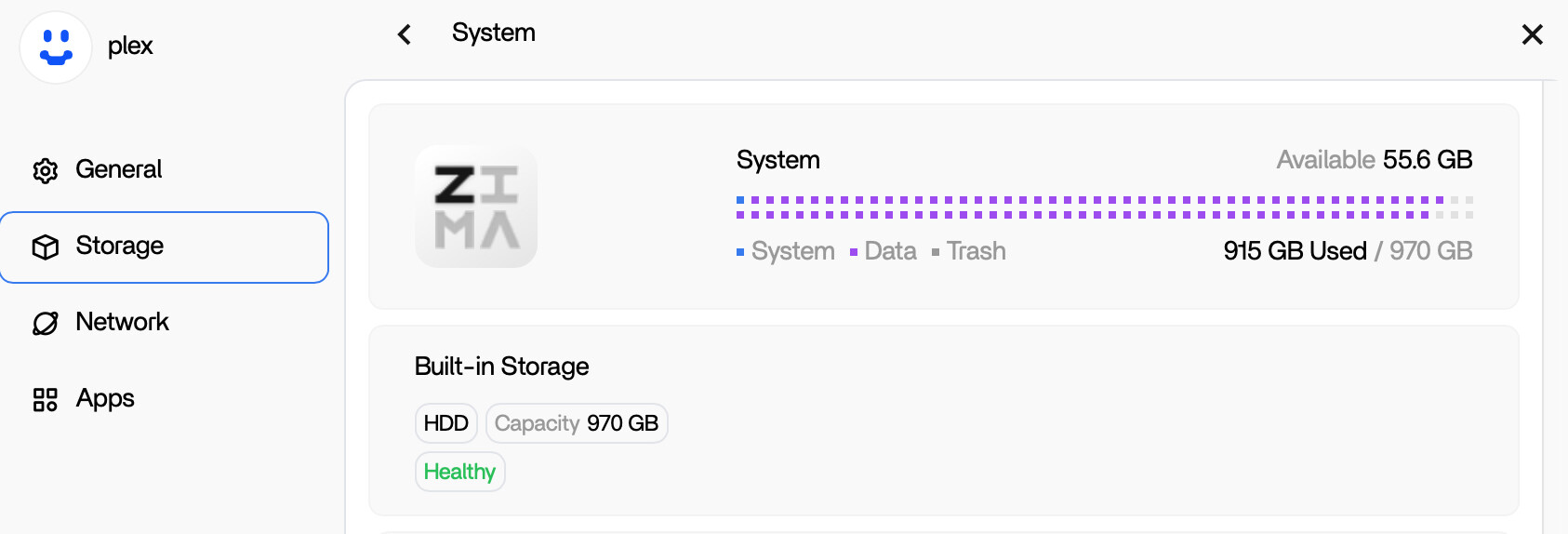
- /DATA/.media/UNTITLED 2 = 424GB
That is enormous, and it lines up perfectly with what you’re describing: a backup being written/stored there.
Why is it inside /DATA/.media/...?
On ZimaOS, when you plug in an external drive, the system mounts it under:
/DATA/.media/<DriveName>
So:
/DATA/.media/UNTITLED 2
is very likely your backup SSD being mounted there.
Important: it might NOT be “extra” space
This folder might be showing the contents of your external SSD through the mount.
So you have 2 possibilities:
Case A (most likely)
That folder is your external SSD contents (normal mount).
Deleting it would delete the backup from the SSD, not from your internal disk.
Case B
The backup bug duplicated content into that folder on your internal drive (less likely, but possible).
We can confirm which case it is with one quick check.
Step 1 (Very important) Confirm if this is a real mounted drive
Run:
df -h | grep -i media
and also:
mount | grep -i "/DATA/.media"
If you see /DATA/.media/UNTITLED 2 listed there, it means:
It is a mounted external drive
and it is not “duplicating” storage inside your internal disk.
Step 2 If you still want to delete the backup (safe method)
If that backup is redundant and you want to remove it, yes you can delete it — but do it carefully.
First: view what’s inside
sudo ls -lah "/DATA/.media/UNTITLED 2"
Then delete ONLY the backup folder/file (recommended)
Example (replace BACKUP_FOLDER_NAME with the actual folder shown):
sudo rm -rf "/DATA/.media/UNTITLED 2/BACKUP_FOLDER_NAME"
If you want to delete everything on that drive
Only do this if you are 100% sure you don’t need it:
sudo rm -rf "/DATA/.media/UNTITLED 2"/*
That will wipe the contents of the external SSD.
Will this keep happening with the built-in backup program?
Based on your output: no, not in a “runaway cache” way.
What likely happened is:
- the Zima backup created a large backup file, and
- it’s simply sitting on the backup SSD drive (mounted as UNTITLED 2)
So it’s not “mysteriously duplicating” — it’s just storing the backup.
How to prevent confusion next time
- Give the backup drive a clear name (not “UNTITLED 2”)
- After a backup completes, always verify what was written
- If backups are too large, use incremental backups (if supported)
If you paste the output of:
df -h | grep -i "UNTITLED\|media"
mount | grep -i "UNTITLED"
I can tell you with certainty whether it’s a mounted external SSD (safe) or accidentally written into internal DATA (rare but possible).