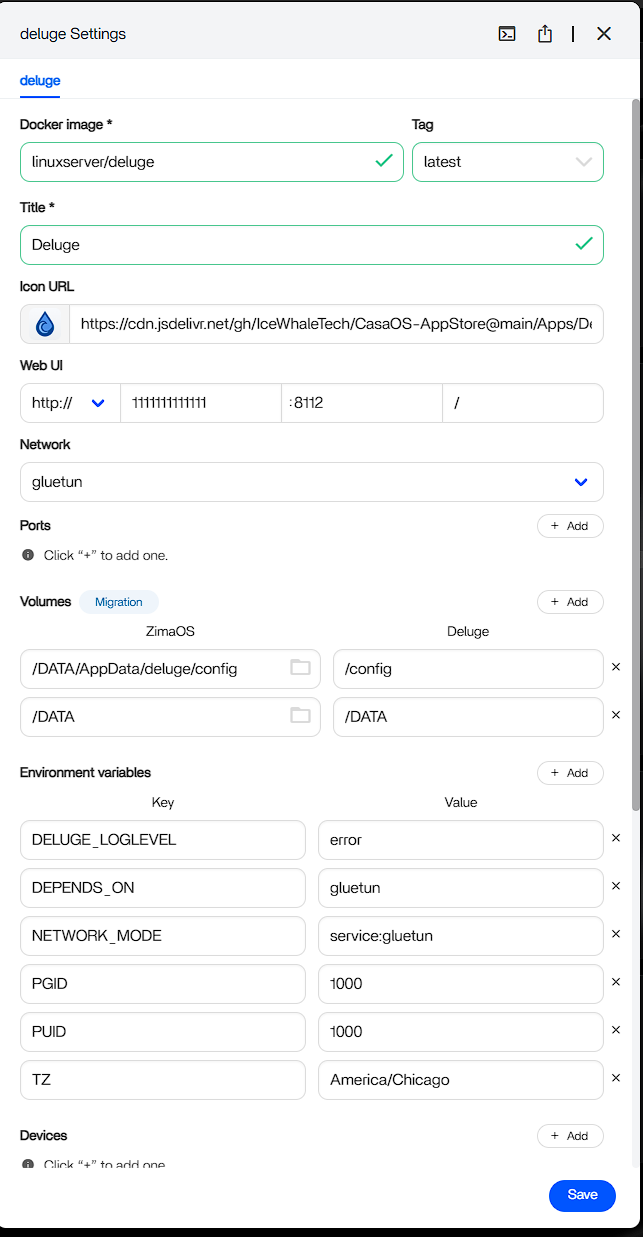
Hi, Looking to see if anyone is familiar with setting up gluetun and getting Deluge to route through it. I currently have gluetun installed and running with my nordvpn creds and I’ve add Deluges ports to gluetun. However after installing Deluge I can get the webUI to open.
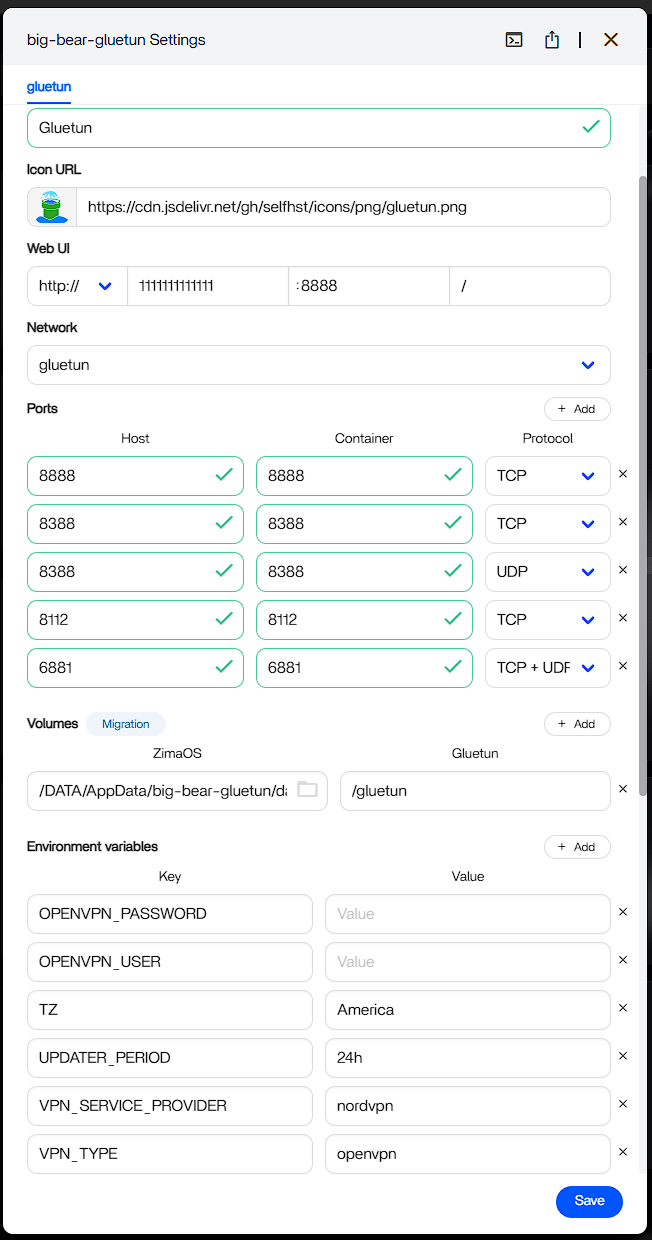
I don’t know anything about app you want to install, but you can’t name any service like http://1111111111111
1111111111111 - is not valid NAME but your computer trying to treat it as a a valid IP address! Unfortunately this IP is to big (>4294967295), and this is not valid IP either.
Use something like http://gluetune.local (depending of your system / network / needs / ect)
Hi,
The 1111111 is just a random number I put in so that I didn’t post my local host IP which is usually in that field.
Posting how I solved this since I somehow managed to
-
uninstalled Deluge
-
Using zimaOS app store I selected the custom install option for Deluge and removed the ports and installed it again.
-
Opened Deluges setting and exported the compose file. and uninstalled the app again.
-
In the exported compose I added in “network_mode: container:gluetun”
-
Imported the compose back into ZimaOS which reinstalled Deluge
after all this Deluge opened like normal and when I ran “wget ifconfig.io” in terminal it returned gluetun’s VPN IP instead of my ISP’s
I was not able to make it work, I downloaded Transmission app from zigma store and worked ok
I this issue was after re install Deluge and import the yaml file I note some other setting were saved to maybe is necessary to do a Docker cache cleanup.