Hello,
I’m getting an error copying some files. Some .ts files from TV recordings via a digital terrestrial tuner copy almost to completion, but at the last few percent, an error appears: error 0x80070299, and the copy fails. On all my other devices (NAS or otherwise), these files copy and save without any problem. Does anyone have any ideas?
Windows and its system files have been checked, using DISM and sfc /scannow
It’s not a size issue; other .TS files located elsewhere don’t fail. Zimas OS is installed for testing with four small 1TB hard drives in RAID 5, an i7 3000 series processor, and 16GB of RAM.
ZimaOS v1.5.3 Community Edition
Thanks in advance.
you can speak in french if you want
Error 0x80070299 on Windows during a network copy usually points to an I/O timeout / connection drop during the final “write + close” stage. The fact it fails at the last few % strongly suggests SMB (Samba) or the underlying RAID/disk doing retries, not Windows itself.
If Robocopy succeeds > this is likely SMB/Windows Explorer session handling.
If RAID/dmesg shows errors > it’s likely a failing disk or RAID retries causing the timeout.
Hello and thank you.
Here are the results I obtained. Understanding and executing the commands with the AZERTY keyboard isn’t easy…
I’ll try to attach the results as images.
test2 couldn’t interpret it
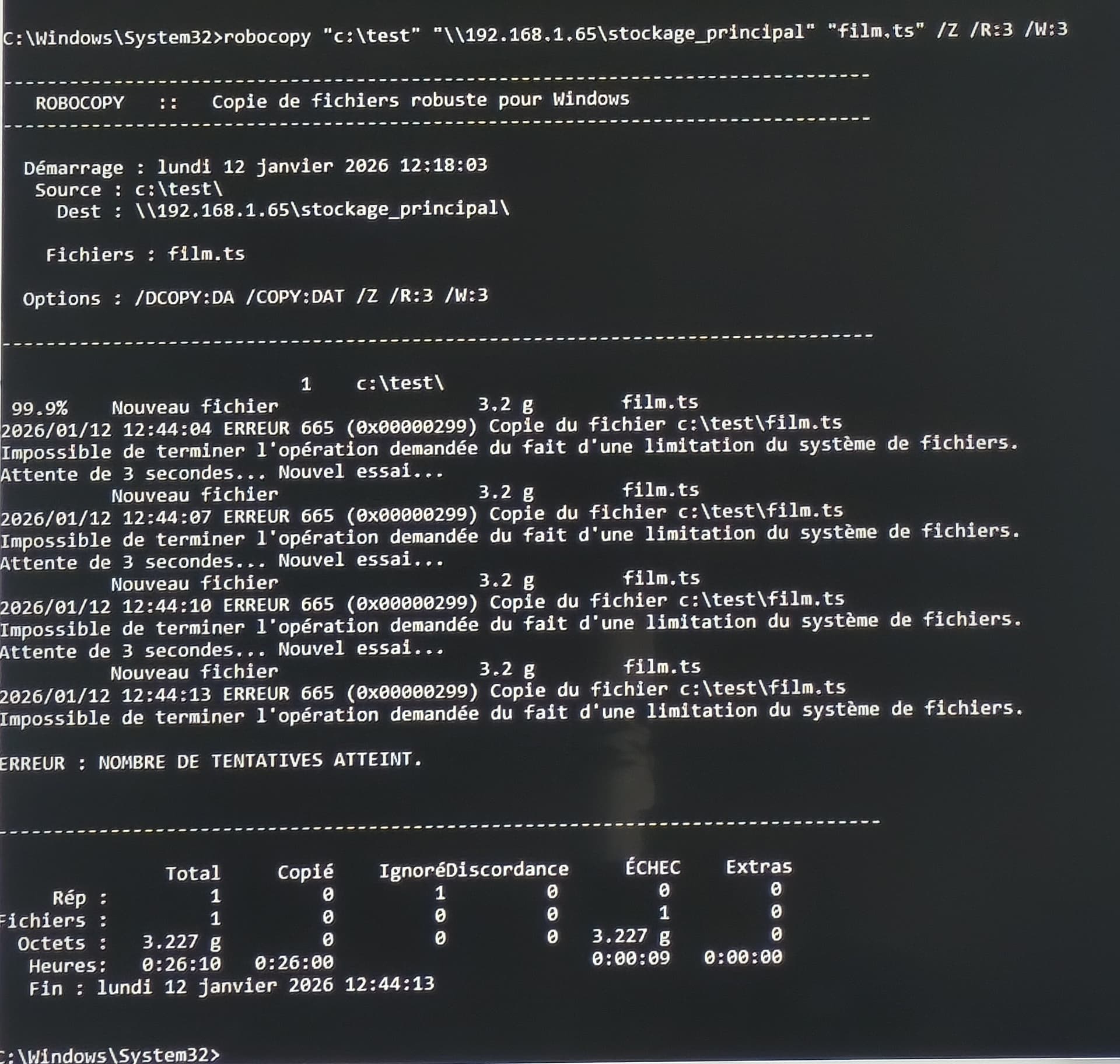
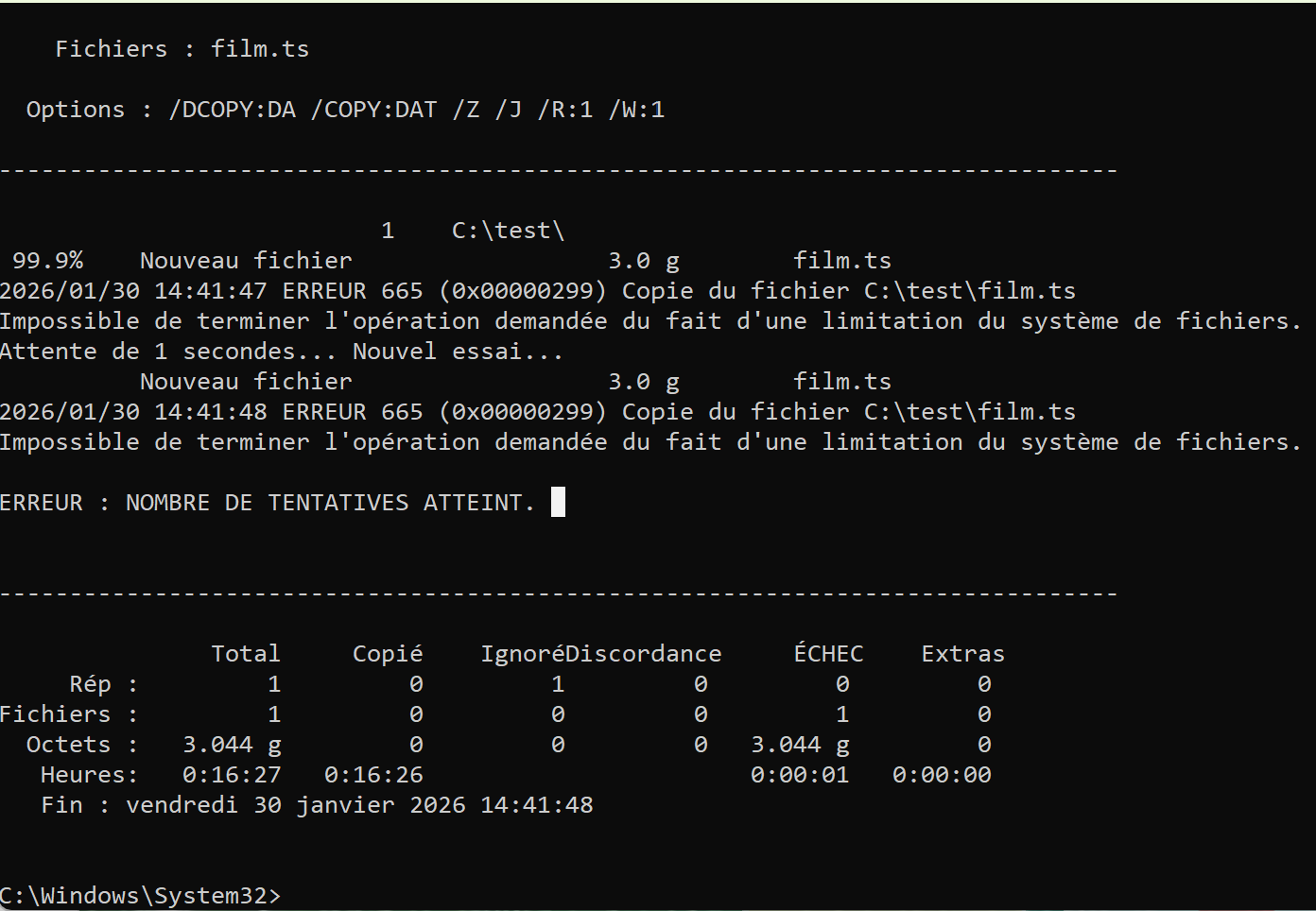
Note that for Robocopy, even with a fairly long time, the result is the same: failure.
Thanks for the extra screenshots.
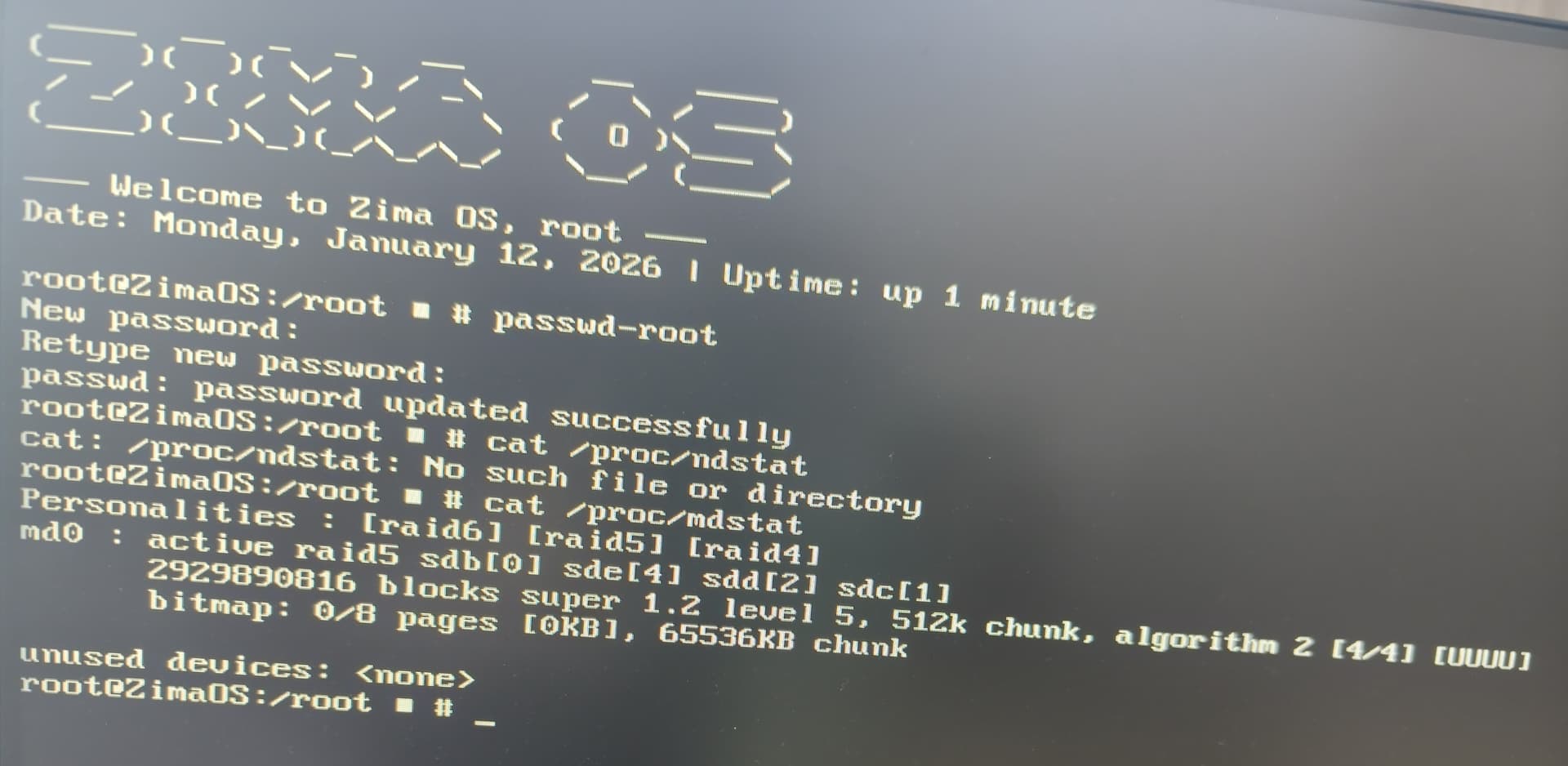
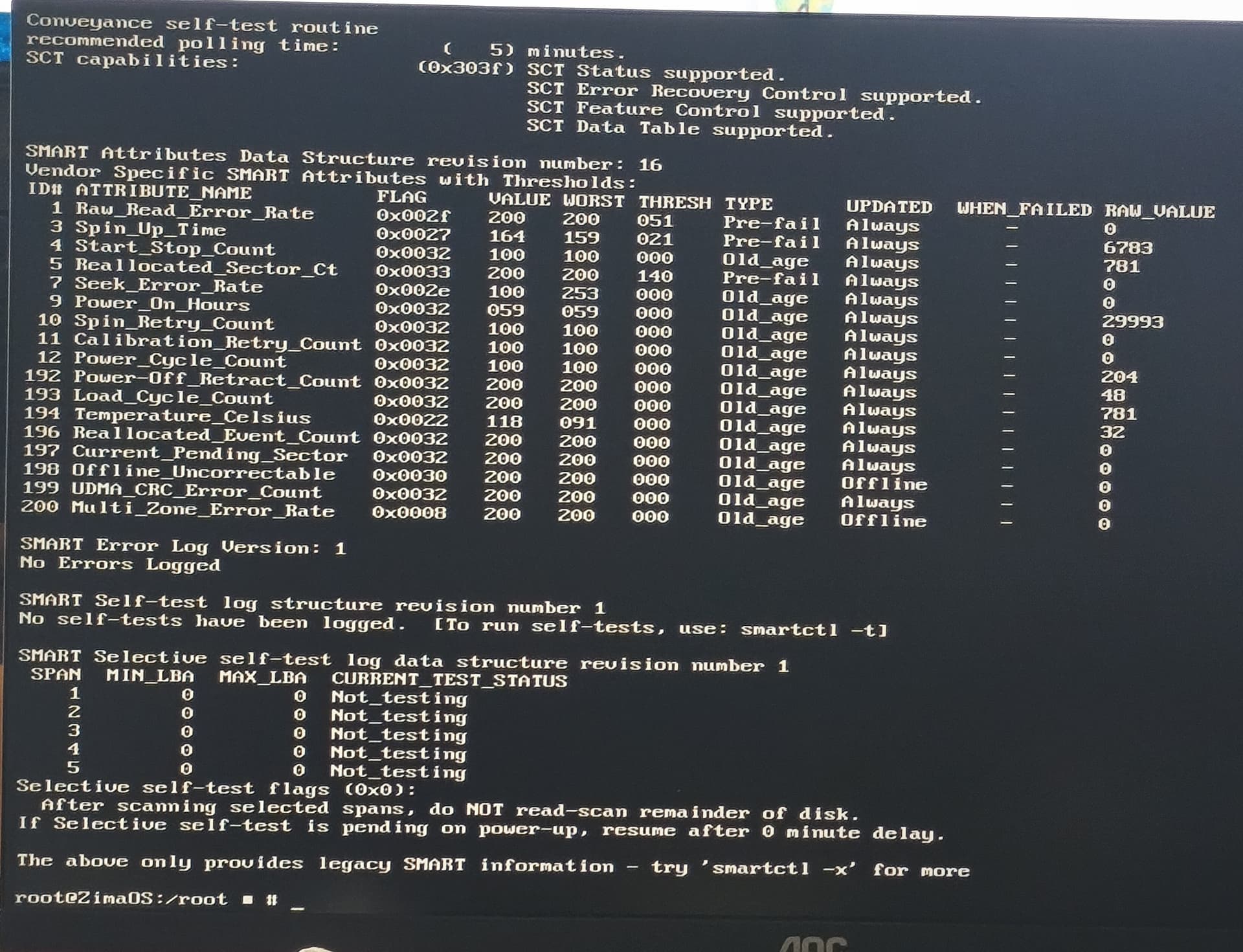
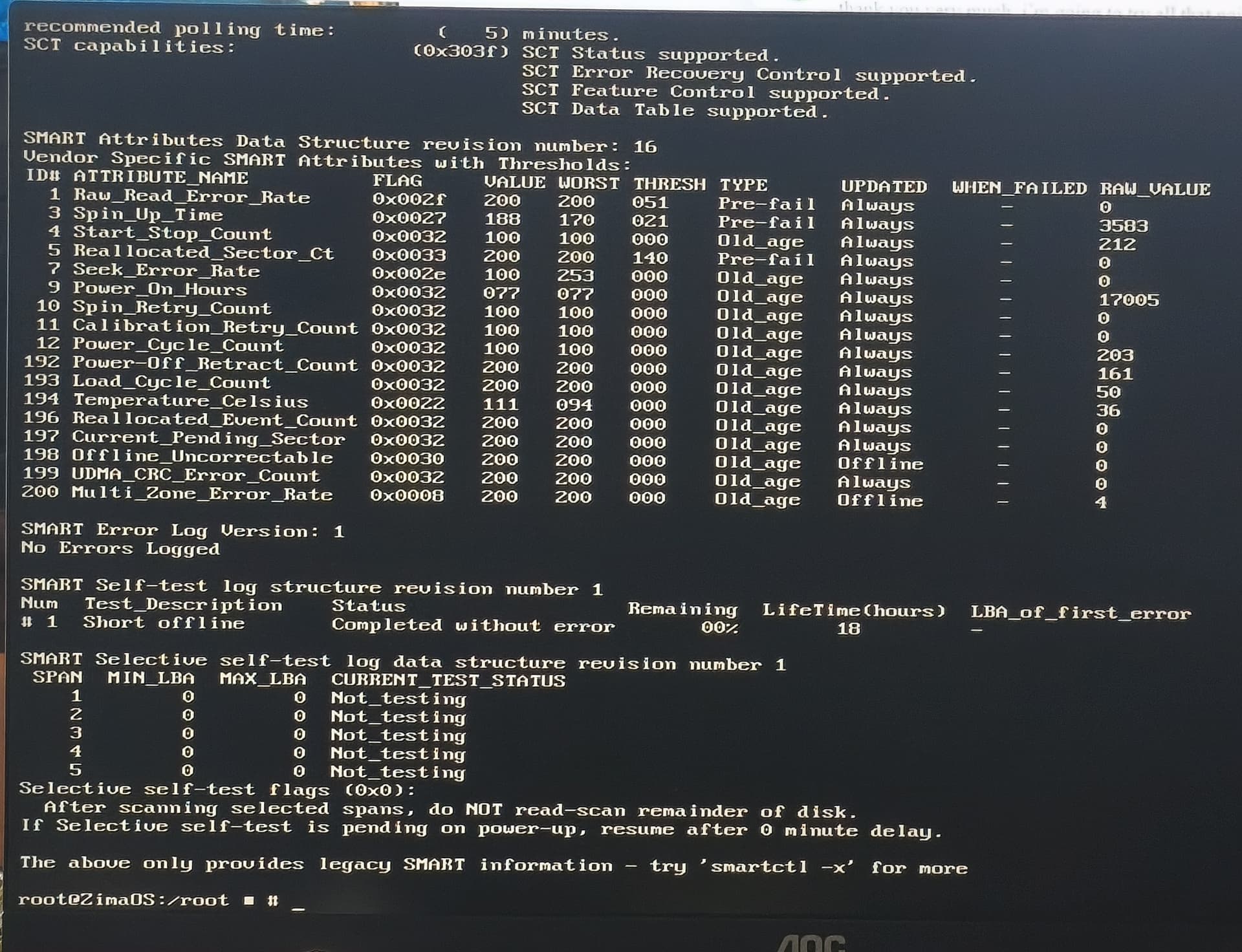
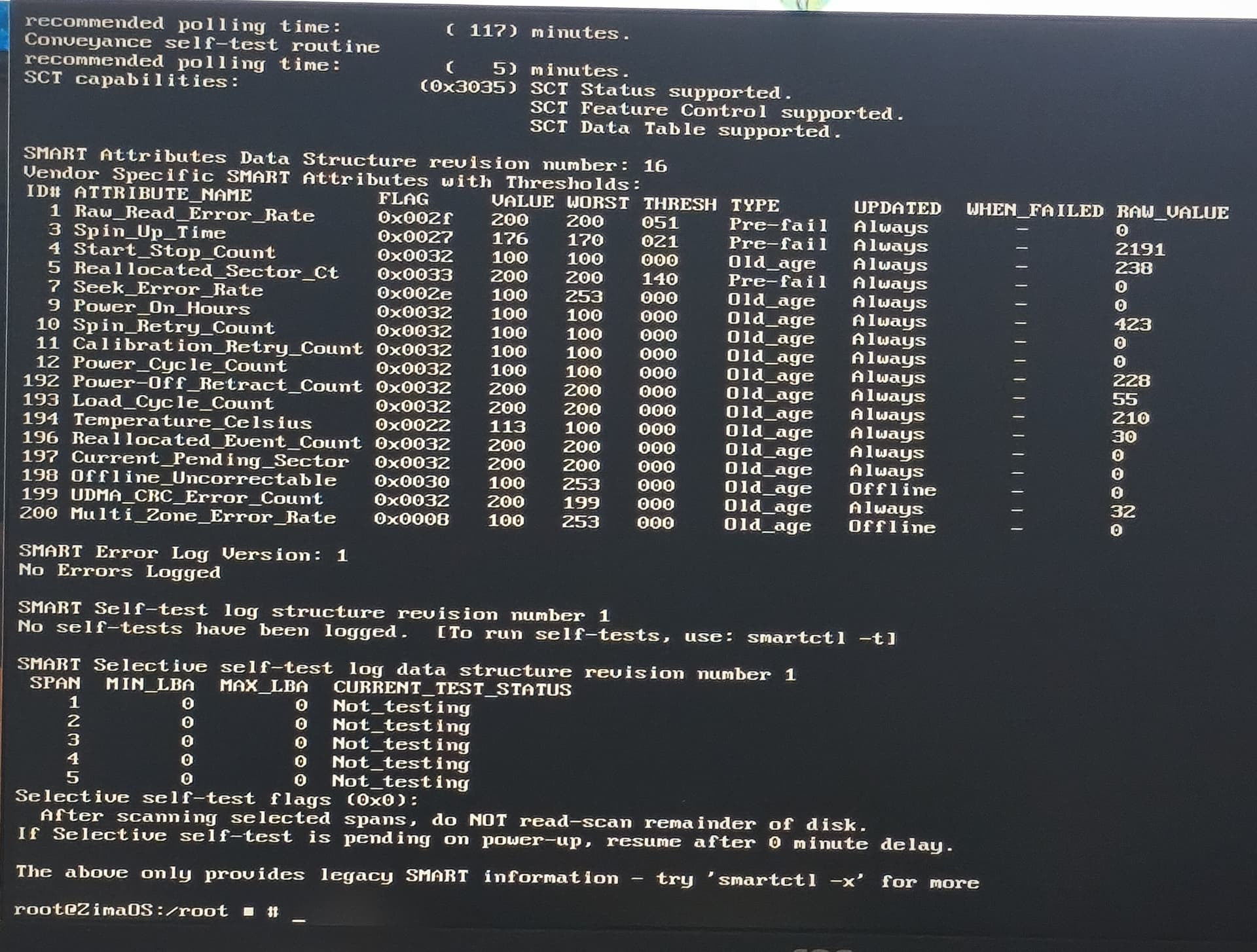
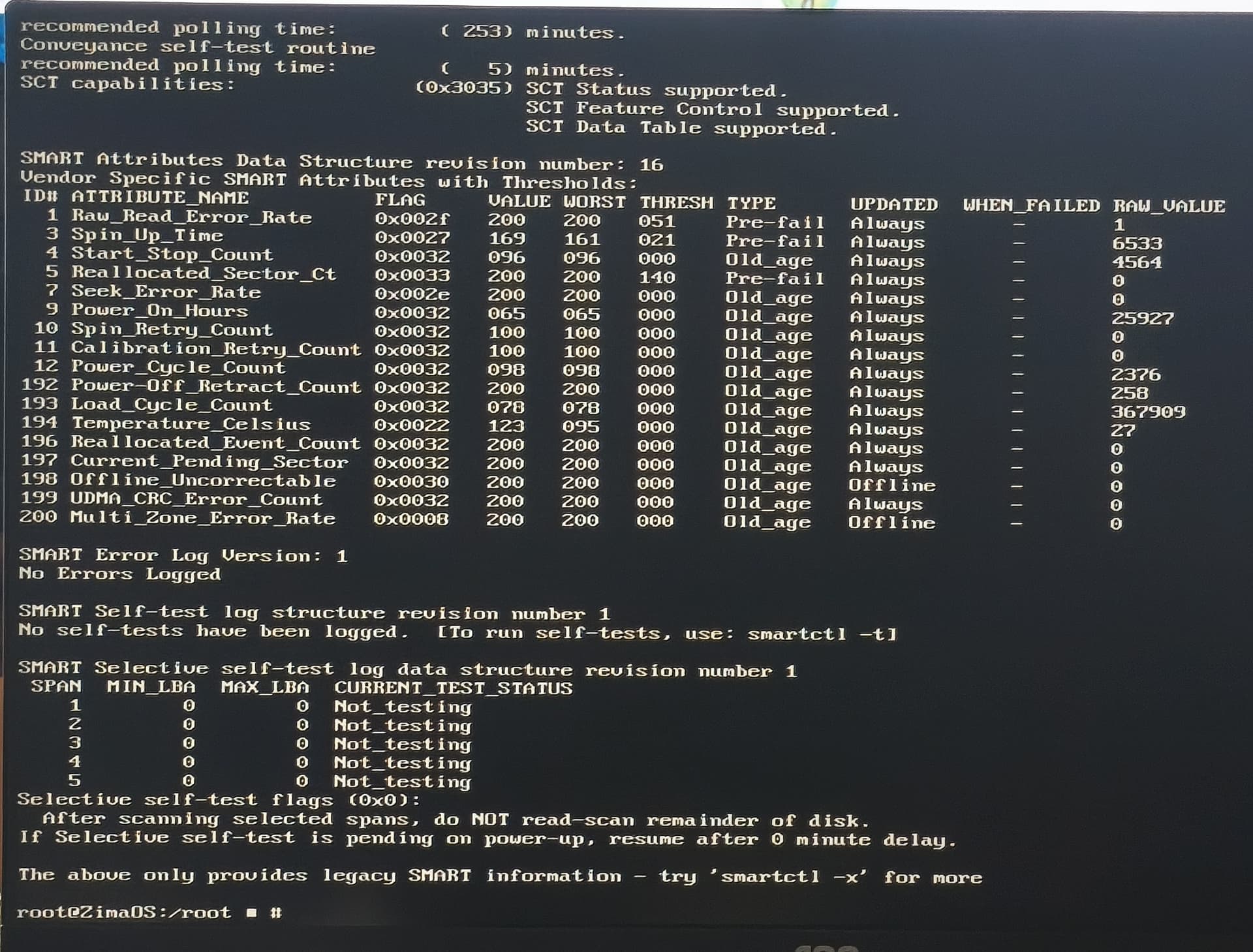
Your RAID looks healthy ([UUUU]) and SMART is clean (0 reallocated / 0 pending / 0 uncorrectable + no SMART errors), so I don’t believe this is a failing disk.
Since Robocopy fails at 99.9% with ERROR 665 / 0x80070299, I suggest this is more likely an SMB/Samba timeout during the final flush/close stage.
Can you run these right after the failure and paste the output?
dmesg -T | tail -200
logread | tail -200
Also try this Windows test (often helps large media files):
Thanks for these new, narrowed-down leads. For your information, I’ve set up a new RAID array with four 3TB disks, still in RAID 5, and the problem remains the same.
I could also copy these same files from another PC to see
Thanks for confirming that, that’s actually a very strong test.
If you rebuilt a completely new RAID5 array with different disks and the same problem still happens, I believe we can reasonably exclude “failing drive” or “RAID rebuild/degraded array” as the root cause.
At this point I suggest focusing on SMB/Samba + network stability during the final file flush/close step, which matches the “fails at the last few %” symptom.
What I suggest testing next
1) Copy the exact same .TS file from a different PC
If it succeeds from PC#2 > this points to a Windows SMB/client issue on PC#1
If it fails from PC#2 as well > this points to ZimaOS SMB (Samba) behaviour / network layer
2) Try forcing SMB3 only (quick Windows-side test)
On Windows, temporarily disable SMB1 (if enabled) and ensure SMB3 is used (Windows 10/11 normally does this automatically).
Also try this Robocopy variant (unbuffered I/O):
3) Check if MTU / jumbo frames is involved
If any device (router/switch/NIC) is using jumbo frames, I suggest temporarily setting everything back to MTU 1500 and retesting.
4) Capture Samba/kernel logs immediately after a failed copy
dmesg -T | tail -200
logread | tail -200
If you paste those outputs after a failure, we can usually see whether it’s Samba timing out, a network reset, or a write-close stall.
Point 1
Works on all other PCs > confirms the files themselves are fine and the ZimaOS storage can accept them.
Point 2
SMB1 already disabled > correct, nothing to change there.
Point 3
MTU set to 1500 everywhere > correct and rules out jumbo frame issues.
Robocopy result
The Robocopy error you posted (ERROR 665 / 0x80000299 at ~99.9%) shows the same behaviour as Explorer: the transfer completes but the final write / close fails.
This rules out a simple copy-tool problem.
Point 4 (where to do this)
These checks are run on the ZimaOS system, not on Windows.
• Open the ZimaOS Terminal (or connect via SSH)
• Add the following commands in the terminal, one after the other:
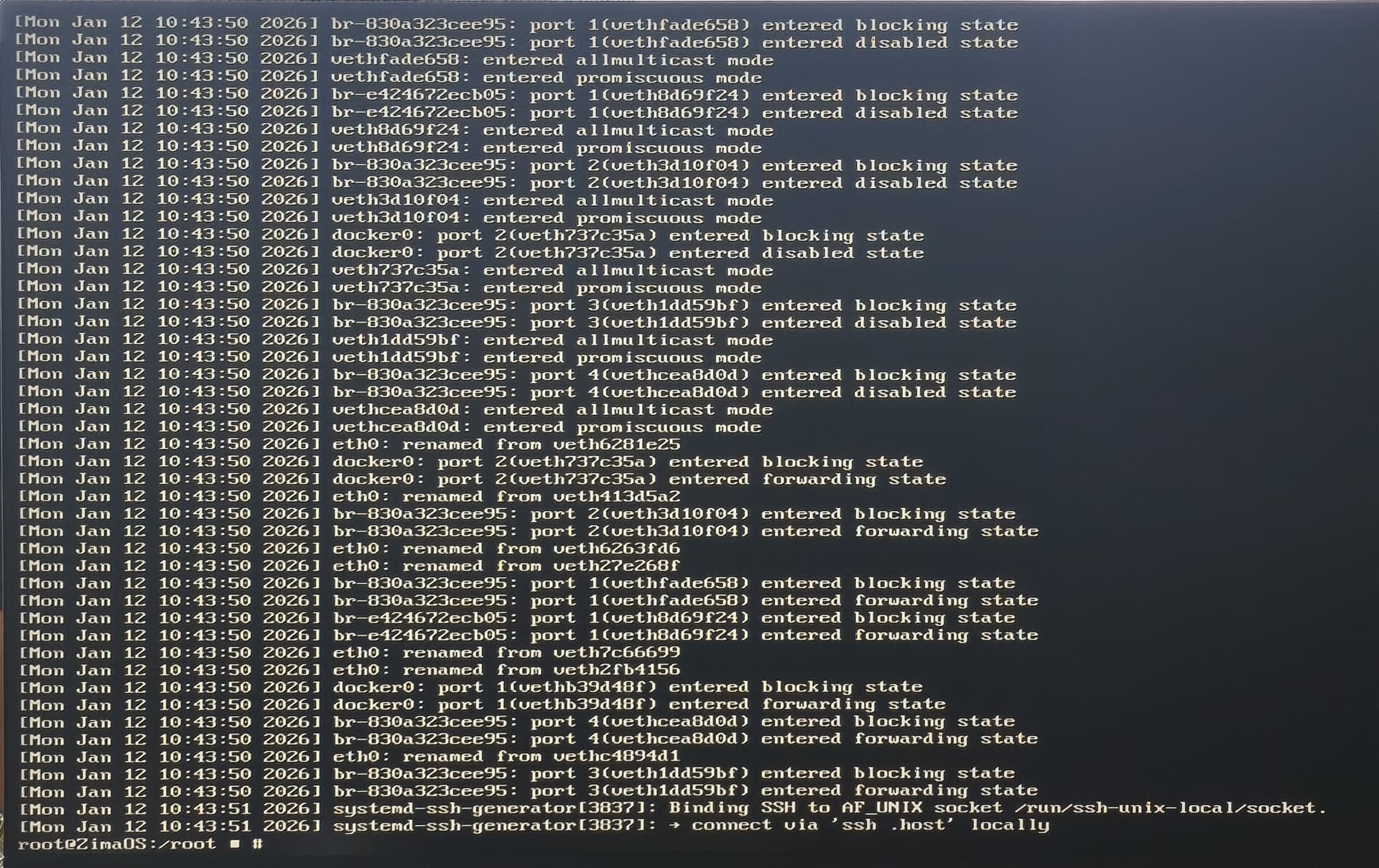
dmesg -T | tail -200
journalctl -n 200 --no-pager
• Paste the output here (text or screenshots are fine)
Both commands are read-only and safe.
At this stage, all evidence points to a Windows SMB client issue on that specific PC, not a disk, RAID, or ZimaOS data-integrity problem.
The logs will confirm whether the server reports a timeout or connection reset at file close.
No signs so far indicate data loss or failing drives.
Hello, sorry for my late reply, but I’d kind of lost the motivation to fight for a solution to this problem.
Actually, this morning I did something simple: these movies were regularly backed up to a software NAS using Trunas Scale. The files are the same, but on a storage device accessible from other machines.
So I copied a folder containing about twenty episodes of “The Closer” that wouldn’t play on the original PC. They’re now being copied from another machine running Windows 11 Pro with a 12th generation Intel i7 processor and 32GB of RAM (Dell).
This clearly indicates that it’s the original Windows 11 Ryzen PC that has a network transfer issue, as you detected.
Now I’m not really sure how to solve this problem. I’ve tried reinstalling the OS, but since I don’t want to reinstall the hundred or so programs already installed, my reinstallation attempts have apparently never been complete resets of Windows, but rather partial program reinstallations.
And they haven’t solved any of my little problems, including this SMB transfer issue…
I also noticed something that might be related to my error:
On the working PC, I checked the properties to see if the same number of files were present on both drives, the original and the backup. There is indeed a possible difference of one or two days between the original and the backup (which is daily if the PC is on).
The properties revealed a discrepancy in the size on the hard drive,
which drops from 103 GB (110,861,520,896 bytes) (original)
to 101 GB and 109,757.xxx bytes on the network drive,
Thanks for coming back with this, that confirms it clearly.
Since the same files copy fine from another Windows machine to the same ZimaOS share, the issue is isolated to the original Ryzen Windows PC, not ZimaOS, disks, or SMB on the server.
The size difference you noticed is expected when a transfer fails at the final stage, Windows can leave a slightly incomplete file or report a different “size on disk”. It doesn’t indicate a problem on the NAS.
At this point, this is a Windows client-side issue (likely driver or network stack related).
A full clean OS reinstall would be the only guaranteed fix, otherwise using another machine for transfers is the practical workaround.
From the ZimaOS side, everything is behaving correctly.