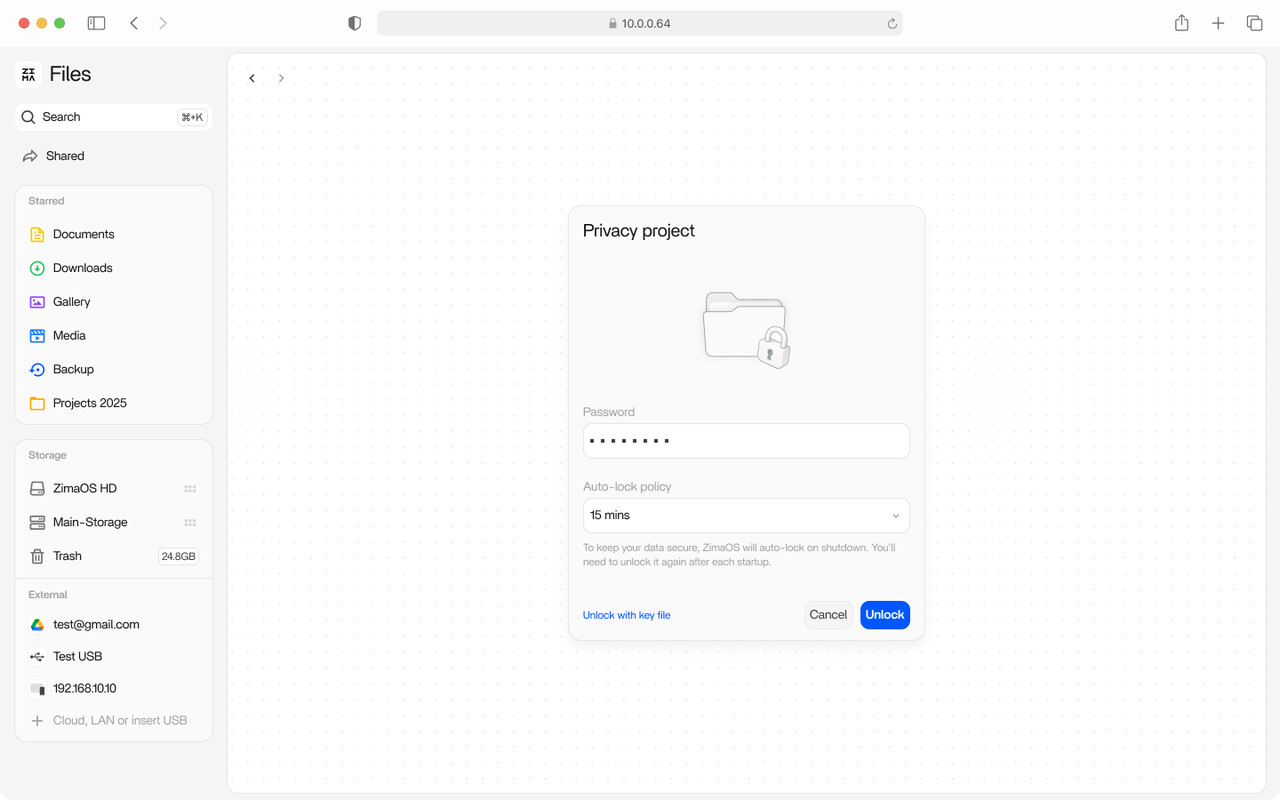
ZimaOS v1.5.4 Alpha Test Recruitment: Looking for 50 Pioneer Users to Help Validate and Refine a Future-Oriented Software-Defined Storage Capability! THIS IS ALPHA, BACK UP STRONGLY RECOMMENDED.
We are looking for users who:
-
Have a strong interest in data security, privacy, and storage architecture
-
Are willing to try cutting-edge, experimental features of ZimaOS, exploring a new software-defined storage approach through an encryption-focused pilot feature
-
Understand that the feature is in the Alpha stage, may have stability issues, and is not recommended for storing critical data
-
Are willing to provide honest and direct feedback to help improve and optimize the feature
Key Features:
-
End-to-End Encryption (E2EE): Data is encrypted on the client side, while the storage side retains only ciphertext, ensuring full privacy and meeting advanced compliance requirements.
-
Deep Encryption: Not only file contents are encrypted, but file names and other metadata are also protected.
-
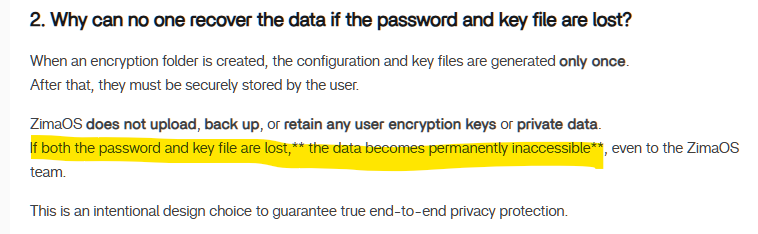
Zero-knowledge proof: The system does not store your encryption keys and cannot access your data. Only users with the correct key can access and decrypt the data.
-
International Standard Encryption Algorithms : Uses AES-256-GCM combined with streaming encryption and decryption, covering both storage and access processes.
-
Unified Protection Against Unauthorized Access: When locked, the internal structure of the encrypted folder is completely hidden, preventing sensitive information from being inferred from file or directory names.
-
Multi-Scenario Compatibility: Once decrypted, files can be used normally across common scenarios such as Files, backups, and application access, without impacting everyday usage.
 Detailed Feature Documentation: Encryption Folder in ZimaOS | Zimaspace Docs
What You Will Get:
-
Early access to experience ZimaOS’s next-generation storage capabilities
-
The opportunity to directly participate in product design and technical direction discussions
-
In-depth communication with the ZimaOS core team
-
An invitation to join the core “ZimaOS Partner” group
How to Get the ZimaOS v1.5.4 alpha-2 Update Package:
-
Open the terminal
-
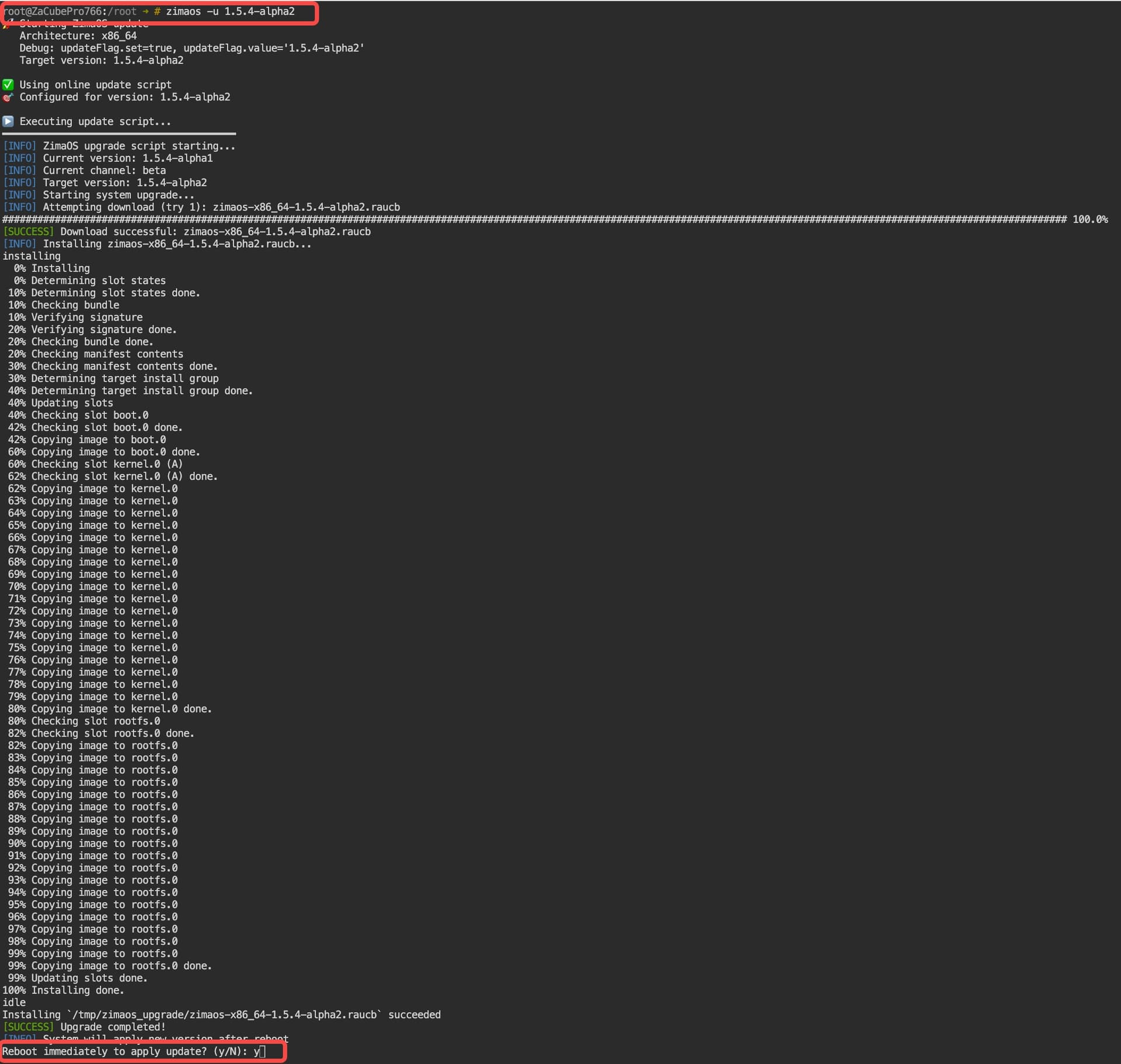
Run the following command
zimaos -u 1.5.4-alpha2
If the pull fails, please re-execute the above command to pull. Alternatively, refer to this tutorial: Update offline | Zimaspace Docs
 Feedback and Communication Methods
If you encounter any issues during usage, feel free to @777-Spider or send an email to community@icewhale.org. We will respond as soon as we receive your message. Thank you in advance for your participation!
If you are interested in more technical details, you are also welcome to leave a comment. We will organize the team to provide more in-depth explanations.
ZimaOS Team
3 Likes
One question at this point, I installed the Alpha version on my secondary zimaos system. I just read the document you linked. One thing stands out.
While it can’t be accessed without the credentials, can we DELETE the encrypted folder?
I can just see now a user setting it up, and then losing access. Say testing the feature out. And boom they can’t even delete the folder and start over.
So my initial test of it - I created a folder called safe. Assigned a password and downloaded and saved the file - it’s currently at OS level and saved in a password manager… Safe and sound. One observation that I’m not sure I like.
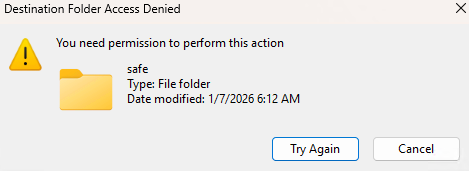
It can only be unlocked from the Files app? Trying to access via SMB share of the parent (root of data drive) When I tried to open the folder it did give a message about needing permission. Actually it lets you in the folder it just appears empty.
Once I unlocked it via the files web app, I was able to create sub folder and also a text file.
Once I locked it in the files web app I could no longer access the folder in SMB, I went up a directory then back in, and it appears empty.
I do have 1 concern about this model. I am running with just my admin account right now for access. (I really wish I could create a user that has access to all shares like the admin account) But my concern is this. If secondary user has access to say a parent share and everything under it, and I create an encrypted folder in there. If I unlock it to upload some data for that encrypted safe, anyone with normal access to that parent share will have full access to copy in and out while it is unlocked. And when they access it, they will have full access to whatever was encrypted.
Onedrive has secure folder but you can access it via credentials for that connection/session. For a single user no big deal.
But on a NAS you might have a scenario like above mentioned. I think there needs to be an additional setting that has you name the NAS user(s) who have access to the data while unlocked. Anyone accessing SMB shares with a different user, can’t access the secure folder unless in the ACL for that folder along with having it unlocked.
Also is there a way to unlock it via a script from a program/tool to copy in or out data then when done lock it again, all without accessing the system via the gui/web files app.
@777-Spider
1 Like
Thank you very much for your feedback. We will reply to each one individually.
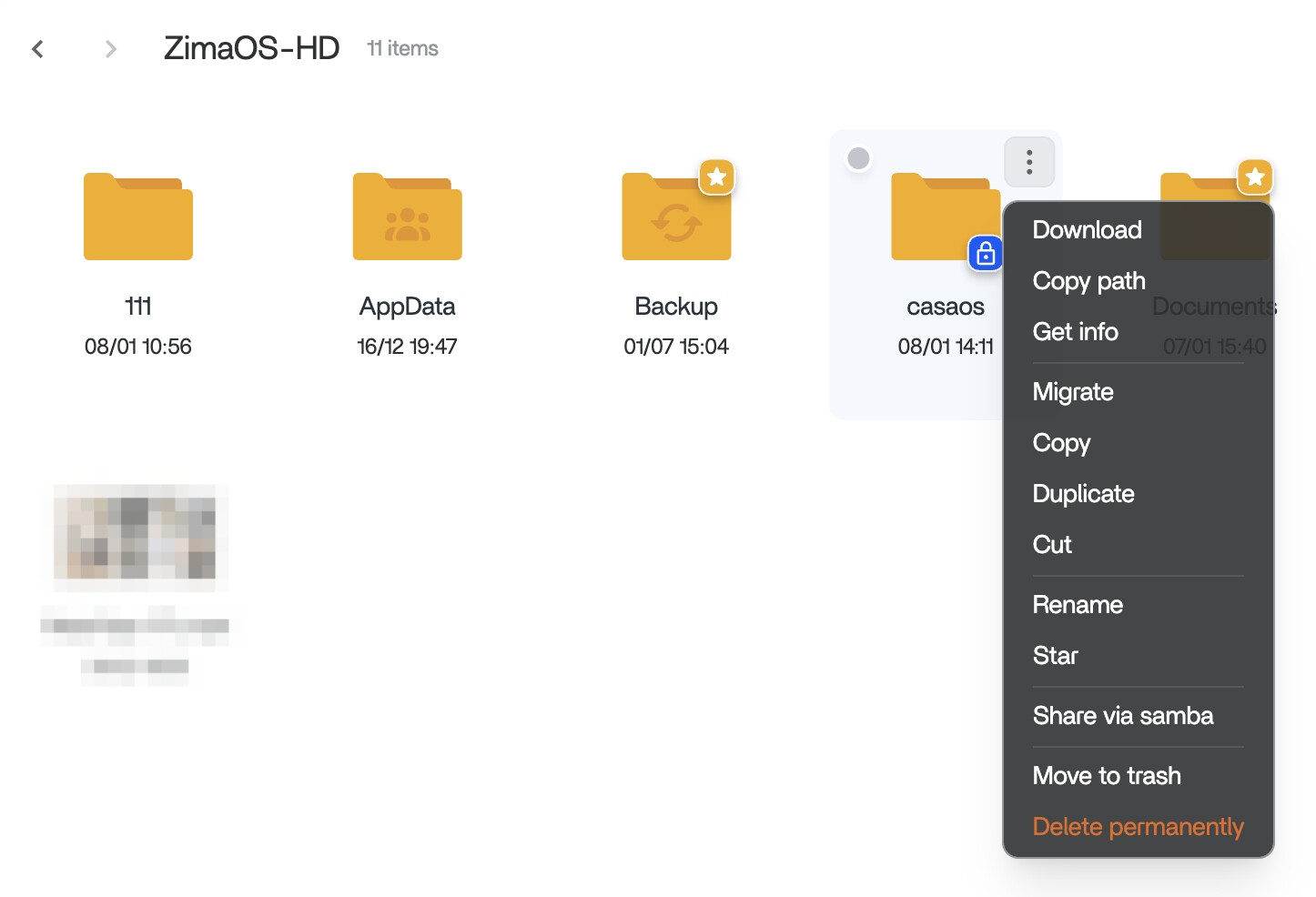
- Currently, it is possible to directly delete encrypted folders, even if they are not unlocked. See the image below:
However, there is one prerequisite: the encrypted folder must not be in a shared (SMB) state.
-
Unlocking method
At the moment, encrypted folders can only be unlocked in the Files web app.
-
Access by other users
Your concern about other users accessing data when the folder is unlocked is valid.
In the future, for multi-user or multi-tenant scenarios, we plan to provide better data isolation, so users mainly see their own data by default.
For shared folders, we will introduce ACL-based permissions to allow more fine-grained access control.
Also, starting from v1.5.4, you can disable default SMB sharing, which means you can choose to share only non-encrypted folders.
- Automation
Automation via tools or scripts is something we plan to consider in the next stage, in a secure and appropriate way.
Finally, thank you so much for your suggestions and feedback; they are very important to us.
1 Like
Tested Encrypted Folder on ZimaOS v1.5.4-alpha2.
Overall the feature is working well. Lock/unlock behaviour is solid, the folder stays locked after reboot (PASS), and SMB access is correctly blocked when locked and restored when unlocked.
Notes / suggestions:
- Unlocking is done with the folder password. The recovery key is a separate key file and must be selected/uploaded via “Unlock with key file” (it’s not something you paste into the password field).
- Lock currently takes 2 actions (click lock icon, then click “Lock now” confirmation).
- Unlock works reliably from the parent encrypted folder level. If you try to unlock from deep inside subfolders, it can show “encrypted folder not found”. Suggest auto-jumping back to parent or enforcing unlock only at parent level.
- When locked via SMB / file browsing, the folder appears empty. Would be nicer to show a clear “Locked / Encrypted Folder” indicator instead of looking empty.
2 Likes
Encrypted Folder – Second-Round Alpha Deep Testing Recruitment
Thank you to all users who participated in the first round of Encrypted Folder Alpha testing.
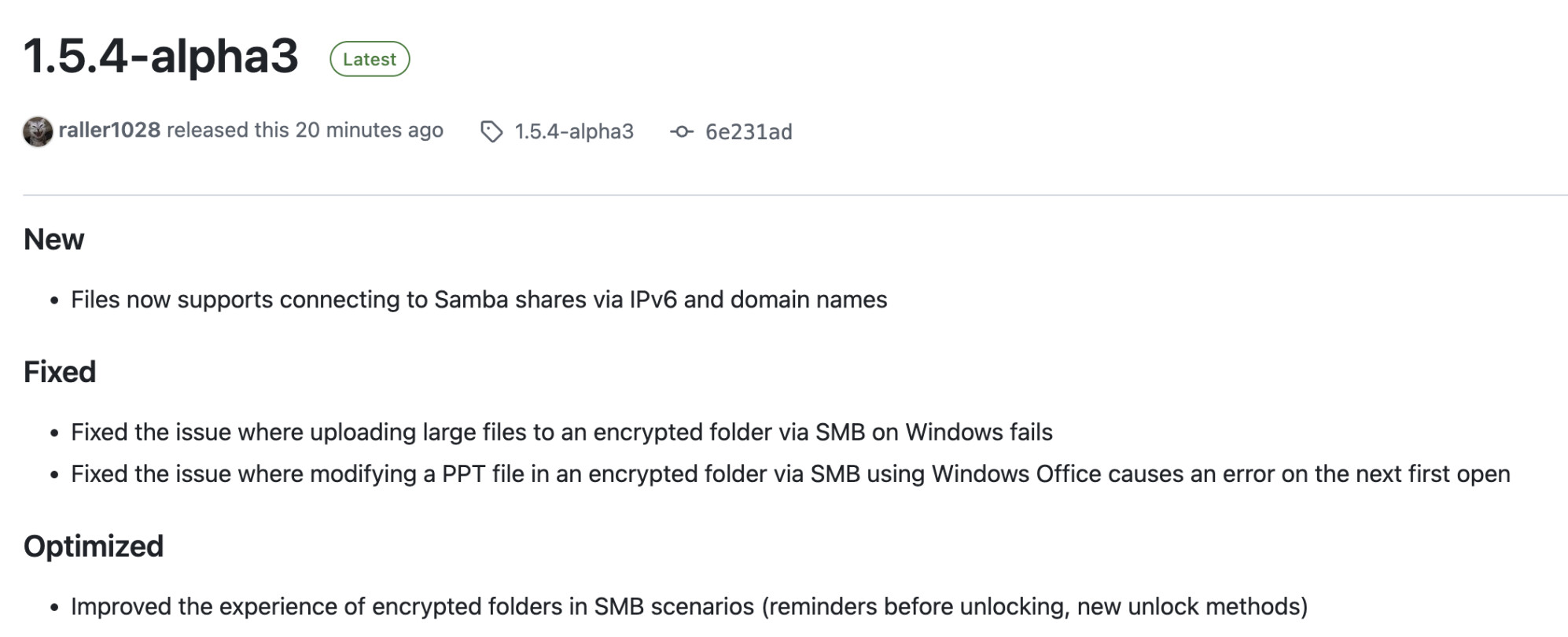
We have received extensive feedback on file encryption/decryption, stability, and user experience, and based on this feedback, we have released ZimaOS v1.5.4-alpha3.
We are now launching the second round of Alpha testing and invite interested users to join and help validate the feature in real-world scenarios.
Key Focus Areas for This Testing Round
Please focus on the following four points:
1. Multi-scenario usageUse the encrypted folder in real-world scenarios such as backups and application read/write operations, and observe whether normal usage is affected or any abnormal behavior occurs.
2. Accuracy of large file uploads via SMBUpload large files to the encrypted folder via SMB, and verify file integrity and correctness after decryption.
3. File modification via SMB in decrypted stateWhile the encrypted folder is decrypted, modify files via SMB and confirm that the modified files remain accessible.
4. Files web interface operationsWhile in the decrypted state, upload or modify files (including large files and multiple files) in the encrypted folder via the Files web interface, and confirm that the files remain accessible.
How to Get the ZimaOS v1.5.4-alpha3 Update Package:
- Open the terminal
- Run the following command
zimaos -u 1.5.4-alpha3
If the pull fails, please re-execute the above command to pull.
Alternatively, refer to this tutorial: Update offline | Zimaspace Docs
More details: Release 1.5.4-alpha3 · IceWhaleTech/ZimaOS · GitHub
If you encounter any issues during usage, feel free to @777spider or send an email to community@icewhale.org. We will respond as soon as we receive your message.
**
Thanks again!
ZimaOS Team**
1 Like