Duplicate raid drives and not connecting

It seems like when I restart my system is duplicates my drive and says it doesn’t work. How can I remove these “fake” drives being shown or fix the issue?
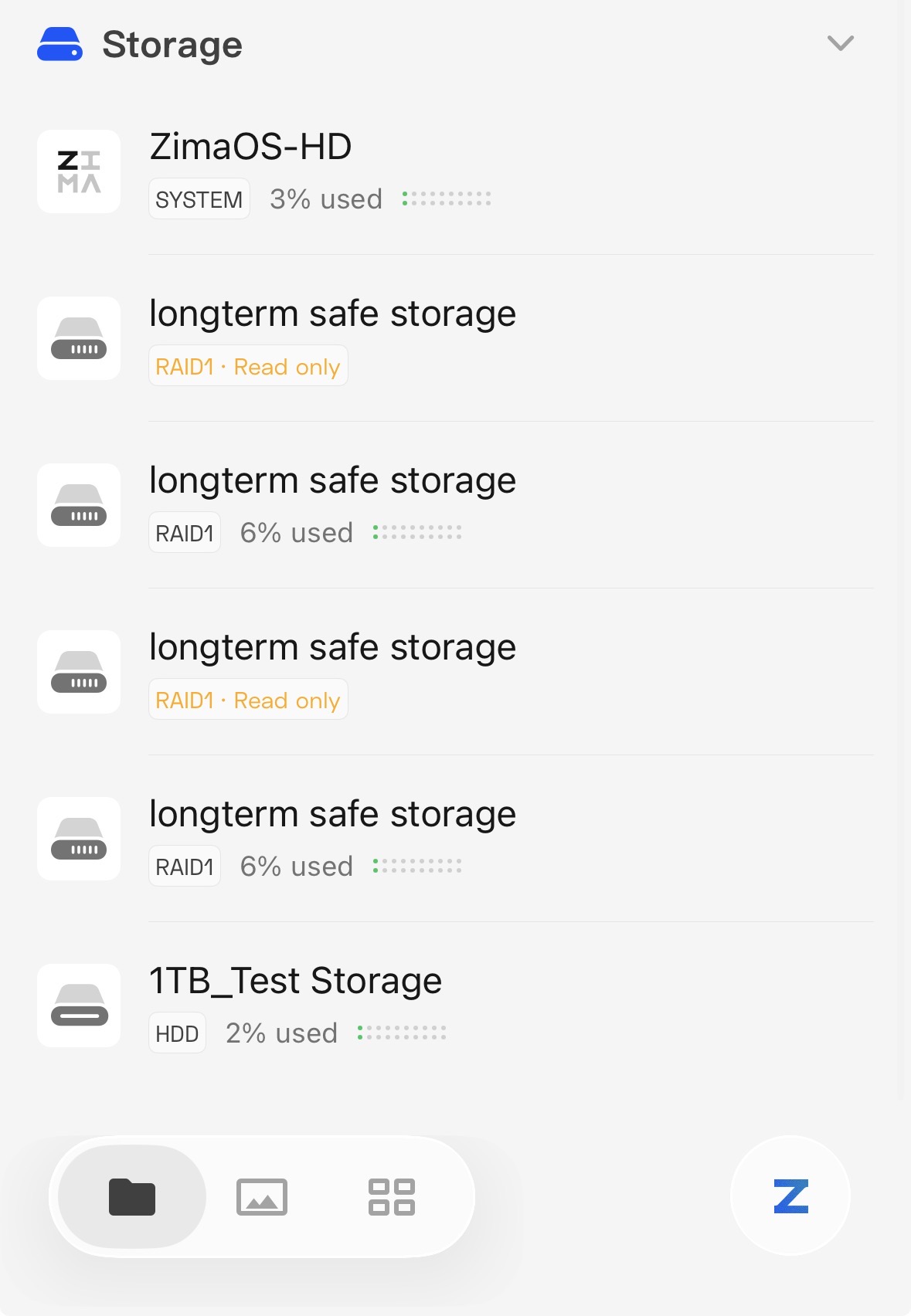
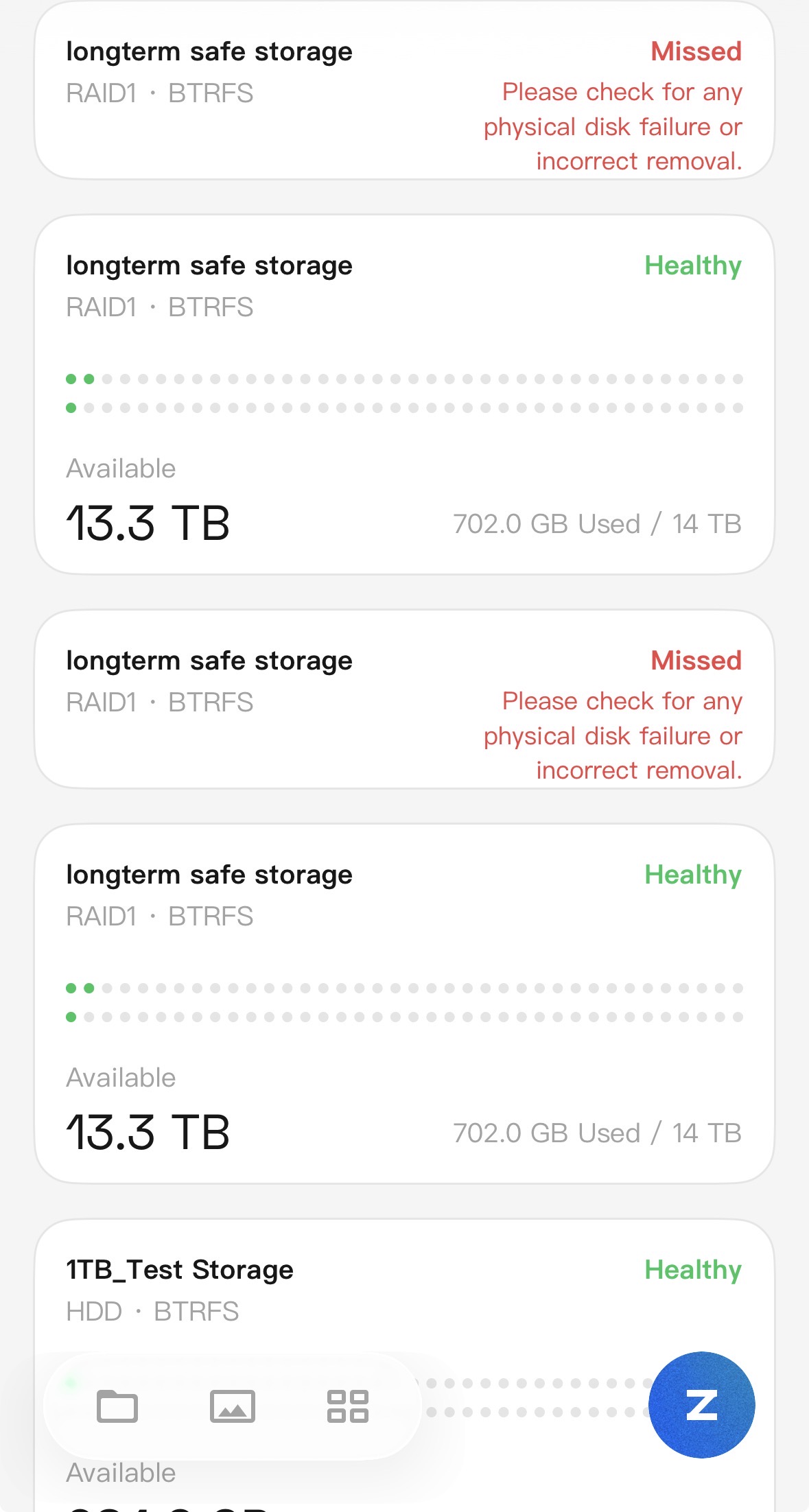
Have a look a the storage db file. You may have invalid entries.

cd /var/lib/casaos/db/

# List your RAID arrays
sudo mdadm --examine --scan


#Back storage db
sudo cp local-storage.db local-storage.db.bak

#List raids
sqlite3 local-storage.db “SELECT * FROM raids;”

#Shown db structure (optional)
sqlite3 local-storage.db “.schema”
CREATE TABLE o_disk (id integer,uuid text,mount_point text,created_at integer,is_deleted integer,PRIMARY KEY (id));
CREATE TABLE raids (id integer,name text,uuid text,uuids text,path text,mount_point text,level integer,shortage numeric,devices text,serials text,is_default numeric,disk_number integer,reshape numeric,dev_size integer,status text,members text,fs_type text,PRIMARY KEY (id));

#Delete raid entry by  Replace 99, 100 with one or more ids NOTE: The id column is first.
sudo sqlite3 local-storage.db “DELETE FROM raids WHERE id IN (99,100);”

#Reboot
sudo reboot

As far as I can tell, as someone new to this type of thing, I think it is a Zima issue. I am not able to do the steps you have provided. the drives show up correctly in file explorer, but the app and webUI show the duplicates.

Hi BattleStar22,

It looks like you did not change to the database directory, when the errors…

cd /var/lib/casaos/db/

This did end up working, but I noticed when I rebooted, it did create another duplicate, and it looks like it’s based on which drive boots faster because the path is the same, but the device order got swapped.