Hello,
I’m reaching out in the hope of finding a solution to a network performance issue I’ve been experiencing with Docker on my system.
I have an 8 Gbps fiber connection (with a compatible network card), but I’ve noticed that most of my Docker containers seem to be capped at around 1 Gbps.
Here’s what I’ve observed so far:
- Speedtest container (e.g.
myspeed ) reports the correct full bandwidth — close to my 8 Gbps line speed.
- Other containers (e.g. Transmission, Plex, SearXNG) plateau at ~900 Mb/s (≈110 MB/s) in direct download tests.
- In the case of Transmission, speeds are even lower (~60–80 MB/s) when downloading large files via HTTP from inside the container.
- Tests were performed using
curl -o /dev/null from inside the containers to avoid disk I/O bottlenecks.
- This behavior is consistent across multiple containers and images.
I also ran some comparisons:
- Bridge network mode : ~80–110 MB/s in most containers.
- Host network mode : No significant improvement in my quick tests (sometimes even slower), which suggests the bottleneck might not be only due to Docker’s NAT in bridge mode.
- Internet-based tests can be misleading due to server peering, so I’m considering running
iperf3 between the host and containers to measure raw throughput.
My goal is to unlock the full potential of my connection for all containers, not just Speedtest.
Has anyone encountered this kind of limitation before, and is there a known configuration tweak or network mode that allows containers to fully utilize multi‑gigabit connections?
Thanks in advance for any insights.
1 Like
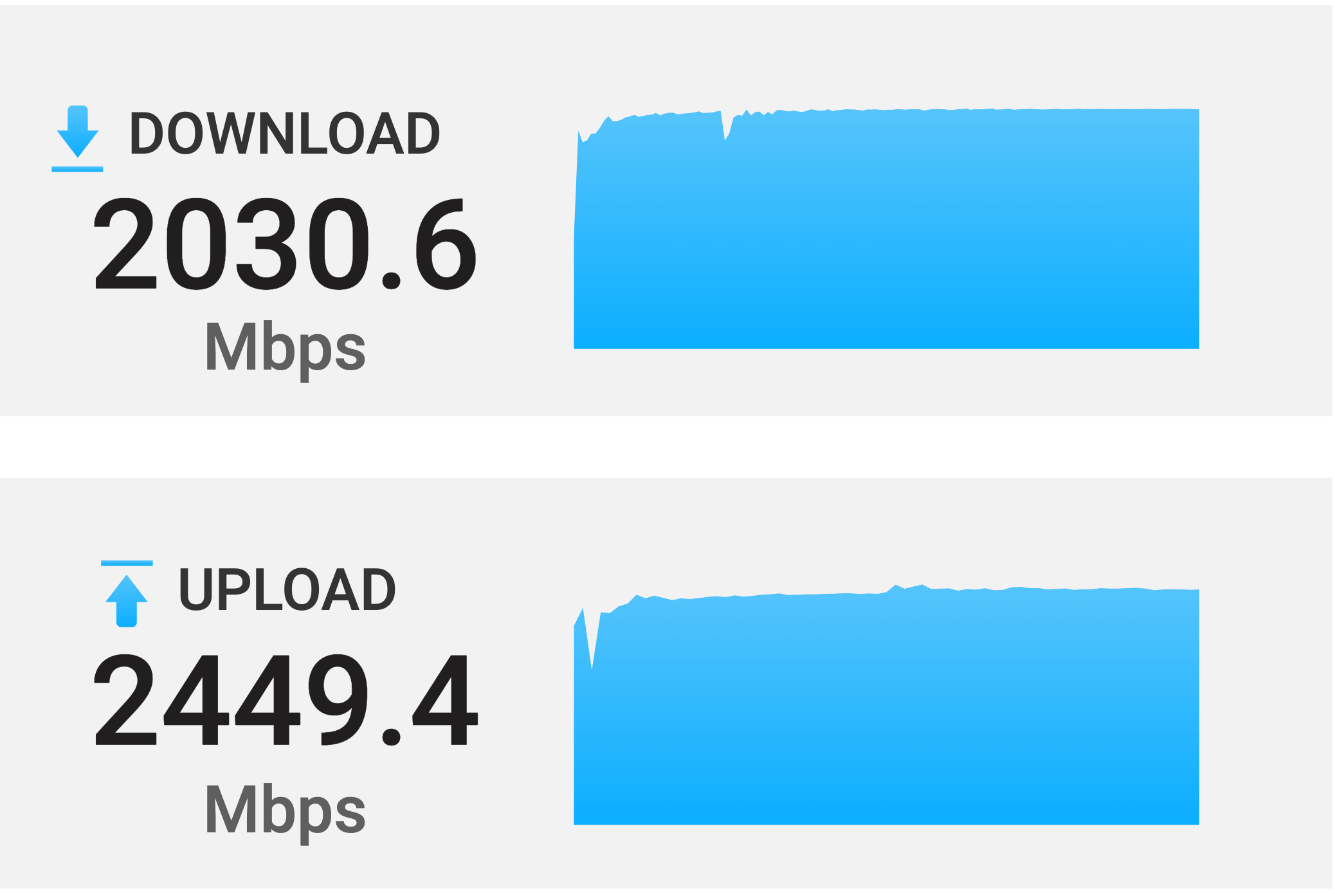
ZimaOS does not impose any speed limit on Docker’s network, in my test, installing open speed test in docker, under the premise of using a 2.5G network connection, it can easily run to 2000-2400Mbps, see the figure below:
Have you tested how fast file transfers are made without going through docker, such as using files or samba?
Hello, thank you for your response.
However, I’m trying to understand why I’m consistently capped at 1 Gbps.
Here are a few examples:
*******@ZimaOS:~ ➜ $ curl -o /dev/null http://speedtest.tele2.net/10GB.zip
100 10.0G  100 10.0G    0     0   111M      0  0:01:31  0:01:31 --:--:--  121M

*******@ZimaOS:~ ➜ $ docker exec -it transmission sh
root@************:/# curl -o /dev/null http://speedtest.tele2.net/10GB.zip
100 10.0G  100 10.0G    0     0   105M      0  0:01:36  0:01:36 --:--:--  123M
But when I run an iperf3 test, the results are completely different. Here’s an example:
[SUM] 0.00-10.00 sec 159 GBytes 137 Gbits/sec receiver
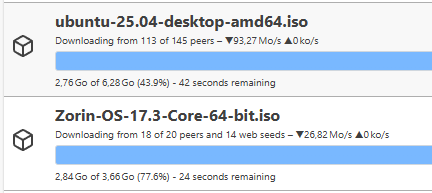
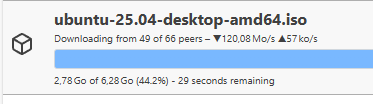
On my end, I also tried downloading two torrents from sources that are theoretically fast. Yet even in that case, I’m capped at around 1 Gbps. Here are the screenshots showing the results. (For reference, the files are being downloaded to NVMe Gen 4 storage.)
If anyone has a solution or insight, I’d be happy to hear it.
Thanks in advance.
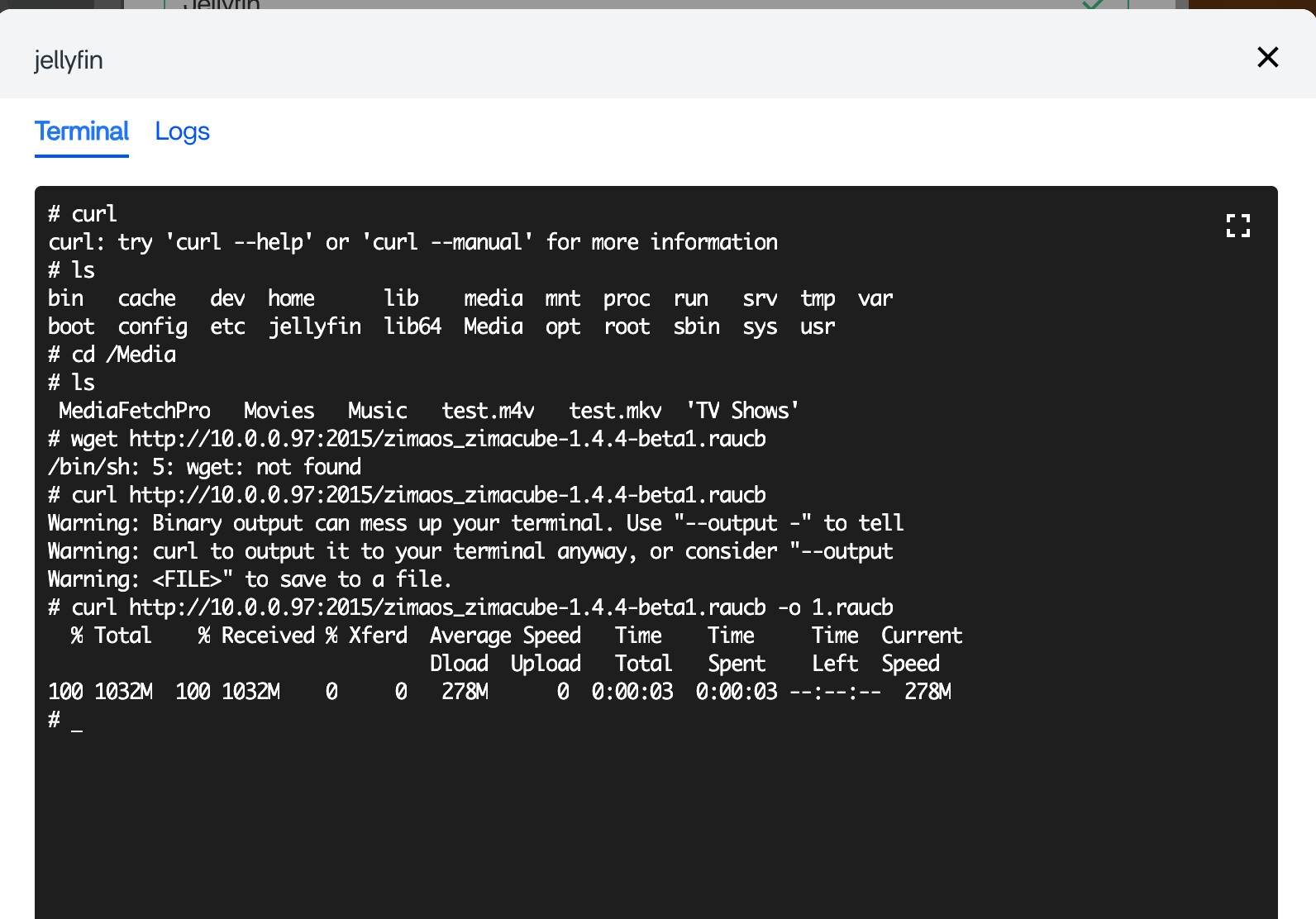
This situation is indeed very strange. I re-use curl inside a container to download a file and get the following result:
So theoretically docker doesn’t limit network speed.
I’m facing an issue that I just can’t get to the bottom of.
If you have any leads or solutions, I’d greatly appreciate it.
Thanks
Edit :
Just to be safe, I’m going to make a few hardware changes in particular, replacing the SN7100 NVMe with a 990 Pro to take advantage of the DRAM.
I’m not sure that’s where the issue comes from, but I’ll find out.
1 Like