Disk Monitor – Development Update
Today I spent most of the day continuing development of my Disk Monitor for ZimaOS.
A lot has changed since the previous version, so I wanted to share an intermediate status before continuing with the remaining testing.
What was added and improved today
-
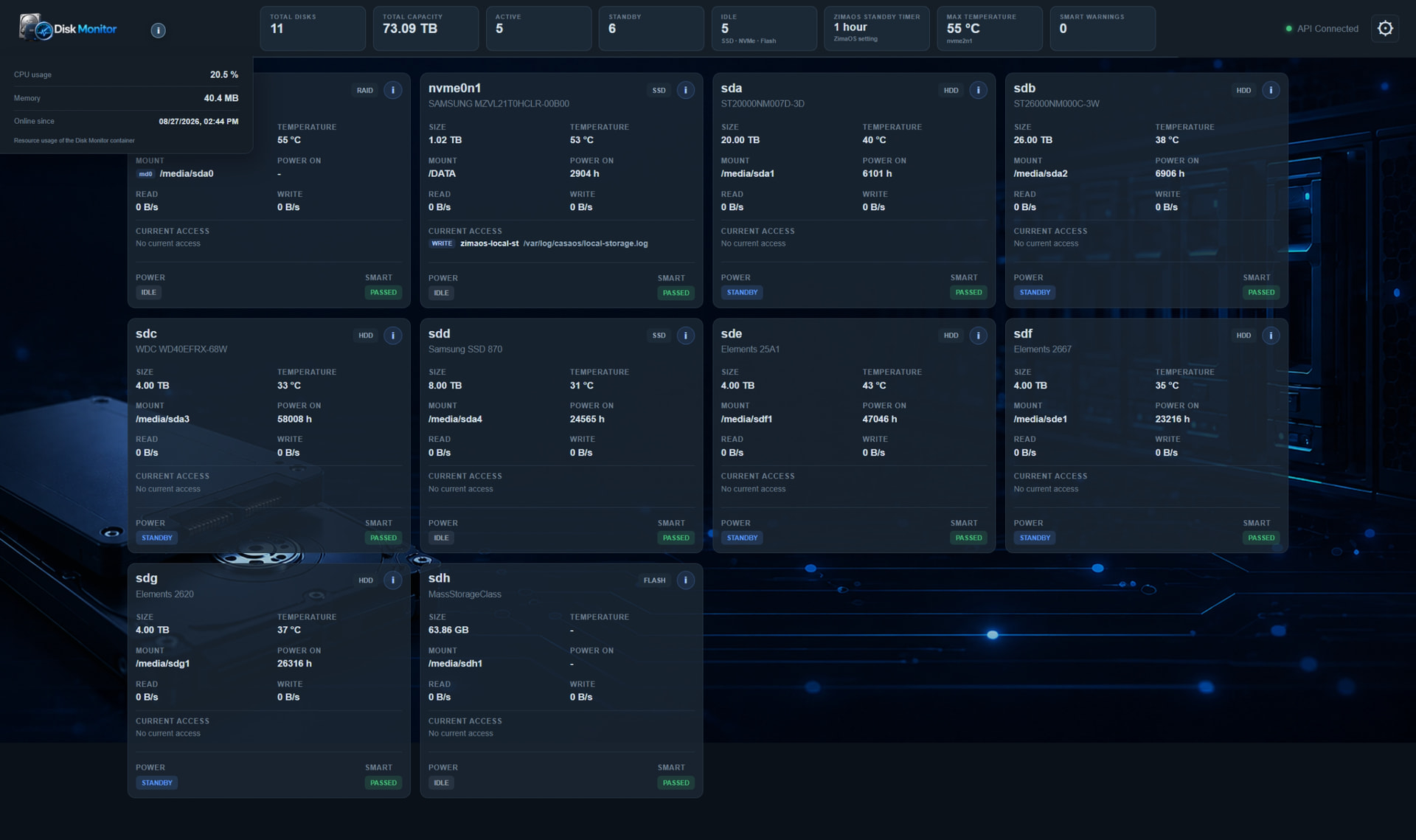
New information menu next to the Disk Monitor logo
-
CPU usage of the Disk Monitor container
-
RAM usage
-
“Online since” date and time
-
The information panel is visually integrated into the top header instead of looking like a separate floating window.
-
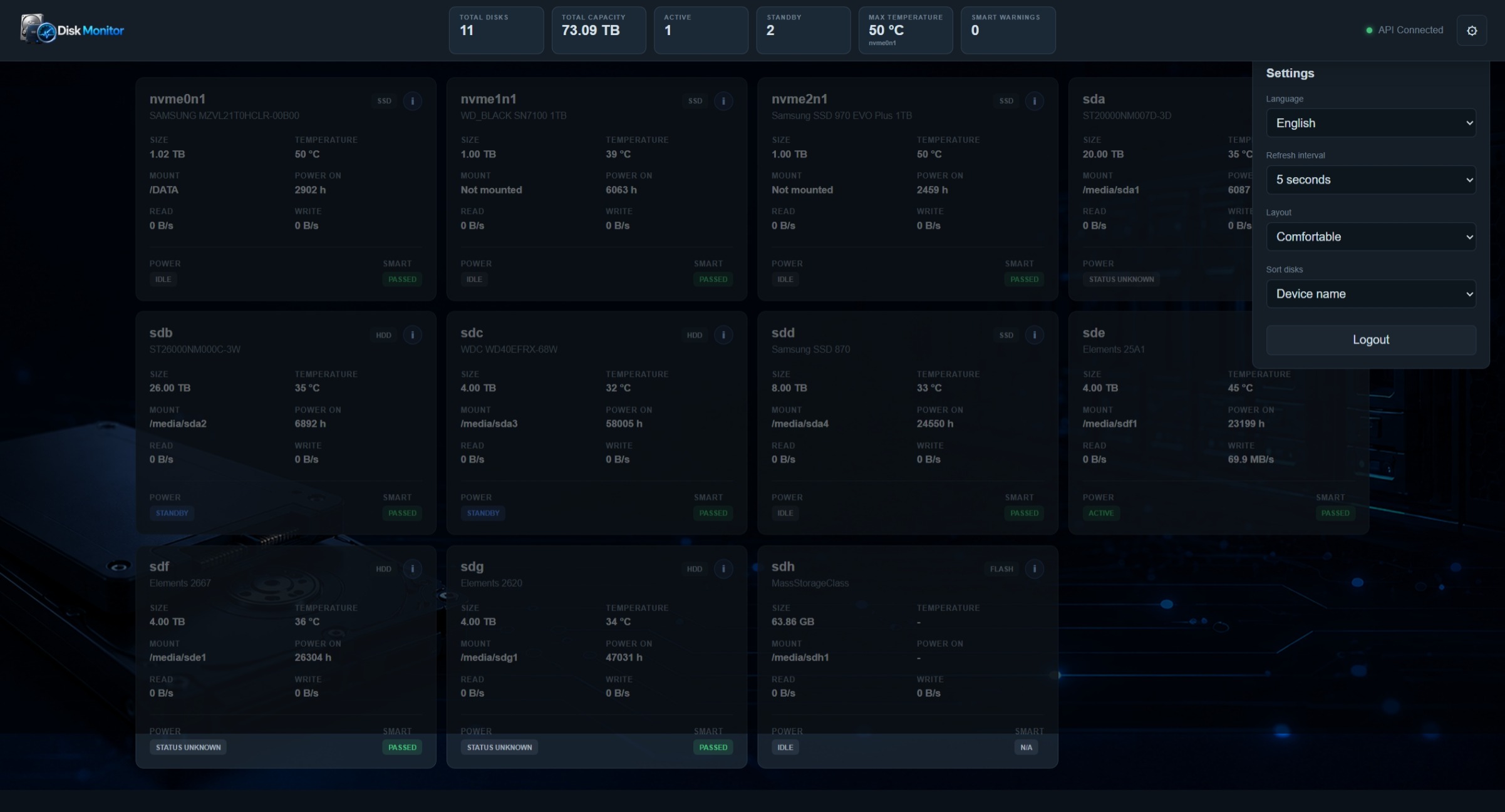
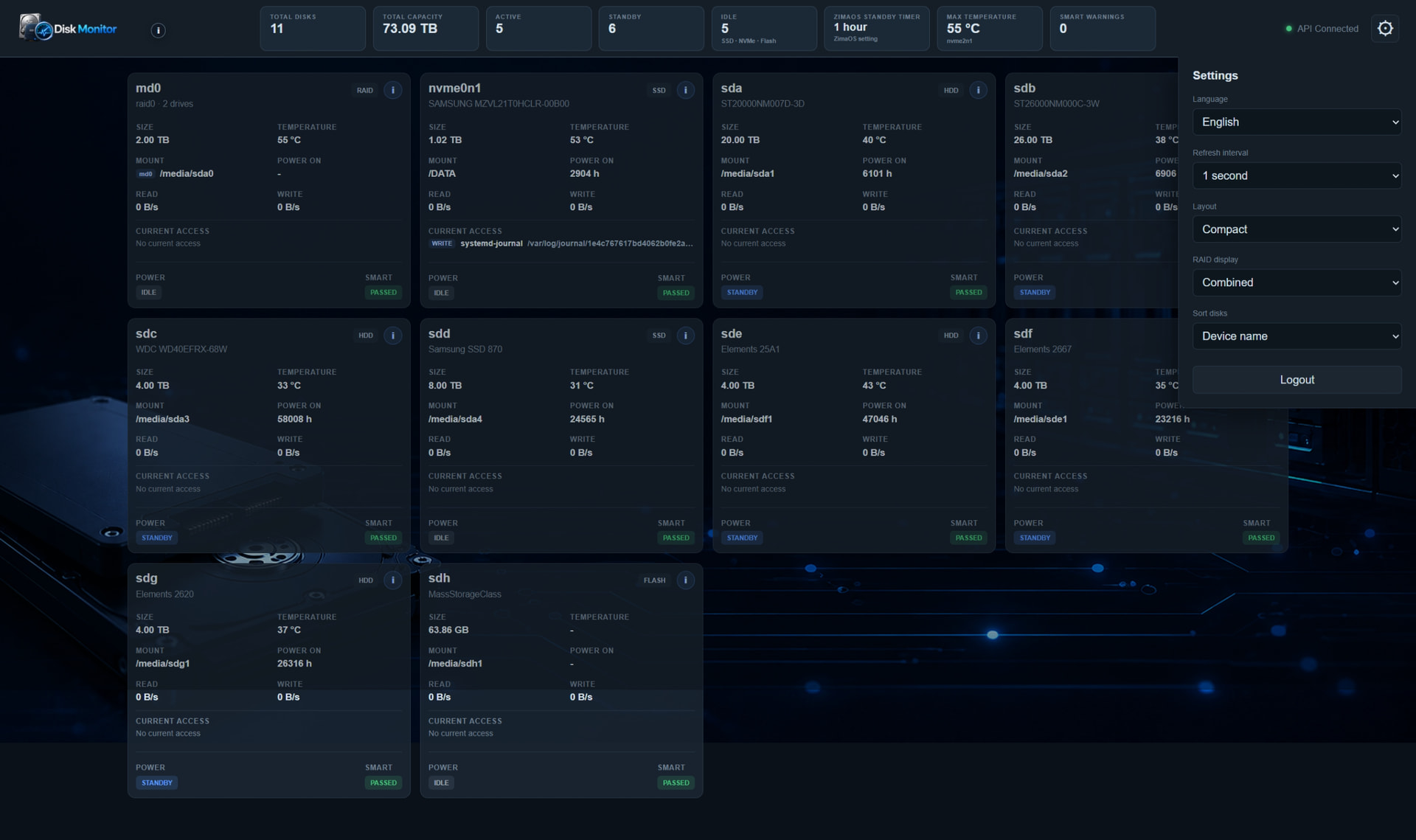
Settings panel redesign
-
The settings panel is now visually merged with the top header.
-
The header contour continues naturally into the settings panel.
-
The settings icon was enlarged and centered.
-
A new 1 second refresh interval was added in addition to 2, 5, 10 and 30 seconds.
-
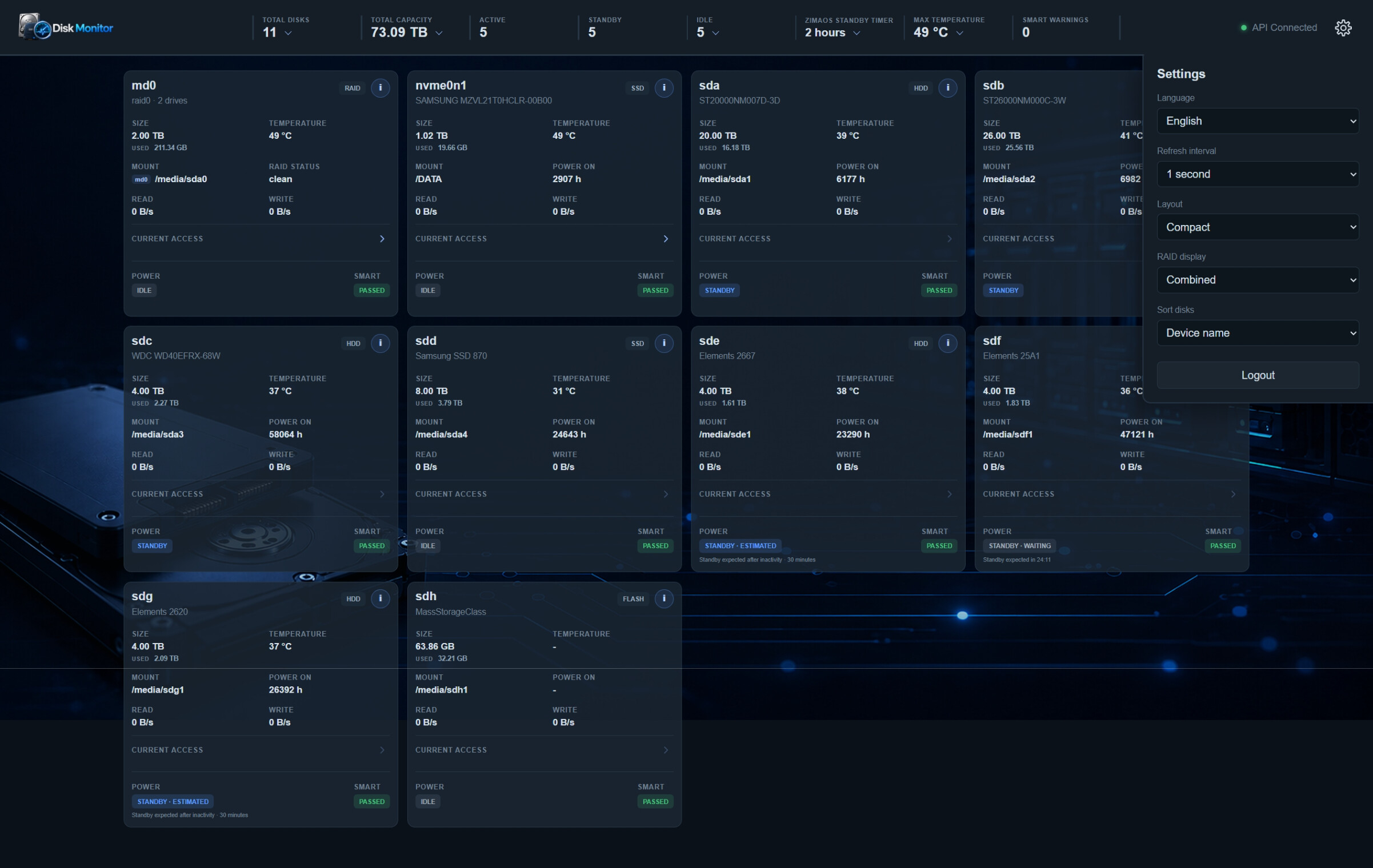
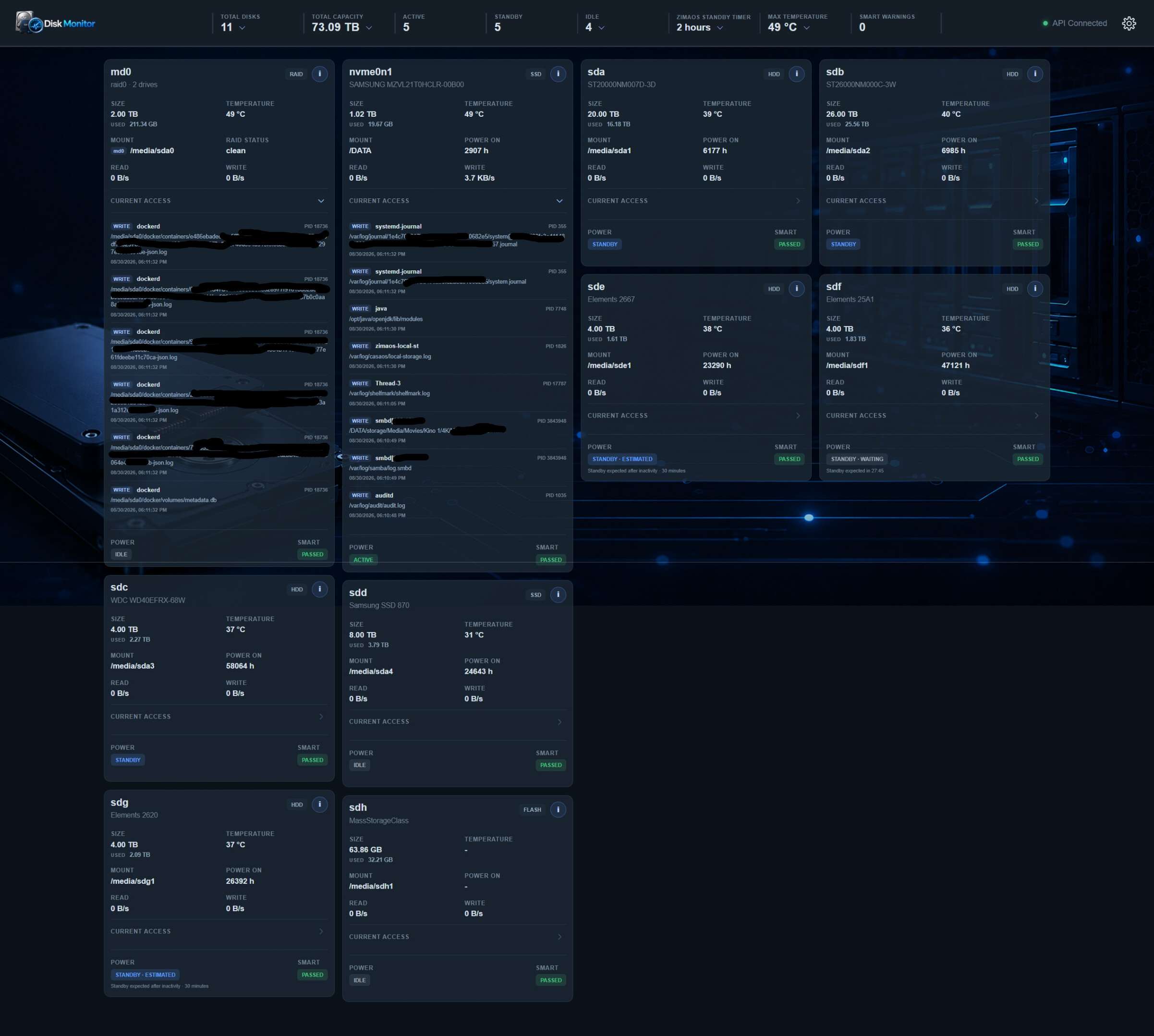
Improved drive status summary
-
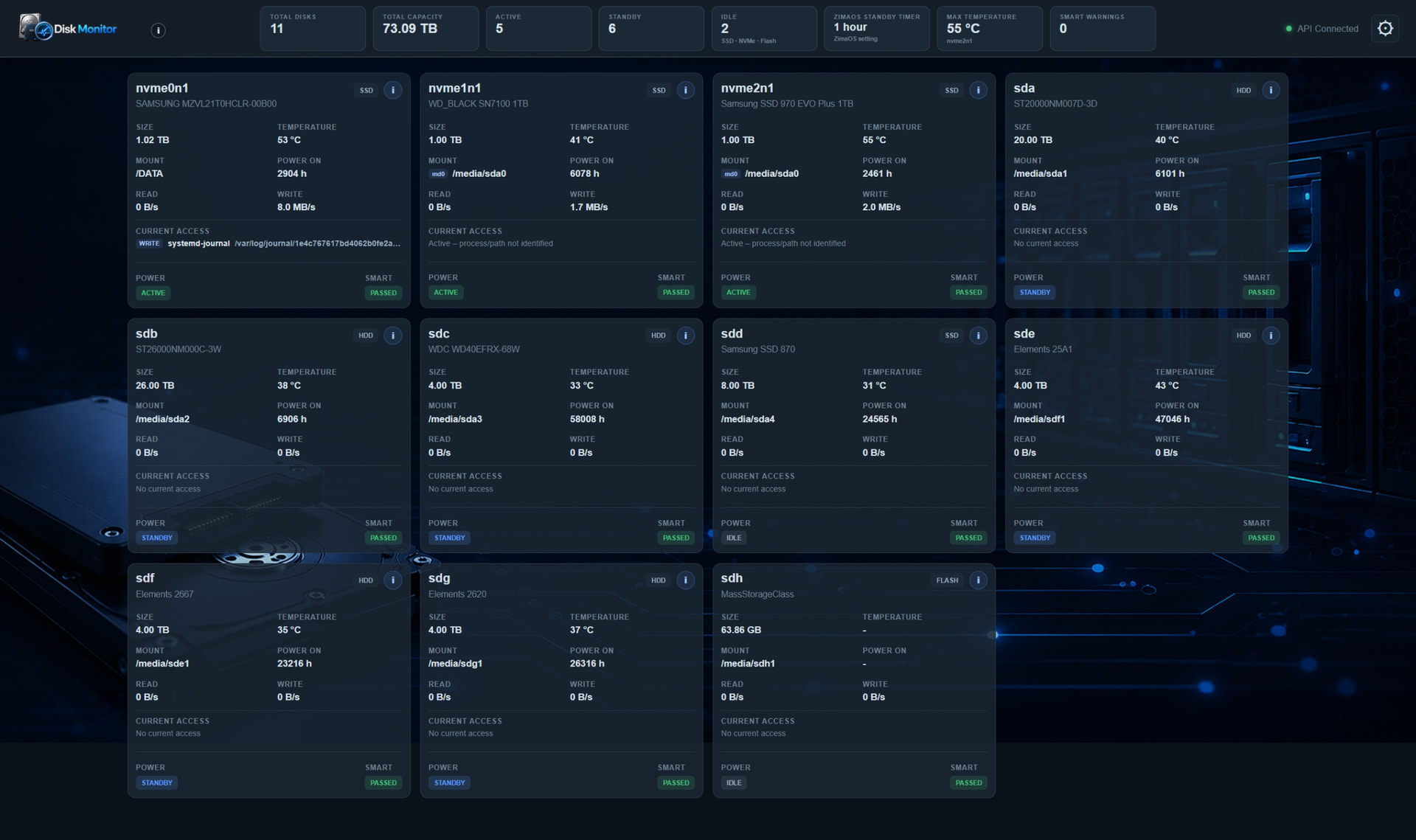
SSDs, NVMe drives and flash storage that are currently IDLE are still counted as available/active drives in the main ACTIVE counter.
-
This prevents the ACTIVE counter from constantly jumping up and down whenever SSDs briefly change between ACTIVE and IDLE.
-
A separate IDLE summary box was added for SSD/NVMe/Flash devices, so their real-time idle state can still be seen independently.
-
Improved flash-storage detection
-
The monitor no longer relies only on Linux rotational=0/1.
-
This was necessary because my USB flash device actually reports ROTA=1, even though it is flash storage.
-
USB transport, removable status, model/vendor information and other sysfs information are now considered.
-
SMART support for flash storage
-
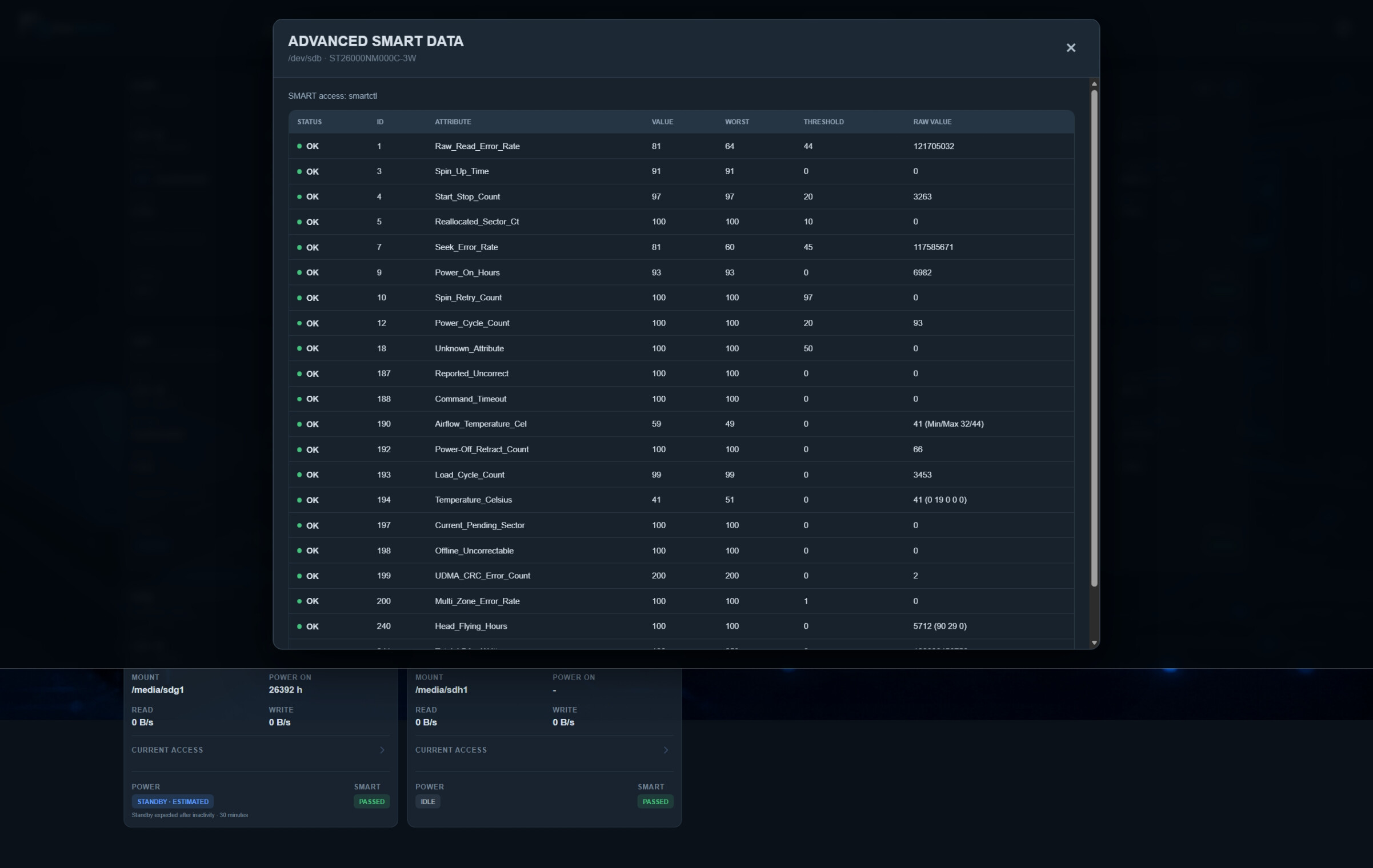
My Generic MassStorageClass flash device does expose limited SMART information through SCSI.
-
The monitor can now detect and use this automatically.
-
In my case it reports:
-
Unsupported values such as a reported temperature of 0 °C are treated as unavailable instead of being displayed as a real temperature.
-
Devices with only partial SMART information are shown as having Limited SMART coverage.
-
Manual HDD standby
-
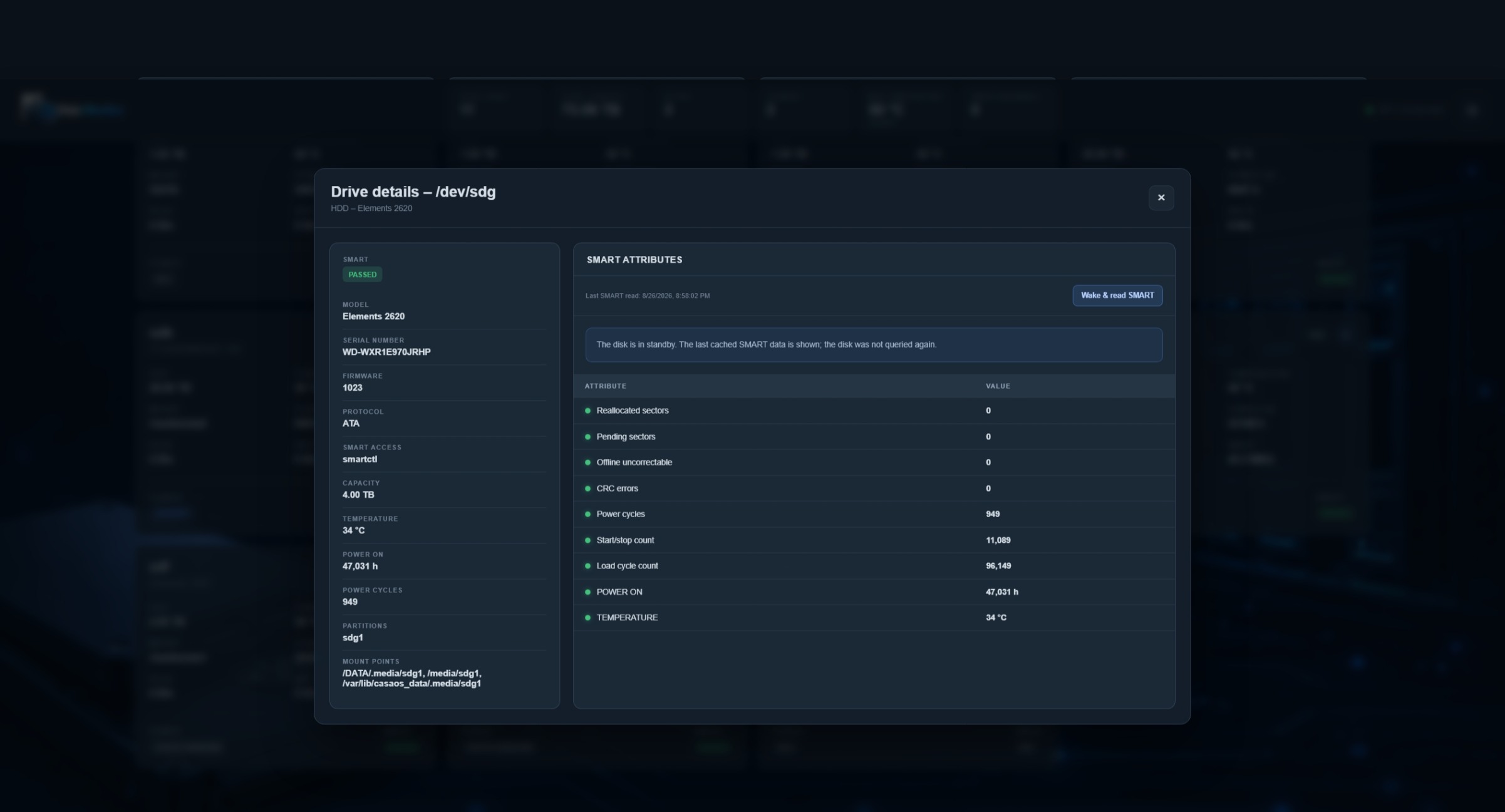
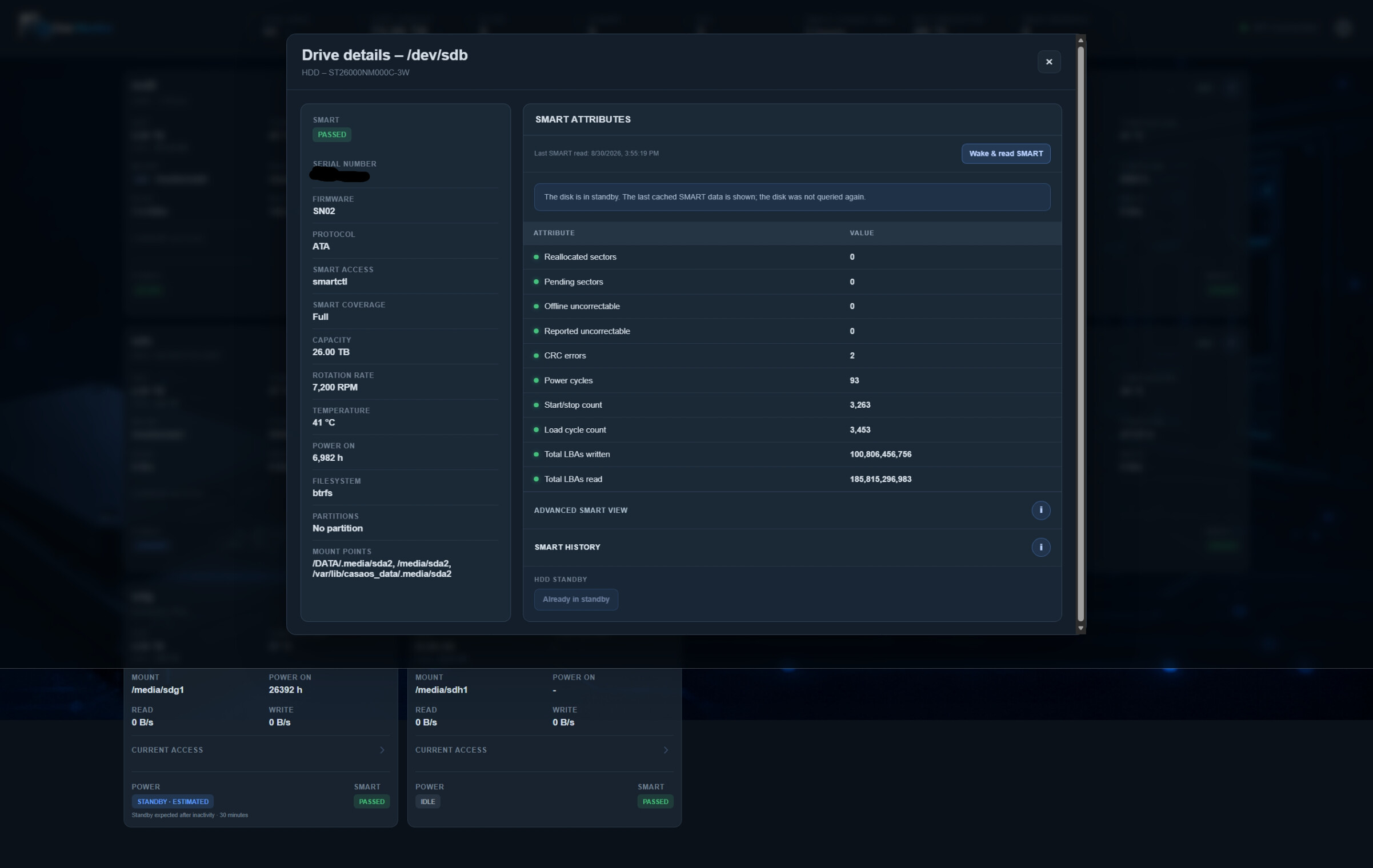
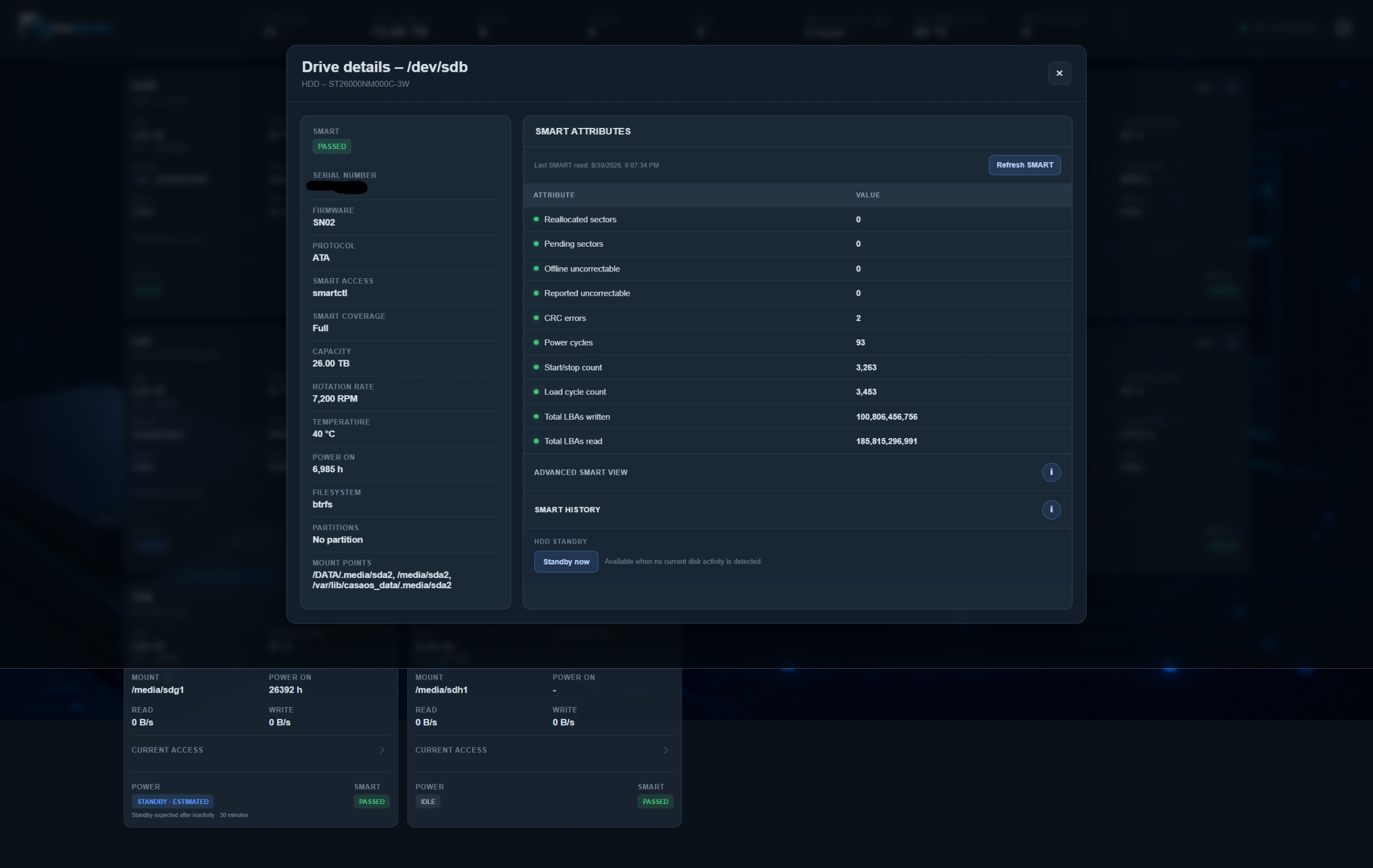
HDD details now contain a Standby now function.
-
The button is only available for HDDs.
-
SSDs, NVMe drives and flash devices do not receive this option.
-
RAID members are protected from being manually put into standby individually.
-
The monitor also checks for current I/O and detected process access before attempting standby.
-
USB HDD standby support
-
This turned into a very interesting test.
-
Normal SATA HDDs worked correctly with the existing standby method.
-
My WD USB HDDs required a different approach.
-
We confirmed manually that:
smartctl -s standby,now /dev/sde
successfully puts the USB HDD into standby.
A non-waking check afterwards returns:
Device is in STANDBY mode, exit(2)
However, the ZimaOS Local Storage API still reports:
{"standby":false}
for the same USB drive while it is physically in SMART-reported standby.
Because of this, the monitor now uses smartctl -n standby as the primary power-state source for USB HDDs, while direct SATA HDDs continue using the ZimaOS standby API.
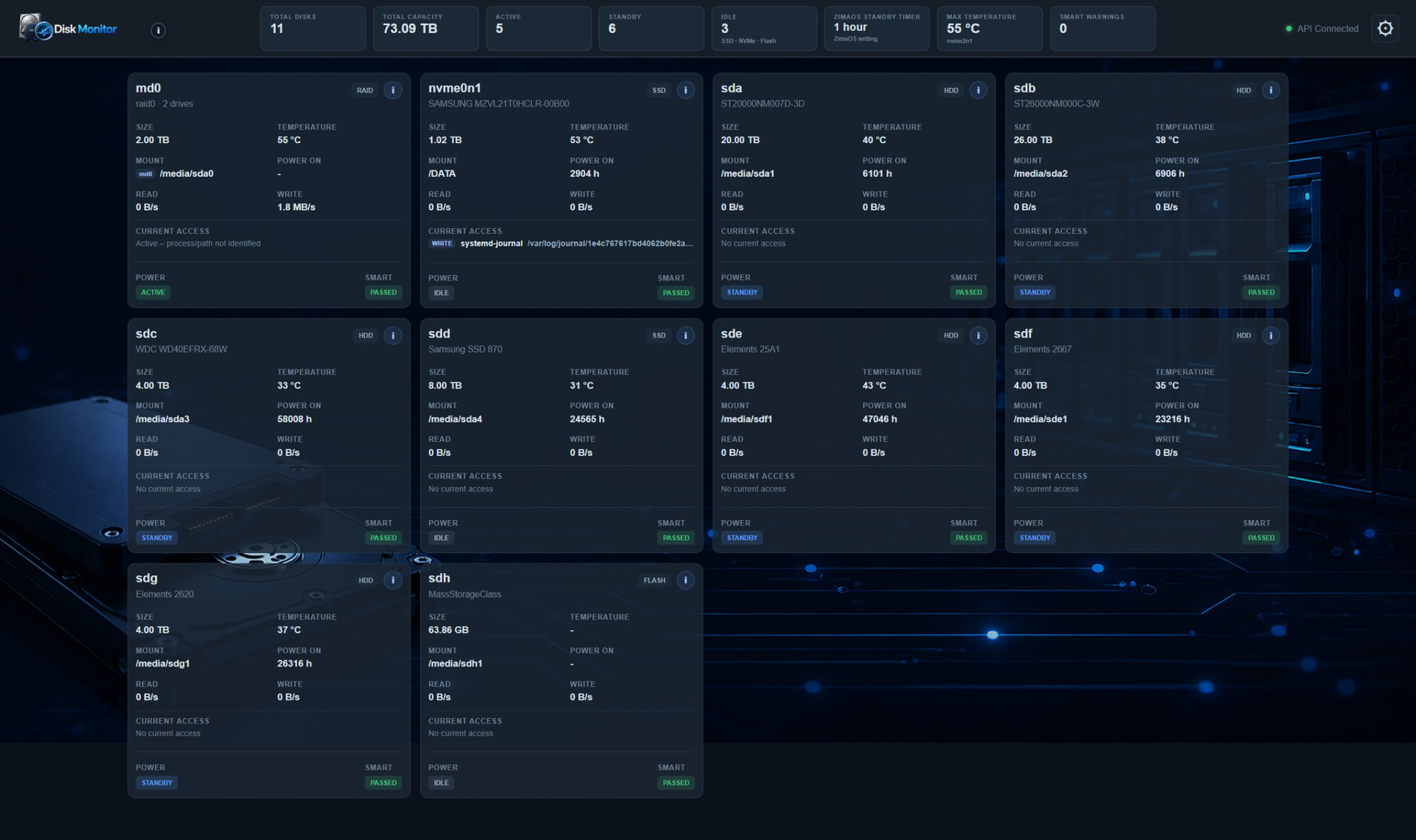
This is visible in the current dashboard: the USB HDDs can now correctly show STANDBY even though the ZimaOS API still reports false.
-
RAID display mode
-
A new setting was added:
-
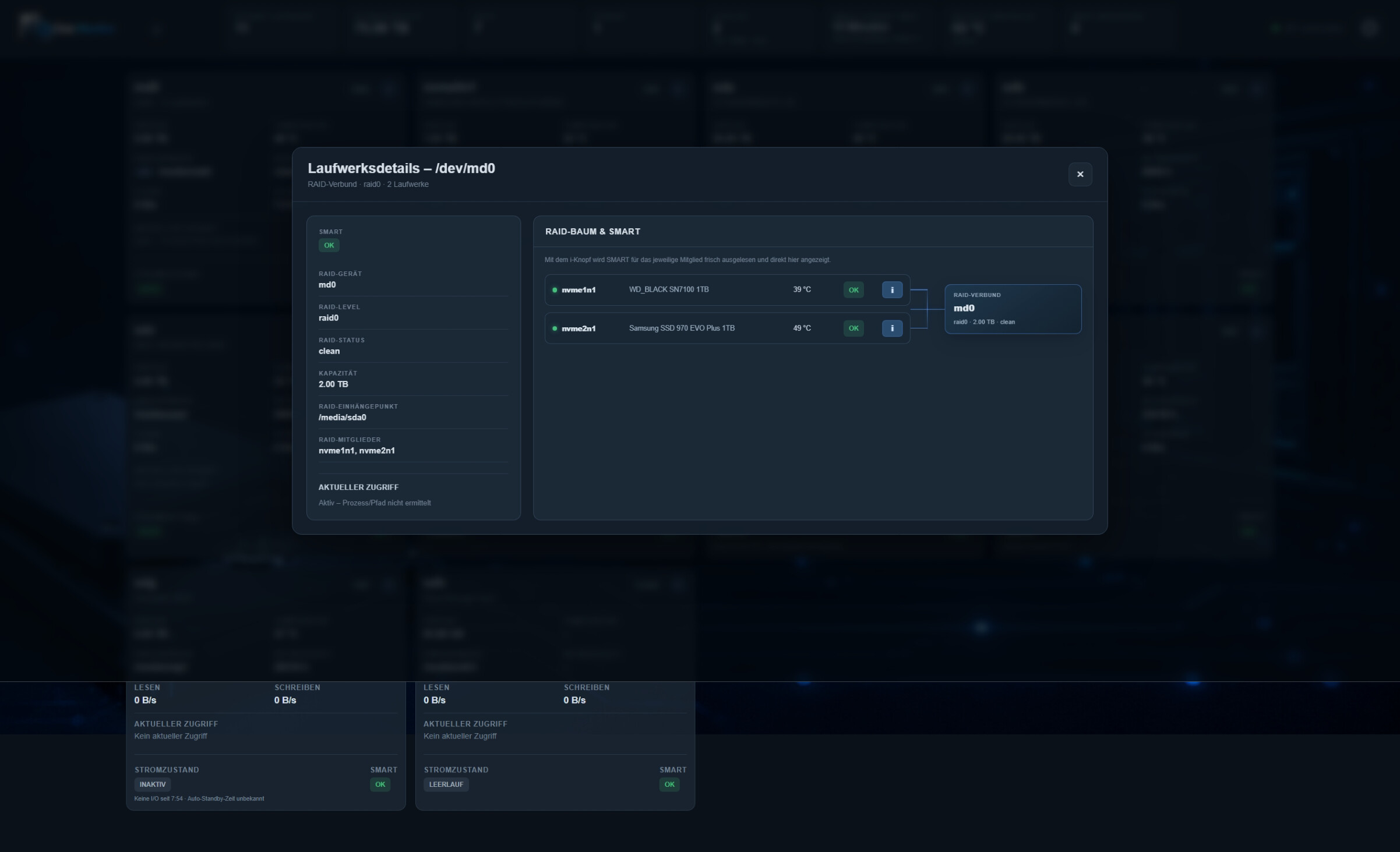
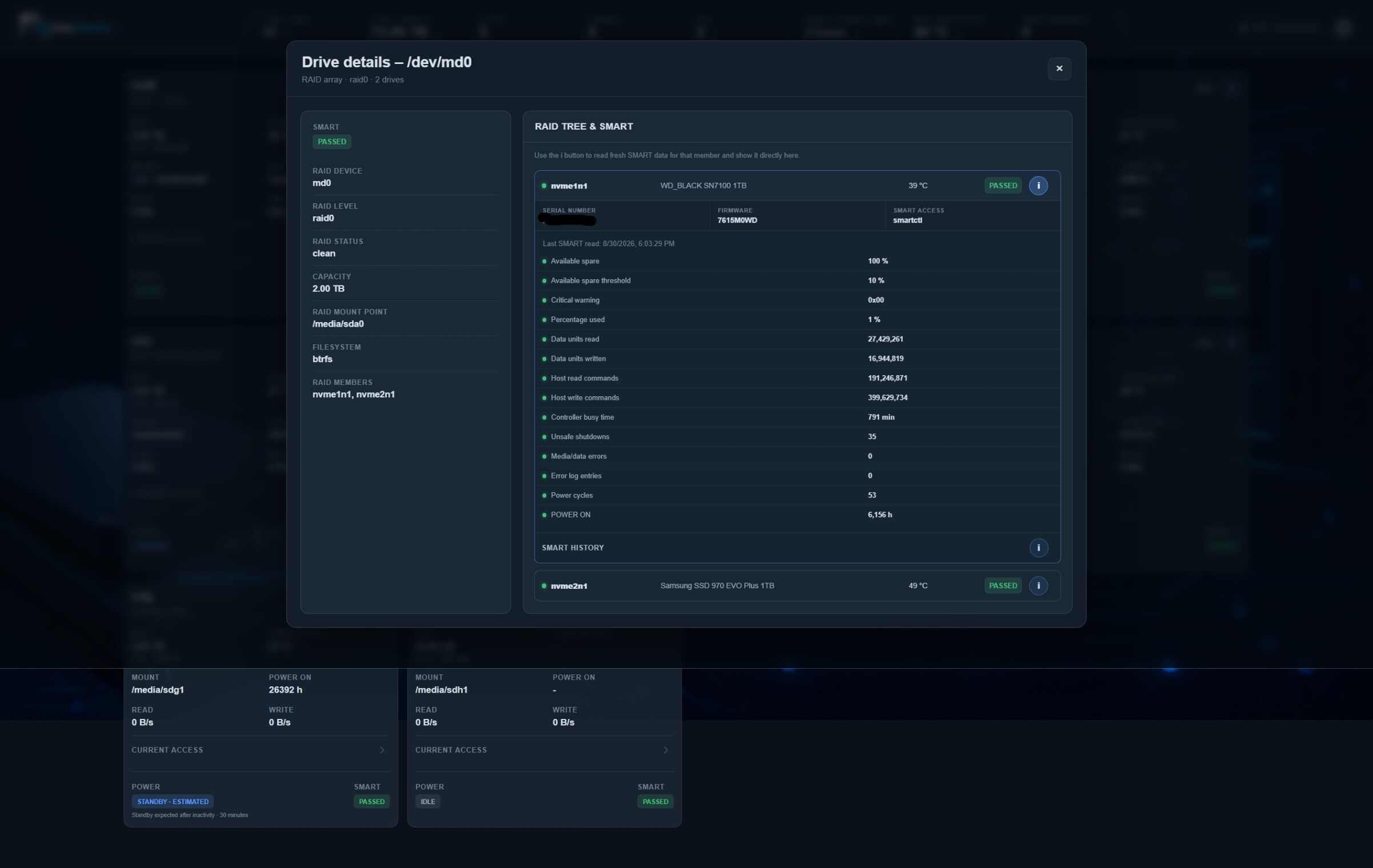
In combined mode the RAID card shows the RAID device, capacity, mount point, state and combined activity.
-
The details still show the individual member disks, including their temperatures and SMART status.
-
The logical RAID card does not offer an HDD standby button.
Current status
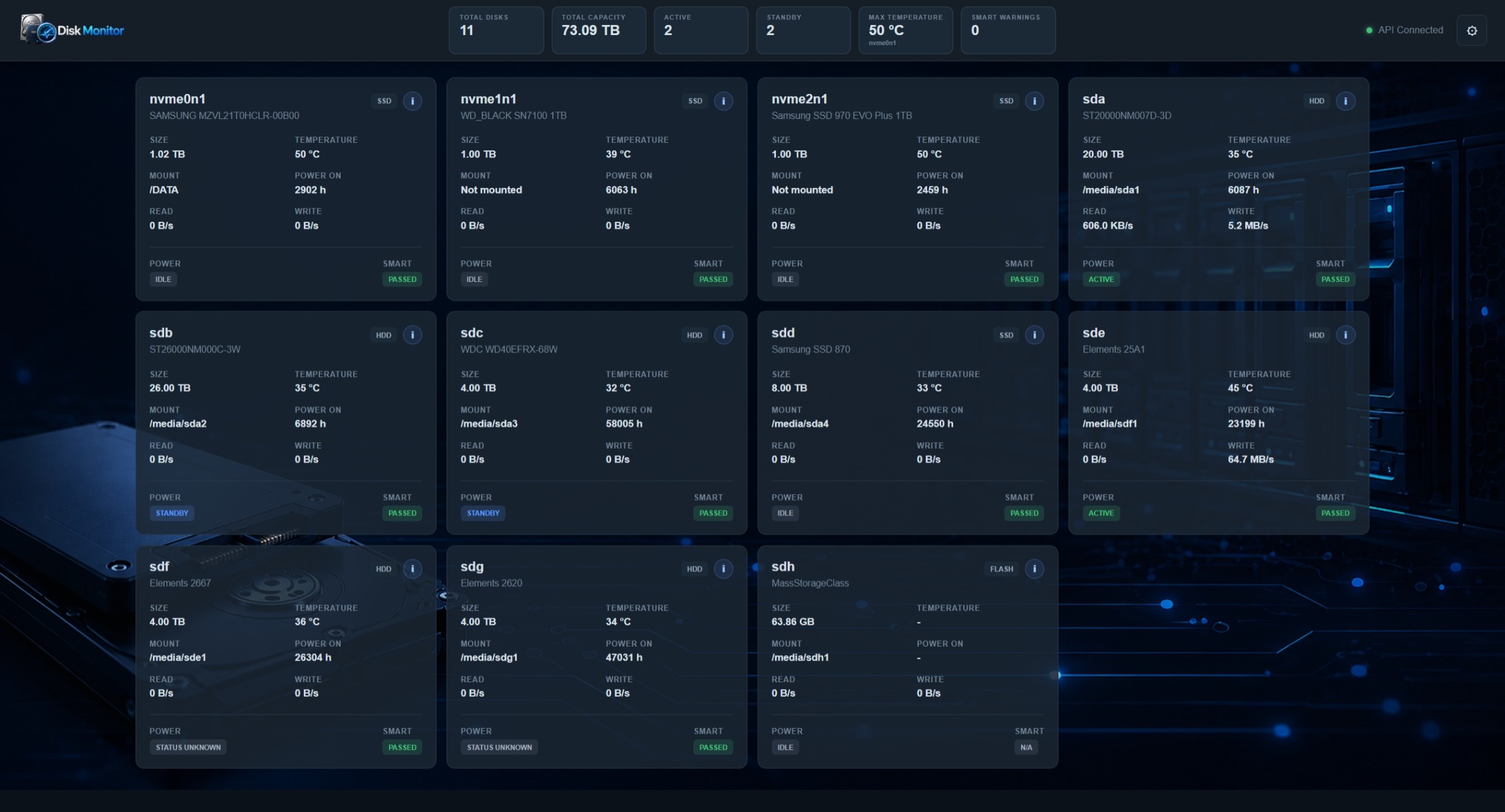
The dashboard is now showing the physical drives, RAID, SSD/NVMe/Flash idle state, HDD standby state, SMART health, temperatures, current disk access, ZimaOS standby timer and Disk Monitor resource usage in one interface.
One particularly useful result from today’s testing was discovering that ZimaOS’ standby API is reliable for my directly attached SATA HDDs, but not for the tested WD USB HDDs. The Disk Monitor can now compensate for that difference instead of simply trusting one source for every drive.
I am currently away from the machine, so I have not yet physically confirmed the USB drive LEDs/spin-down state after the latest changes. The SMART power-state checks do confirm standby, and I will verify the physical behaviour when I am back home.
This is still a development version, but the project is starting to feel much more complete now.
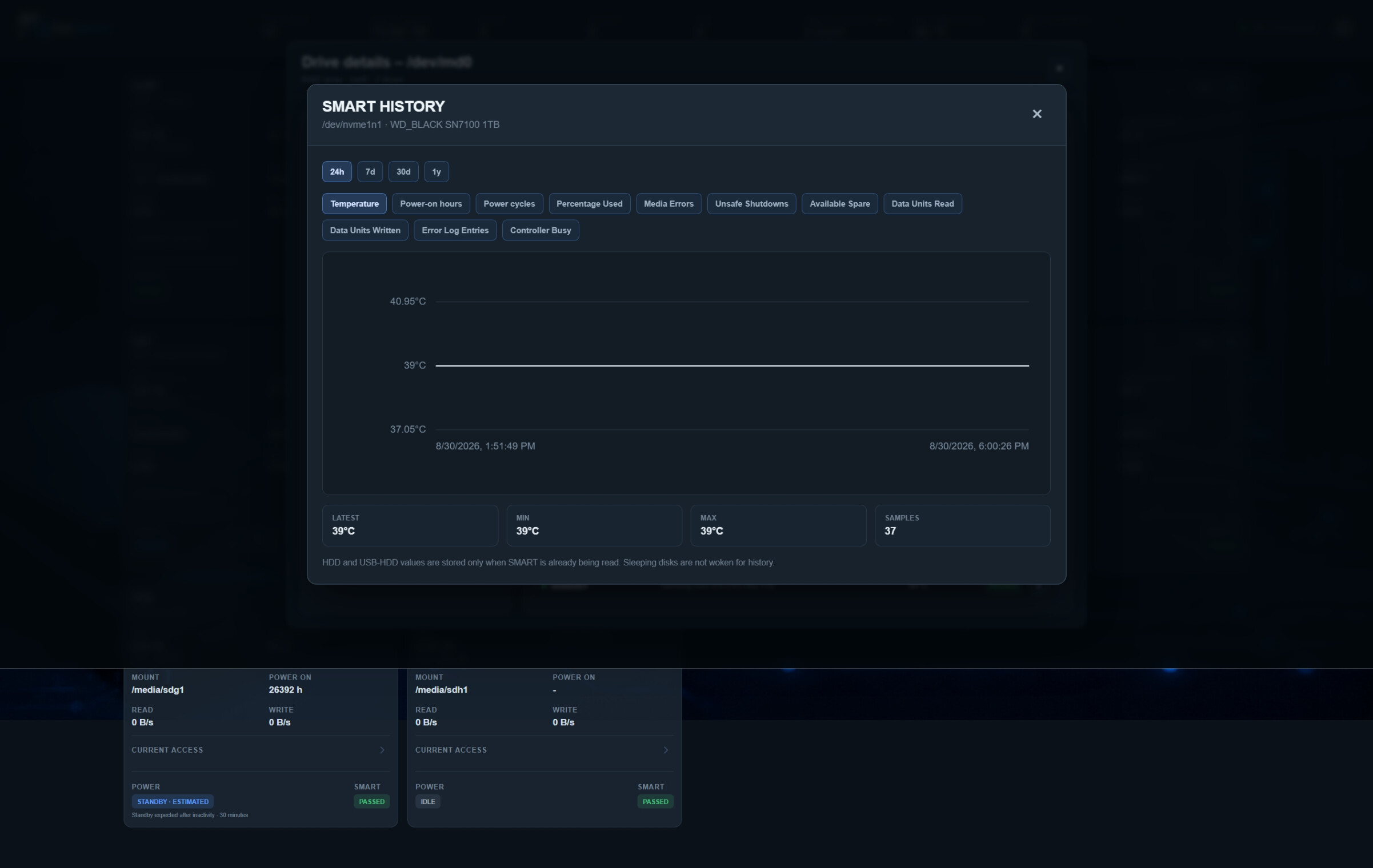
I will add a few screenshots below showing the current dashboard, the combined RAID view, the new settings and the standby/idle states.