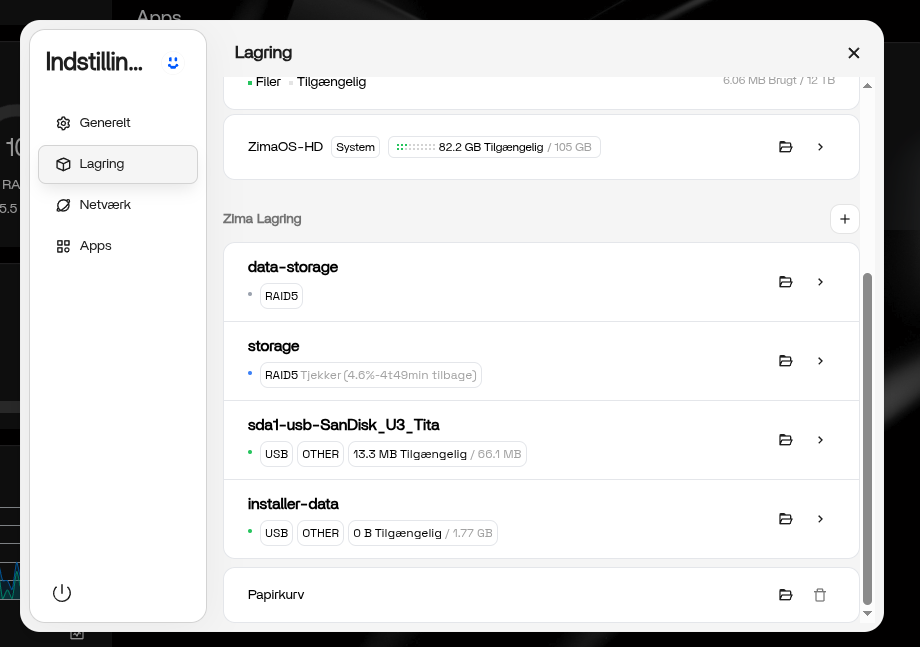
Can someone point me in the right direction?
Regards
Antonio
Regards
Antonio
Hi Antonio,
You will need to login with ssh then run these commands…
cd /var/lib/casaos/db/
# Back storage db
sudo cp local-storage.db local-storage.db.bak
# List raids
sqlite3 local-storage.db "SELECT * FROM raids;"
# Shown db structure (optional)
sqlite3 local-storage.db ".schema"
CREATE TABLE `o_disk` (`id` integer,`uuid` text,`mount_point` text,`created_at` integer,`is_deleted` integer,PRIMARY KEY (`id`));
CREATE TABLE `raids` (`id` integer,`name` text,`uuid` text,`uuids` text,`path` text,`mount_point` text,`level` integer,`shortage` numeric,`devices` text,`serials` text,`is_default` numeric,`disk_number` integer,`reshape` numeric,`dev_size` integer,`status` text,`members` text,`fs_type` text,PRIMARY KEY (`id`));
# Delete raid entry by <id> Replace 99, 100 with one or more ids NOTE: The id column is first.
sudo sqlite3 local-storage.db "DELETE FROM raids WHERE id IN (99,100);"
# Reboot
sudo reboot
Thanks mate, that was exactly what I was looking for. I’d been looking for fstab files and what not, this did the trick.
Regards
Antonio