Hi everyone,
I hope I can find some smart help with a problem I have…:
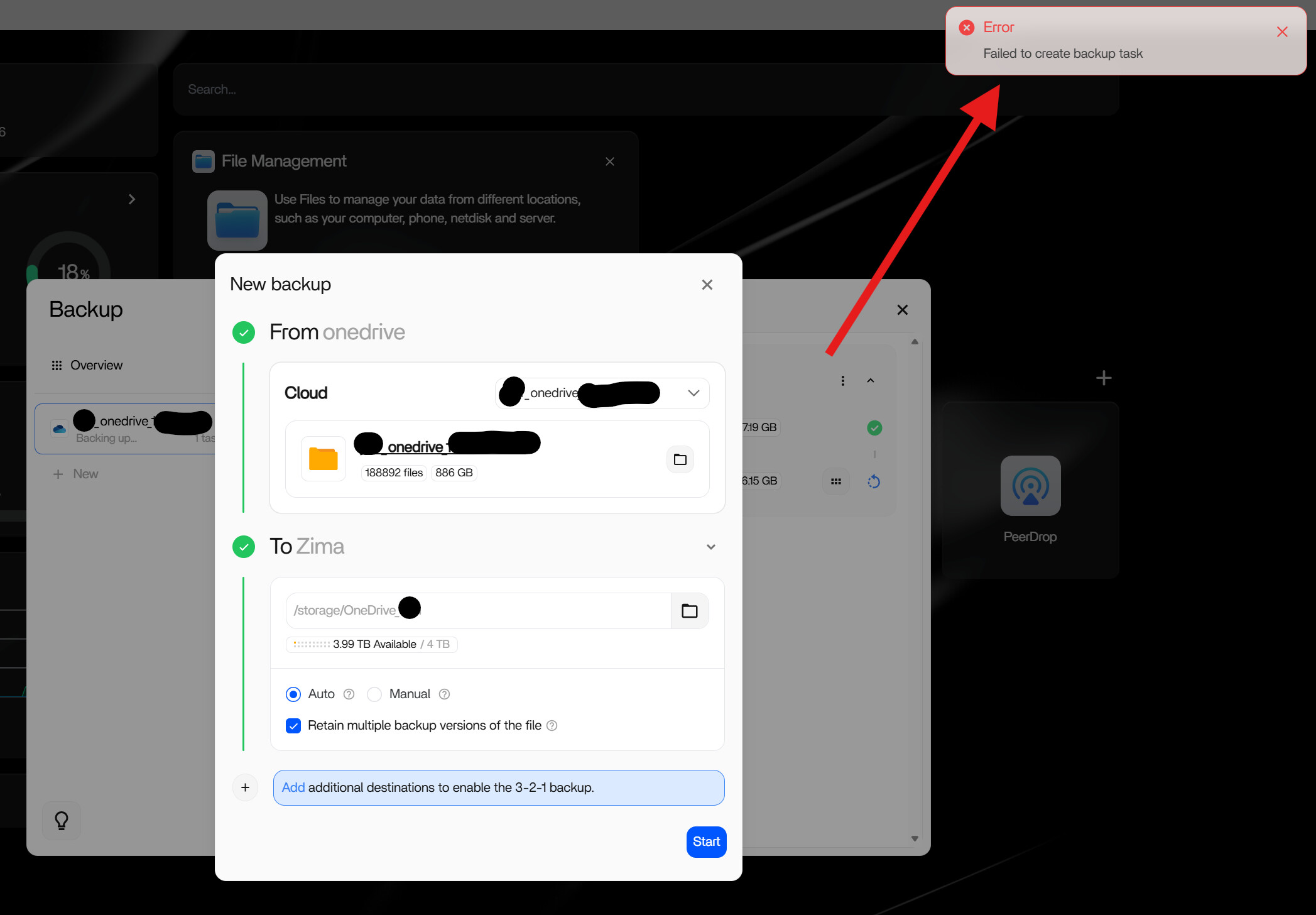
Creating a OneDrive Backup task always fails (OneDrive → local file store).
I have a OneDrive Account that holds ~400GB,
in addition it has linked in a folder shared from another OneDrive Account holding another 500GB so the total backup volume is about 880GB.
It takes about 1h to “calculate” the OneDrive source and when it is finished and I press “start” to save the backup task then it always reports the error as in screenshot.
Steps to Reproduce
Create Backup task → select OneDrive account and local target
It “calculates”
It shows the task ready to be started
klick “Start”
Error message appears.
Note:
There are no extra large files in the OneDrive, it’s just a lot of stuff, but no individual file exceeds “a few 100 MB”. Also there’s no folder with a really high number of files and also the length of total URL should be fine as far as I can see.
Possible root causes for the error IMHO
the backup is simply to large and Zima has some sort of general size-limit for backups.
some timeout due to long time to “calculate” the backup?
the “shared folder” that is incorporated from the other account breaks it somehow.
ZimaOS is installed on a dedicated SSD (only for the OS, not used for storage) with 512 GB. Of these almost all is free, but it’s still less than the volume of the backup. Maybe it needs more space on the system drive to cache the download? (no individual file is larger than ~300MB)
System Details
Small PC, 2x SSD (512GB for ZimaOS, 4TB for storage)
OS is running from the SSD, NOT FROM A USB STICK!!
ZimaOS v1.5.3
Is there any way I can dig in deeper (check logs etc)?
Anyone who has a helpful suggestion?
Thanks so much!
I would be really grateful for any insight or help with this.
Thanks,
Jan
That said…
Basically the main purpose of this Zima Box for me is to have a backup of 2x OneDrive accounts and allow me to work on files locally (faster).
These two accounts have shared folders linked into each other.
Is there any option to configre backups to NOT include the content of any “folder shared from external”, since right now it will create backups in each account, meaning i’ll have ~500GB twice.
I had a similar issue with my Qnap NAS and OneDrive and Dropbox back up, or sync. ended up being the folder or share name, and it was not the share name it was just a / instead of a share name on remote.
Thanks for fixing the bug…
…but with the workaround to just ignore the error, it is actually working right now.
“working-ish”, so to speak:
It’s been syncing for ~30h now and over my 600MBit line I have so far received ~200GB of…
~400GB on the OneDrive itself
~400 GB in a shared folder that is linked into the account from a different account.
…of course that might be more due to OneDrive speed or my local hardware speed rather than due to software.
I do however have one suggestion:
This is awefully confusing here:
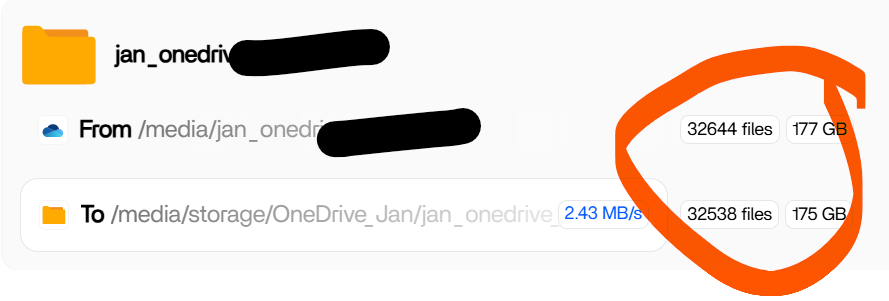
Look at the numbers:
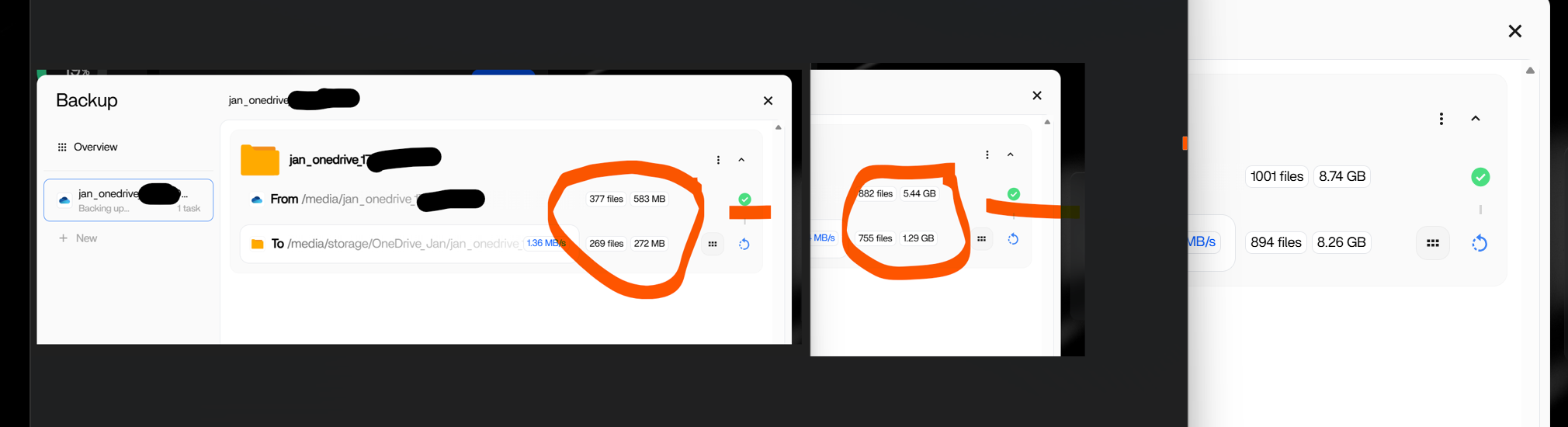
Why does it have TWO different numbers of “how much is already downloaded”?
I mean, the upper number doeds NOT reflect the real amount of data in that OneDrive, that number is ~400GB.
It is counting up slowly, since 30h.
So is THIS the “amount alreeady downloaded”? Or the second line?
Which of both is the “real” data and why are there two different?
And why does the lower number very often jump to “0” just to jump back up a minute later?
I haven’t done anything to alter files on the cloud side since yesterday but I am really curious if this holds up in daily use (file changes on both sides being synced properly) or if it’s just too slow and causes forks and problems.
But anyway, thanks for your help!
I’ll update to the latest beta once this download is complete in maybe a couple days, don’t want to break it.