Cpu freq is stuck

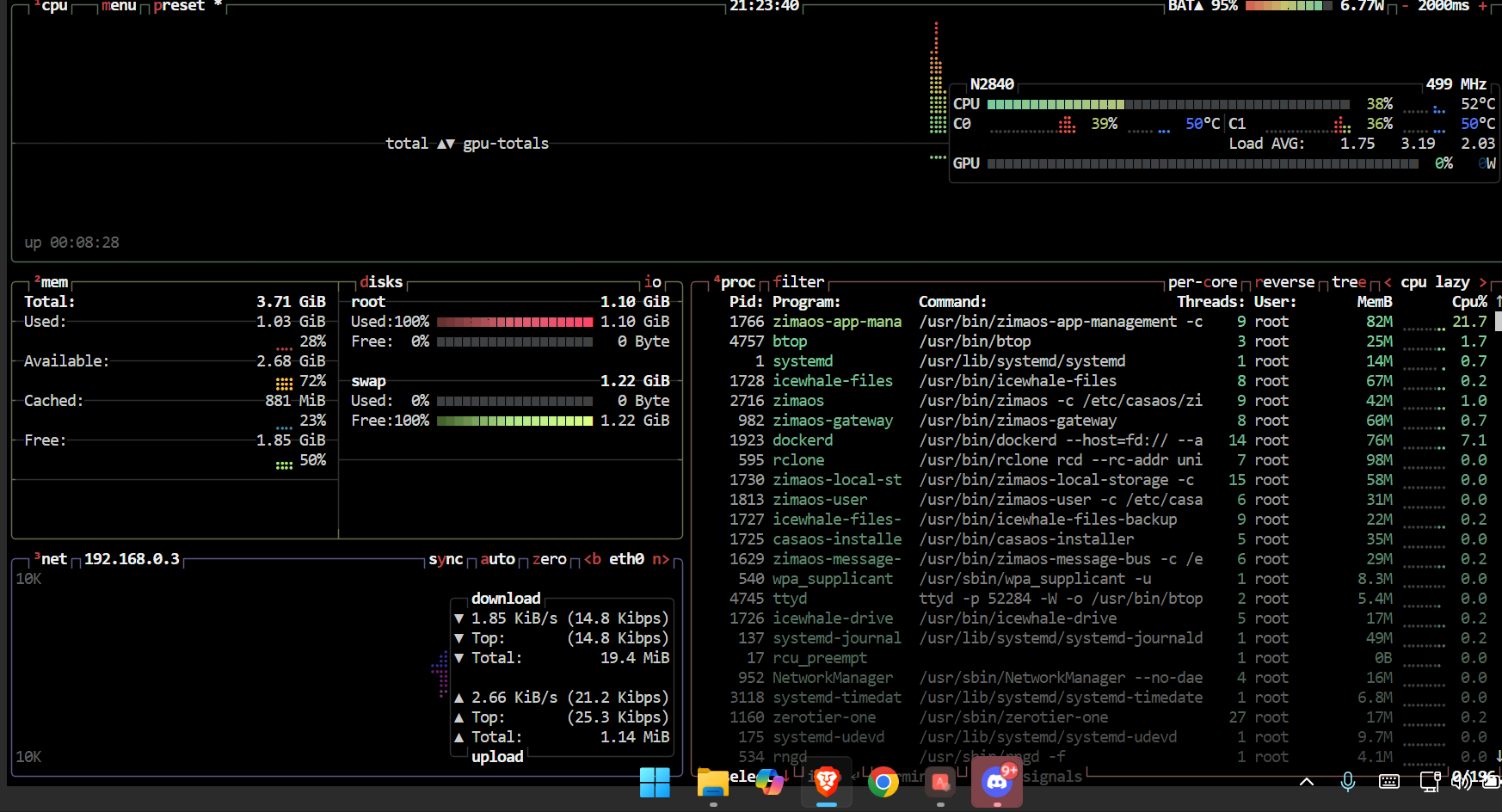
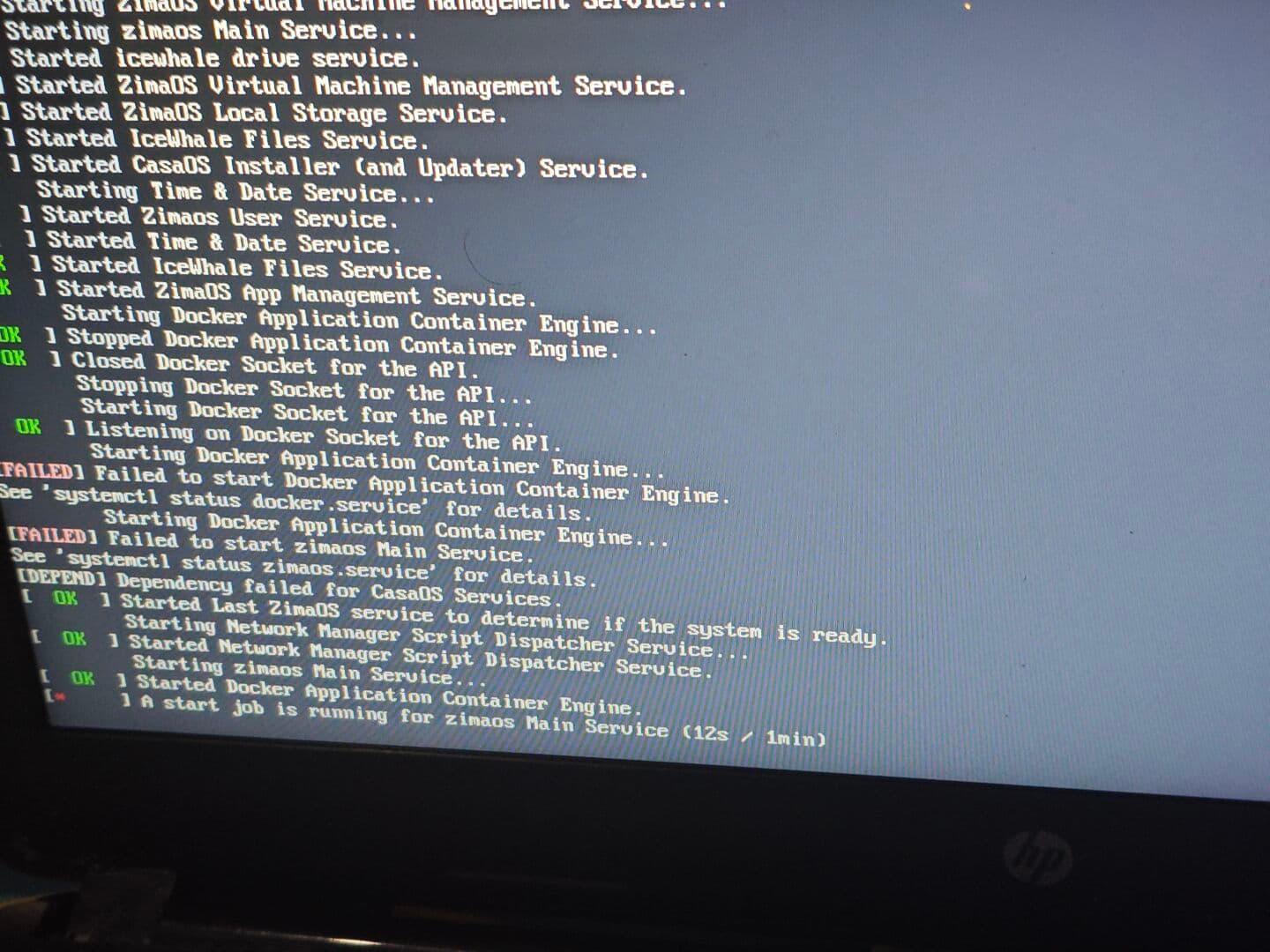
hey guys sorry for the broken english my cpu seems to be getting stuck at 500mhz with a maz power consumption of 0.4w when i was using casa os it could get up to 1.3w while pluged in i dont know what i did wrong withe the install i assume i did everything ok except when i boot up it shwos up docker and zima os wont start would that be anyhow related to my problem? once again sorry for the bad english
Never mind your language skills, since we have so many tools like Google Translate and GPT.

And please fill in this template.

I will describe this problem as follows:
[Problem description.]

And I can reproduce the problem like this:
[the detailed steps to reproduce the problem.]
[images and photos are better.]
[videos and screen records are best.]

And I remember I did this to my machine before the problem showed up:
[If exists, please attach the operations might be related to the issue.]

And I have tried these operations to fix it:
[The steps you might have tried.]
[images and photos are better.]
[videos and screen records are best.]

[If you used CLI, then you did this by]
[What user? root? non-root?]
[In what method? Dedicated connected screen/keyboard? Web terminal? SSH?]

And here are the specs of my machine:
[the detailed specs of the machine where the problem happens]
[the specific version of the OS]
[the specific version of the Client OS]

[quote=“Zima-Giorgio, post:2, topic:5612”]
I will describe this problem as follows:
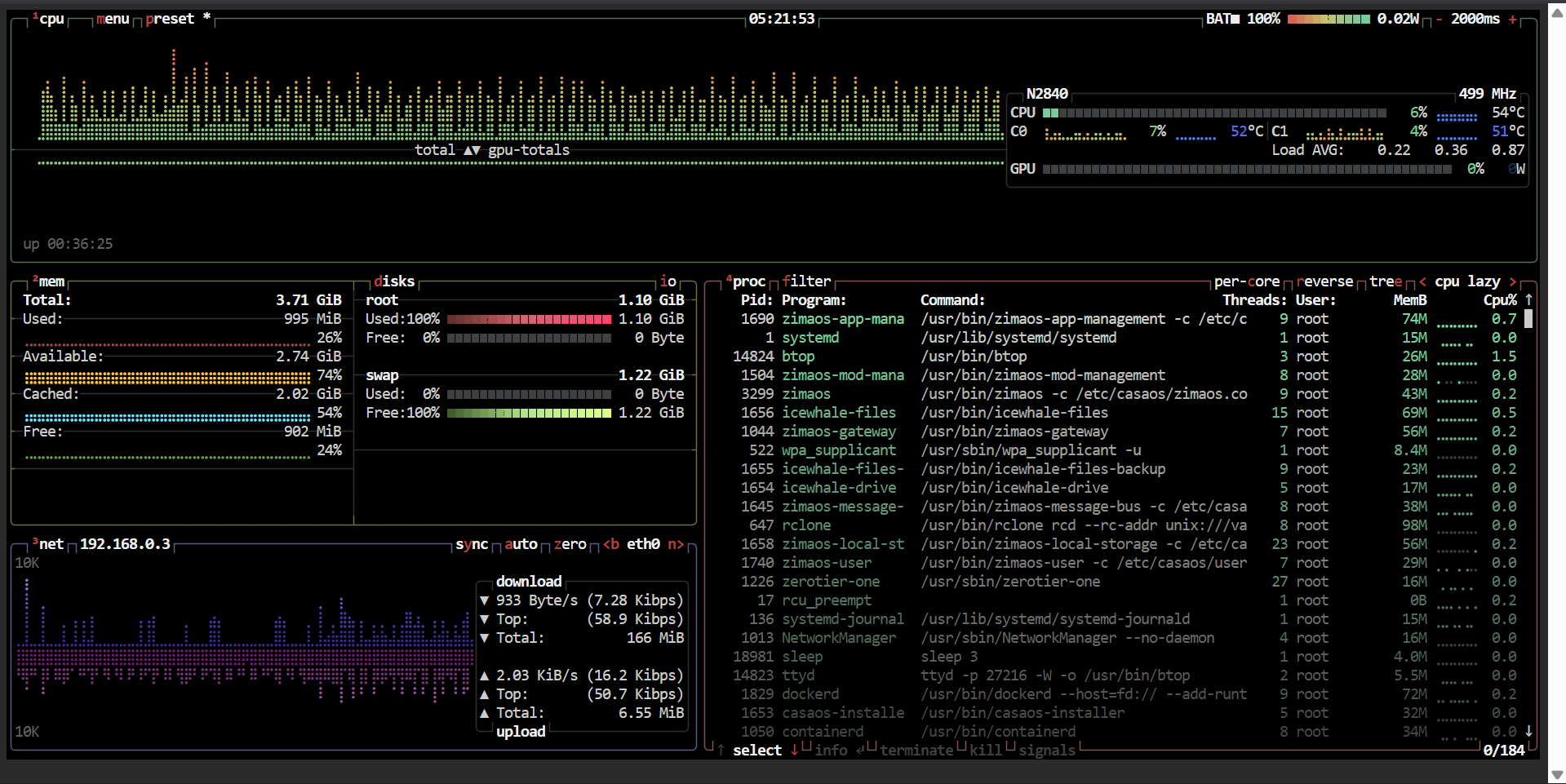
my cpu is getting stucked at 500mh and wont go any higher than that

And I can reproduce the problem like this:
i cant seem to tell you how to reproduce it since its doing it from the very beginning i boot up into zima os
here is the screenshot if you are referring to the error at boot shows and my stagnant cpu
And I remember I did this to my machine before the problem showed up:
i hvent done anything other than installing a immich and jellyfin and thats when i notice my cpu wasnt getting any faster and the power consumption stays the same

And I have tried these operations to fix it:
i have tried to install some cpufreq tools but failed as i cant seem to install it
i’ve tried reinstalling it 2 times and it still showing the same results
i’ve tried updating my bios since i saw it could be a firmware issue and still the same

i am monitoring it directly through the webui and btop which yielded the same results
And here are the specs of my machine:
i am using an HP Notebook 14-r205tu with a CELERON N2840 and 4 gb ram
with a 128gb RX7SSD and a seagate 500gb hdd pluged with a IDE to SATA adapter

#do you have a suggestion as how would i fix it or any troubleshooting steps that i might have miss?
-thank you

Our engineer will take a look at it. And before that, I tried to use Grok to analyze your issue: https://grok.com/share/bGVnYWN5_3d808d2f-9b88-4a9c-8a0e-1e190dfb51eb . You are suggested to check that.

still having probelms, thank you for your help nevertheless will be excitedly waiting for any updates
good day!

@Zima-Jerry , Please follow up this issue here.

Please type in the command line:

cat /sys/devices/system/cpu/intel_pstate/no_turbo
cat /sys/devices/system/cpu/cpu0/cpufreq/scaling_available_governors
cat /sys/devices/system/cpu/cpu0/cpufreq/scaling_governor

Then show me the results.

I am also having a similar issue.

CPU freq stuck at 1.6 GHz as shown in btop
Wattage seems to top out at ~25W
ZimaOS itself seems to run fine, but impossible to run any ZVM at these speeds.
Plex runs fine if not transcoding

Only noticed the issue once I tried to install some VM instances.

I tried enabling XMP in the BIOS as well as making sure turbo freq is set to auto. Same issue.
Running ZimaOS 1.4.4-1
System is an ASUS Z77 Sabertooth motherboard on the latest BIOS with an i5-3570K, 8GB of DDR3 RAM, running on a 128GB SSD.

The following are my responses to the three cat commands you inquired about regarding the other person:

0
conservative ondemand userspace powersave performance schedutil
userspace

Let me know if you need any more information.
Thanks! Hope this helps!

UPDATE # :one: (diagnostics, verification, and workaround fix for running instance, does not survive reboot)

I was able to get the cpu to ramp up to 3.8GHz.
I had to set the governor to performance using:

sudo cpupower frequency-set -g performance

Prior to that I used rdmsr to get hex values to see whether the firmware is locking turbo or the OS governor just thinks the CPU is idle.

sudo /opt/bin/rdmsr -d 0x1a0
sudo /opt/bin/rdmsr -d 0x198

The hex values returned and concluded that:

  1. Turbo is NOT disabled – bit 32 (disable-turbo) is 0.
  2. Power clamp is NOT active – bits 16-19 (power-limit lock) are 0.
  3. The CPU is being told it may turbo to 3.8 GHz (by adding up the 32 bit hex values to get to 3.2 and then 3.8 as maximum from the leftover bits.)

So at that point it wasn’t a hardware issue. It was ZimaOS not requesting additional performance even under 100% load on the cores.

So either:

  1. The governor is powersave/schedutil and the load average is perceived as low (even though it isn’t),
    ----- OR -----
  2. intel_pstate is in passive mode (uses acpi-cpufreq) and the BIOS C-states are so deep that the core wakes up already at 1.6 GHz and never climbs.

#2 wasn’t going to be easy to alleviate even if that was the issue so I assumed #1 was the culprit.

So I ran the following:

sudo cpupower frequency-set -g performance
stress-ng -c 1 -t 10s &
watch -n1 "cat /proc/cpuinfo | grep MHz | head -4"

However it seems stress-ng isn’t available in ZimaOS so I just loaded a core with an infinite loop using:

( while :; do :; done ) &

And then the watch returned:

Every 1.0s: cat /proc/cpuinfo | grep -E ‘cpu MHz|core id’ | sort -u
ZimaOS: 05:24:03 PM in 0.006s (0)
core id : 0
core id : 1
core id : 2
core id : 3
cpu MHz : 3708.553
cpu MHz : 3708.556
cpu MHz : 3708.561
cpu MHz : 3708.562

`Seemingly success! However, at this point it is unclear how to make this permanent without utilizing systemd. Nor is it clear if the cpu can adjust accordingly with load up and down or always runs at maximum turbo. Any advise at this point would be helpful. Thanks again! Also, I’m assuming this helps the original poster if those commands could be ran as well to check OP’s system.


UPDATE # :two: (resolved, fix now survives reboot, low security risk implementation, alternative to rc.local method I originally thought of)

I found a way of having the governor setting survive a reboot.
At first the only way I knew how to do it was utilizing rc.local (this may be the way you are thinking to accomplish this as well), but I wanted to try to avoid that route as it is quite deprecated mostly and there are other security concerns with having it enabled.
Also, if it failed to run for whatever reason there is really no indication of that happening either during boot or post.

So instead I learned there was a way of creating a systemd oneshot that kept explicit ordering and with the least privilege.

Here are the commands to create such:

sudo tee /etc/systemd/system/cpu-turbo.service >/dev/null <<'EOF'
[Unit]
Description=Set CPU governor to schedutil
After=systemd-modules-load.service

[Service]
Type=oneshot
RemainAfterExit=yes
ExecStart=/usr/bin/cpupower frequency-set -g schedutil

[Install]
WantedBy=multi-user.target
EOF

sudo systemctl daemon-reload
sudo systemctl enable --now cpu-turbo.service
This should now make the governor stay as schedutil permanently even after reboot.
The main benefit of this method is:

  • Runs after kernel modules are loaded

  • No root shell script to edit by attackers

  • Fails visibly if the command breaks

  • Can be masked / audited like any other unit

Final step to confirm:
Upon sudo reboot I then checked to see if the governor stayed using schedutil with no errors by checking status on cpu-turbo.service via systemctl:
sudo systemctl status cpu-turbo.service

Also running:
cat /sys/devices/system/cpu/cpu0/cpufreq/scaling_governor
to confirm schedutil profile

This concludes the issue and as far as I am concerned has been solved for me. I await the progress of OP to see if this is indeed the solution to the original issue as well.

2 Likes

welp seems im quite in badluck since ive just seen this post (totally didnt forget about it at all)
im quite confused as how to set up this fix of yours but when i try reinstalling again with the 1.5.0 version my cpu now is turboing but it seems now the idle freq is quite high(15-30%) do you seem to have that problem?

@Zima-Jerry i think im a bit late to reply to this but maybe you can help out with the new issue im facing with the idle being really high

The latest version of the strategy should be SCHEDUTI, what is the version of ZimaOS you have now?