Im having trouble mounting my main storage to the quick access panel in Zima desktop UI/Network drive in file explorer
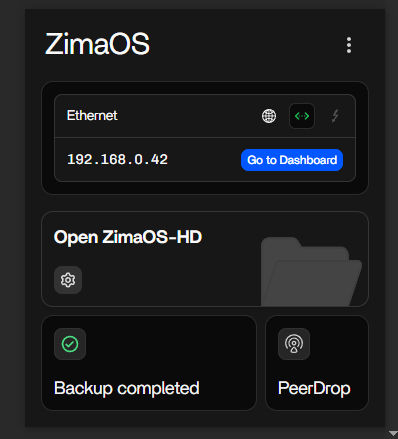
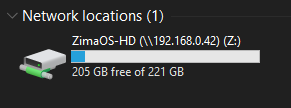
The default ZimaOS-HD works just fine:
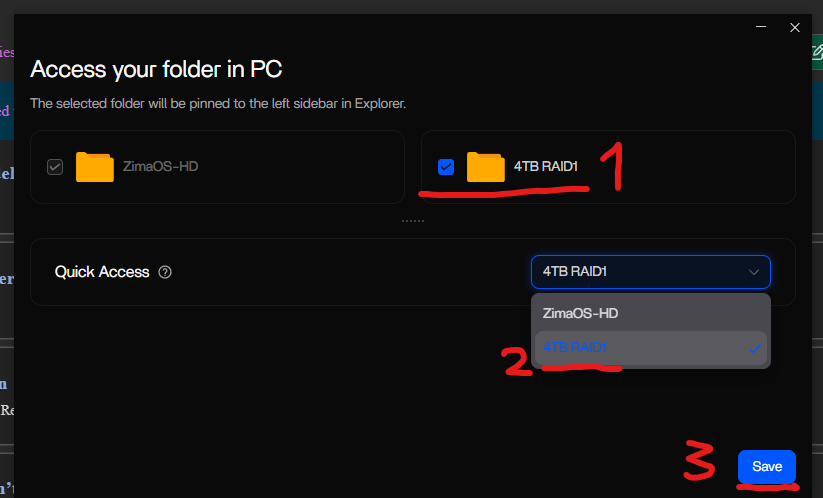
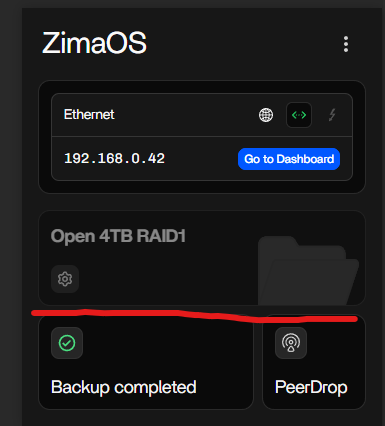
But when I select my main storage, its greyed out in the UI:
Any ideas?
also my first time posting here so im open to post formatting feedback!
This isn’t a bug, it’s how ZimaOS is designed.
Quick Access only accepts the system’s own ZimaOS-HD volume.
That path is fixed, controlled by the OS, and guaranteed to exist after upgrades, resets, or disk changes.
RAID arrays, data pools, and user-created drives are classified as user storage.
Because of that, they can’t be bound to the Quick Access slot, so the selector greys them out. That’s intentional.
Your RAID1 will still mount normally in Windows as a standard SMB share, but it can’t be promoted to Quick Access. Only ZimaOS-HD can sit in that position.
1 Like
Great, thanks for the reply!
I was about to ask how to map my own drive, but worked it out pretty easily…
For anyone else wondering: In windows file explorer, go to This PC, then up top theres a Map Network Drive option
Choose your drive letter and type in \YOUR IP\YOUR DRIVE
(So for me it was \192.168.0.42\4TB RAID1
and thats it!
2 Likes
Exactly, that’s the right way to do it.
Quick Access is locked to ZimaOS-HD only, but all your RAID/data pools are still fully accessible as normal SMB shares. Mapping them manually in Windows is the intended method.
For anyone following along:
This PC > Map Network Drive > choose a letter > enter
\<share-name>
That’s all you need. The RAID will behave like any other network drive, just not as the Quick Access target.
1 Like