I installed a NAS with an old i5, put ZimaOS on it, and now I have a nice 20TB storage device.
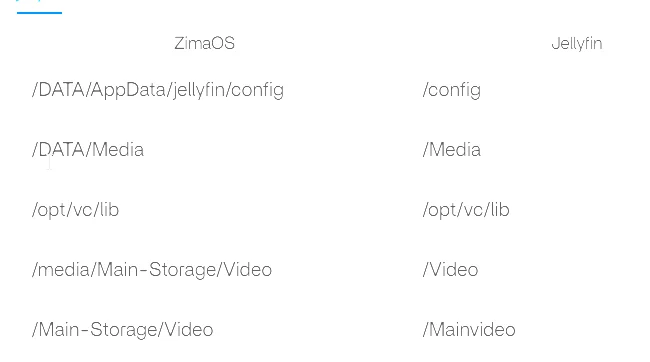
I would like to use Jellyfin, but after installing it, I don’t know how to feed it the right media folder,
which would be /Main-Storage/Video, that is a different disk from the operating system SSD.
I can’t find the command line, so I don’t know how to give Linux commands… Any ideas?
from the option2 (the three dots) i tried to add the path but jellyfin doesnt accept it