Hi,
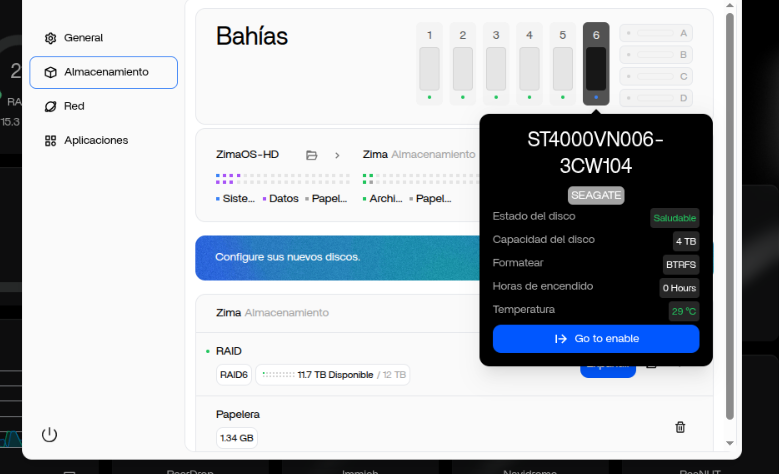
Using ZimaOS v1.5.3 I’m trying to expand RAID6 from 5 to 6 disks 4TB each.
When I use the expand option, I can’t select the new disk:
As you can see, I’m not able to select the new disk.
Thanks.
Hi,
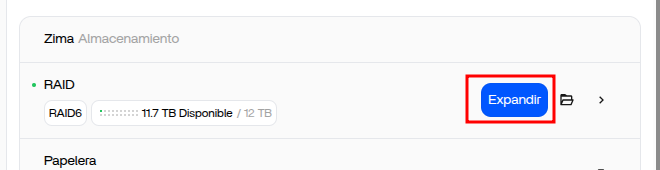
Using ZimaOS v1.5.3 I’m trying to expand RAID6 from 5 to 6 disks 4TB each.
When I use the expand option, I can’t select the new disk:
As you can see, I’m not able to select the new disk.
Thanks.
I believe this happens when the “new” disk is detected but not eligible for expansion yet. The most common reason is the disk still has old partitions / filesystem / RAID metadata, so ZimaOS refuses to select it.
I suggest wiping the disk signatures (making it fully blank), then refresh the Storage page and try Expand again.
Thank you for your reply. What commands do you recommend? I have tried some such as:
I have restarted, but without success.
Good test, those are the right commands.
If it still won’t select the disk, I suggest doing a full zap of GPT/MBR + all signatures, then reboot.
Try this (replace sdf with the correct disk):
umount /dev/sdf* 2>/dev/null
sudo mdadm --zero-superblock --force /dev/sdf
sudo wipefs -a /dev/sdf
# zap partition table completely (GPT/MBR)
sudo sgdisk --zap-all /dev/sdf
sudo dd if=/dev/zero of=/dev/sdf bs=1M count=200 status=progress
sudo dd if=/dev/zero of=/dev/sdf bs=1M count=200 seek=$(( $(blockdev --getsz /dev/sdf) / 2048 - 200 )) status=progress
sync
reboot
After reboot, confirm the disk is truly blank:
lsblk -f /dev/sdf
sudo wipefs /dev/sdf
If it still stays greyed out even when fully blank, I believe it’s likely a ZimaOS 1.5.3 UI limitation/bug on RAID6 expand. In that case I suggest sending IceWhale the outputs of:
lsblk -o NAME,SIZE,MODEL,SERIAL
cat /proc/mdstat
sudo mdadm --detail /dev/md*
Thanks for the feedback, the issue has been fixed, please wait for version 1.5.4