I recently set up ZimaOS on a Mini-PC (Dell Wyse 5070) and ran into a very frustrating UI loop regarding USB-attached storage, which leads to my feature request.
The UI Bug (“Ghost” Migration Prompt): I wanted to migrate my AppData to a fast, external USB 3.0 SSD.
-
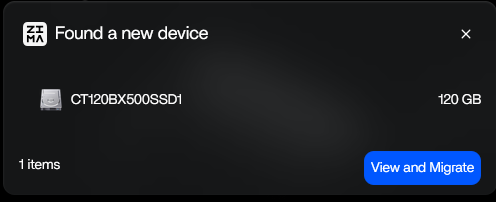
When the USB SSD is completely wiped (Raw/Unallocated, no partition table), ZimaOS correctly detects it and shows a pop-up: “Found a new device” with a prominent blue “View and Migrate” button.
-
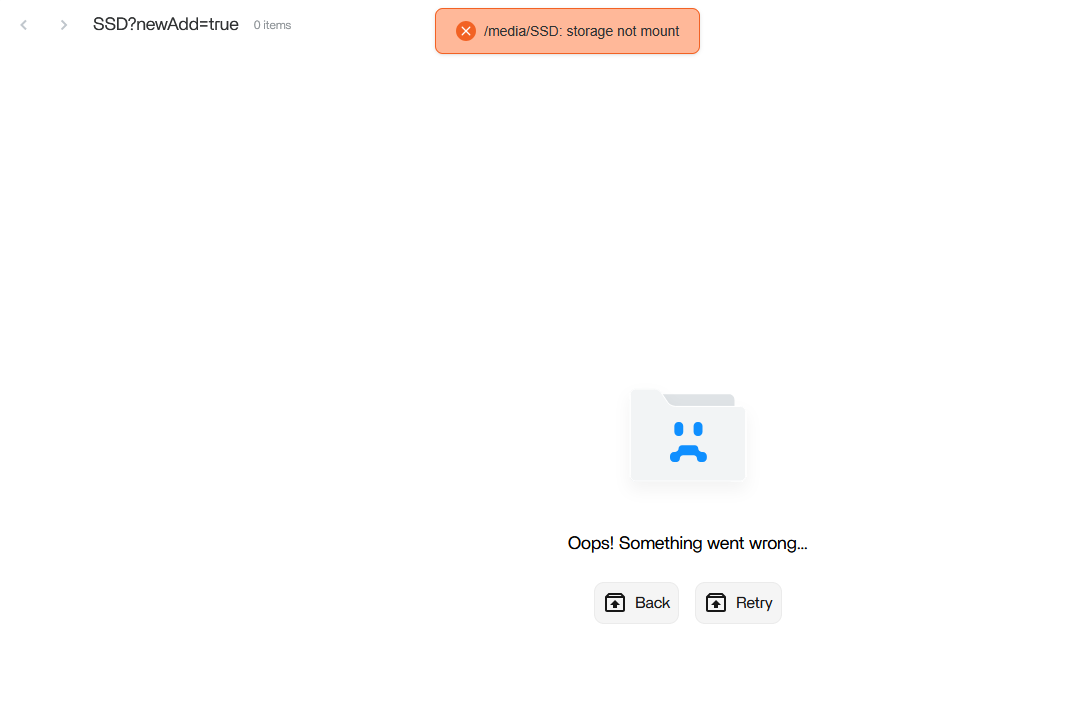
Clicking this button opens the “Files” app and throws a red error: /media/SSD: storage not mount.
-
Going through the “Storage Manager” → “Create Storage” banner also does nothing. Without a partition the Drive doesn’t even show up in the USB Section.
The Feature Request (Single USB Drive Support): I saw in another thread that USB-RAID support is planned for an upcoming update. Since the technical foundation to include USB drives in the storage pool will be established, please also allow Single USB drives (Non-RAID / Basic) to be added to the storage pool.
Use Case: Many users run ZimaOS on Mini-PCs (like Intel N100s, Dell Wyse, etc.) which have extremely limited internal SATA/NVMe slots. We rely on external USB SSDs to host our Docker containers and AppData. Allowing single USB drives into the main pool (so we can natively migrate AppData without symlink workarounds or manual path edits) would be a massive quality-of-life improvement for the entire community.
Thanks for your great work on the OS!
Just as a side comment:
in my opinion I would not recommend to use USB-attached disks for anything else than transporting data from A to B. Try to not use it as essential storage by any circumstance and even consider to utilize it as part of a storage pool. Not to mention the other’s person idea of building a RAID based on USB disks, which is really bad.
The Dell Wyse mini PCs are positioned as thin clients, which are even more limited than the Optiplex line. Therefore I think you choose the wrong machine for the demanding use cases you seem to have in mind. If you can’t get another machine, then perhaps you can consider - if the connectivity exists in your model - to use something like an M.2 NVMe-extension / riser (apparently the case needs to be let opened for that and/or modified to some degree), which brings the port outside of the case, attach an NVMe-SATA-ports card. Then you can attach regular HDDs (or SATA SSDs) to it. You need to cater for separate power supply to power these disks as well to find another case / stand / mount, where you can mount in the drives. Yes it looks possibly not beautiful, but if you can’t get another machine, I think that’s the next best option to operate with regular SATA disks with your Dell Wyse thin client machine and doing without USB-based drives.
I appreciate your concern, but USB drives aren’t as bad as some might think. Of course there’s another component of hardware (USB controller) which might fail, but the disks are the same as normal 2.5” drives.
Considering that I’m doing daily cloud backups, that’s not really a thing I worry about.
While the dell wyze isn’t a strong machine by any metric, it’s cheap, low power and acceptable for my use case (plus I get to save it from the landfill). I already had it running proxmox and a few VMs and Docker Containers, which it handled pretty nicely.
Hello, awesome to read that you repurpose older hardware and contribute by that to a better sustainability! I got also a bunch of decommissioned Optiplexes and deployed these in the family. More than enough power for everdays general purpose computing of “normal users”. Ok, then you have tested its performance already and are happy with it basically.
True, it’s less the actual HDD hardware itself, but the USB controller part (which for example also doesn’t do S.M.A.R.T. - unless installing proprietary drivers (if these exist at all, I think I’ve seen that barely, and if then usually only for Windows), which is a source of failure. When I have HDD issues, it’s always with USB-based products. Even with presumably premium brands.
Alright, that’s good to read that you have an additional backup, then it’s less critical.