It’s a good idea to provide your AMD CPU model, as well as the application you want to use the AMD iGPU for.
This way we can do some testing.
The initial driver adaptation of ZimaOS revolves around Intel iGPUs or Nvidia GPUs.
AMD GPUs don’t do a specific adaptation.
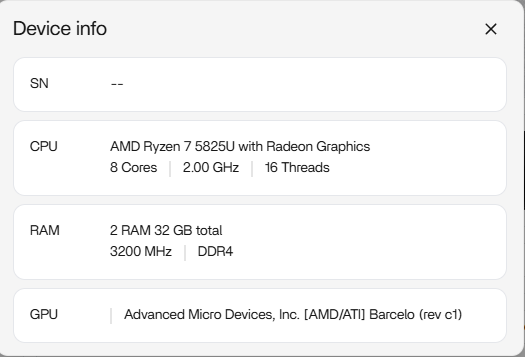
I want to use my AMD iGPU (AMD Ryzen 5 pro 4650G with AMD Vega 6) for Ollama.
I tried all different versions of Ollama (CPU-Only, Ollama - AMD with rocm) but none of them worked with the iGPU.
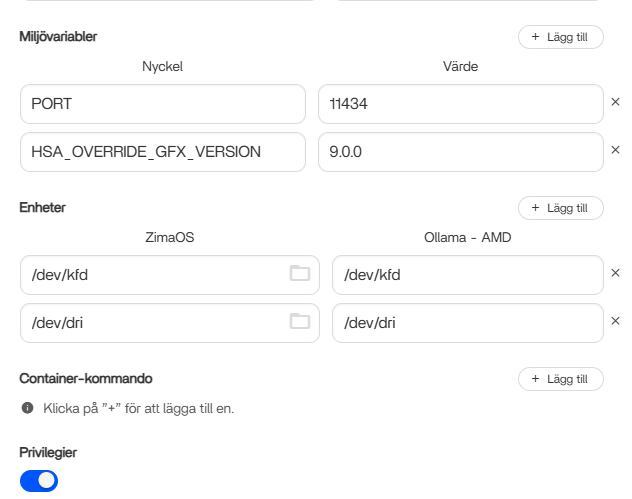
I passed through the /dev/dri but it didnt work in Ollama.
Didnt pass through the /dev/kfd because in the ZimaOS Console it doesnt even exist.
I tried it with OpenSuse Micro OS and Podman and it seemed to work there (at least ollama was running waaaaay faster there so i assume the iGPU worked there).
Maybe you got some Infos for me, if i can get it to work.
Is there any Ollama/ROCm version that works with AMD Vega 6?
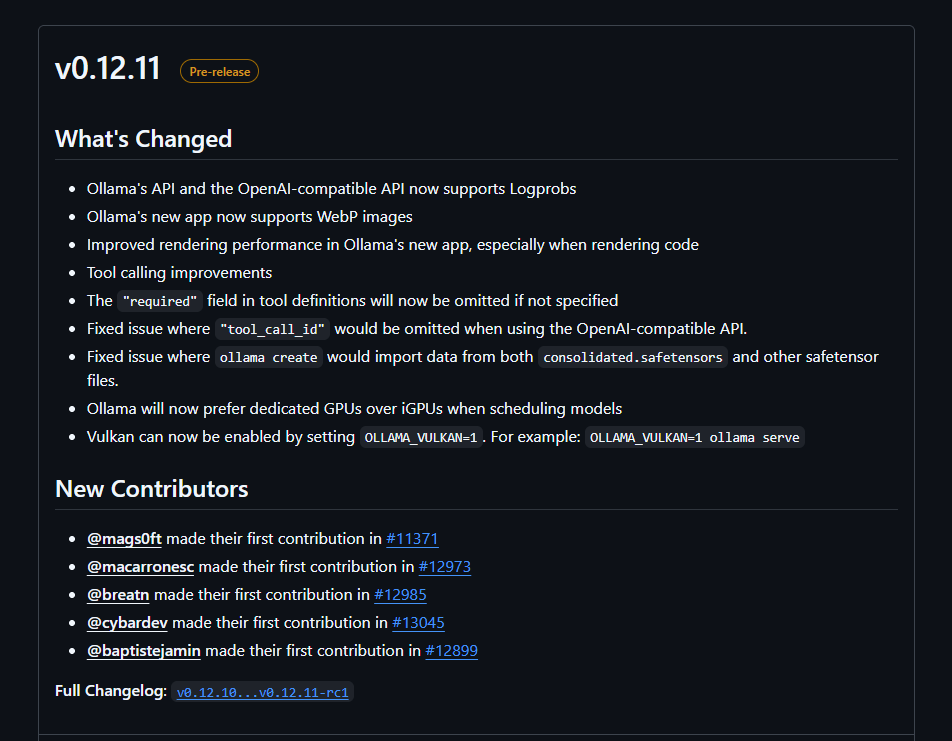
There is Vulcan coming, it will problably work with most iGPU:s from AMD is my guess.
If it is the gfx90c it looks like it will work with the cheat HSA_OVERRIDE_GFX_VERSION=9.0.0.
Soon it will possible to use Vulkan, not sure about docker though.
If it works when the changes comes in the stable build in Docker it would be great. Comparing Vulkan and ROCM in Ollama and/or LM Studio on my main machine, Vulkan is easier on my hardware. So great news
For information. I tried an old fork of Package ollama-vulkan · GitHub for my iGPU and it looks like it is working. Can’t use anything newer than llama 3.2, but it did work.
Good Morning @Zima-Jerry,
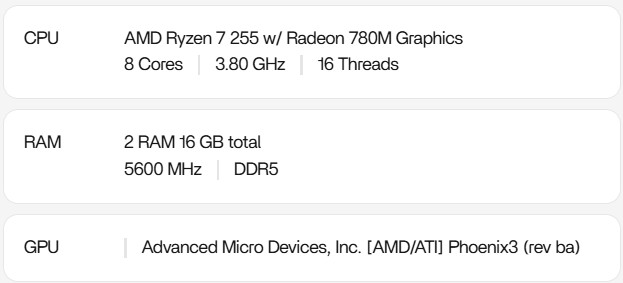
I’d like to post the need to add support for the following hardware since it isn’t yet supported: AMD Ryzen 7 255 w/ Radeon 780M Graphics
I’m planning to use the iGPU for Plex transcoding.
Plex stops running (inside & outside the home).
I had to delete the /dev/kfd line.
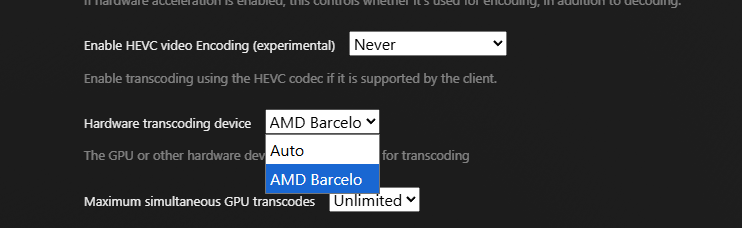
Even by changing the “hardware transcoding device” doesn’t do anything…
So no cigar at all? dev/dri or render128 use to do the trick. Works like a charm on my older hardware. Could be a problem with this slimmed down version of Linux, you can’t update or add drivers that’s not there I think. Good luck anyway
Regarding the Vulkan support mentioned earlier, Docker’s native ‘Model Runner’ has been updated to support Vulkan. This essentially lets you run LLMs directly through Docker without needing to pass devices to a specific Ollama container. It might solve the detection issues on the iGPU. https://www.docker.com/blog/run-llms-locally/
Endlich es funktioniert jetzt im neue ZimaOs Version meine AMD Ryzen 7 8845HS 780M (64GB RAM / 16GB UMA) mein GPU wird erkannt und läuft über Vulkan, ollama funktioniert und nutzt mein GPU.
But I would still like to see ROCm support. If AMD ever manages to implement it, because they’re too slow when it comes to driver development and integration!
… My system:
MINI PC AMD Ryzen 7 8845HS with Radeon 780M Graphics (Phoenix3), 8 Cores, 3.80 GHz, 16 Threads
eGPU Radeon RX 7900 XT Navi 31 / I Used only for AI with Ollama + OpenWebUI + Searxng
via K993G-BK7 PCIe 5.0 x4 eGPU on Oculink SFF-8611 M.2
VULKAN: Both graphics cards are recognized
/dev/dri/
card0 card1 renderD128 renderD129
and Here are some KI tests with eGPU RX7900XT 20GB VRAM:
Question for AI: Explain to me in 15 sentences what a CPU is
(127 tokens on ZimaOS gpt-oss:20b) Vulkan
(125 tokens on Ubuntu 24.04.4) gpt-oss:20b) Vulkan
VS
(111 tokens on Ubuntu 24.04.4 gpt-oss:20b) ROCm
Question for AI: What role does the cache (L1, L2, L3) play in CPU performance?
(125 tokens at ZimaOs gpt-oss:20b) Vulkan
(123 tokens at Ubuntu 24.04.4 gpt-oss:20b) Vulkan
VS
(110 tokens at Ubuntu 24.04.4 gpt-oss:20b) ROCm
Question for AI: Write a short Python script that sorts a list
(128 tokens at ZimaOs gpt-oss:20b) Vulkan
(124 tokens at Ubuntu 24.04.4 gpt-oss:20b) Vulkan
VS
(110 tokens at Ubuntu 24.04.4 gpt-oss:20b) ROCm