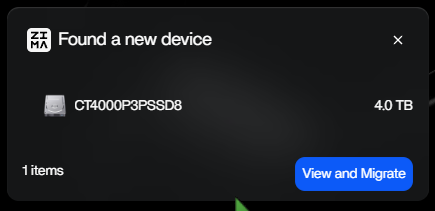
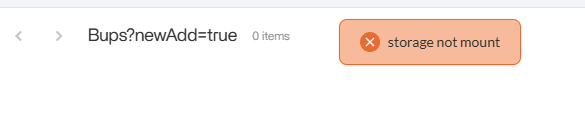
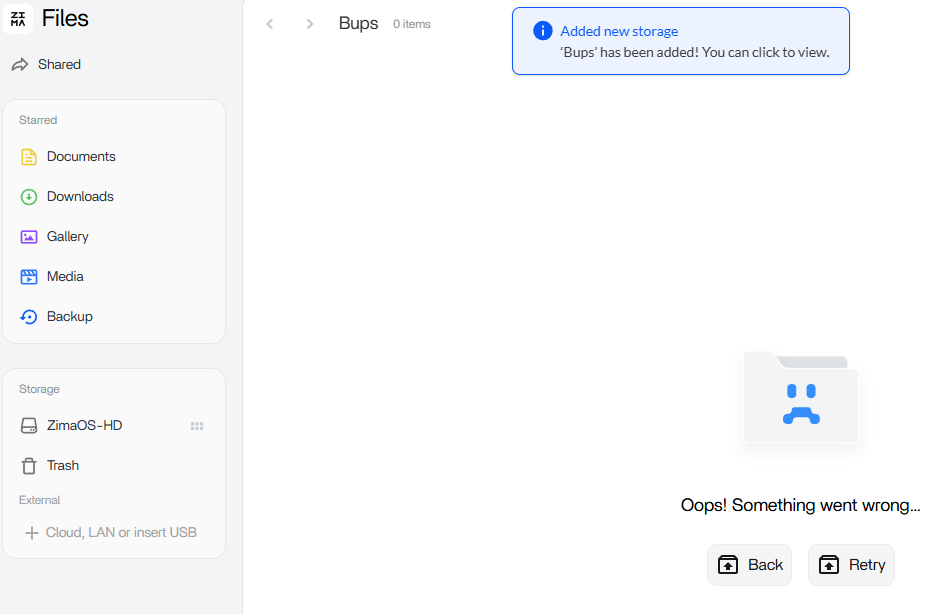
I bought the Sabrent M.2 SSD to PCIe Adapter to add my 4TB Crucial NVMe via the Zimaboard 2 PCIe slot. I’m getting errors on drive in ZimaOS. It sees the drive and even says it is 4TB, but when I try to access it in ZimaOS, it gives me an orange pop-up that says, “storage not mount”. I really need to get this working. Any thoughts? The same NVMe worked fine in a USB enclosure.
This is almost certainly not a bad NVMe or adapter.
ZimaOS can see the drive and full 4TB, which means the PCIe adapter and hardware are working. The “storage not mount” error usually means the disk is not fully raw.
When an NVMe is connected via PCIe, ZimaOS treats it as internal storage and is very strict:
- no partitions
- no filesystem
- no leftover GPT metadata
If the drive was previously used (Windows, Linux, USB enclosure), ZimaOS will refuse to mount it even though it detects it.
That’s why it worked in a USB enclosure but fails on PCIe.
A full wipe of the disk so it’s completely raw, then reboot and re-detect, usually fixes this.
Thanks. I wound up putting it back in my Win 11 machine and doing a full disk check and then it worked. Weird. No errors, but something. I’m in the process of emptying it now. I’m thinking I’ll let ZimaOS (Linux) reformat it as it seems that is an option.
I noticed in the past that it would say “Migrate” (which I have no clue what that does) and now says Manage on the button for the drives. I’m going to set this one up to run VMs and containers and have two 4TB SSDs I’m going to hook up for RAID backup storage.
Yep, that lines up perfectly.
What likely happened is Windows rewrote or cleaned up leftover metadata during the disk check, which made the drive acceptable to ZimaOS again. Even if Windows reports “no errors,” it can still silently fix GPT headers or alignment issues that ZimaOS is strict about.
Letting ZimaOS format it is the right move. That guarantees:
- correct partition layout
- correct filesystem
- clean ownership for Linux, containers, and VMs
On the button change you noticed:
- Migrate appears when ZimaOS thinks the disk contains existing data that could be moved into its storage model
- Manage appears once the disk is considered fully initialized and under ZimaOS control
So that change is actually a good sign.
Your plan makes sense:
- NVMe on PCIe for VMs and containers
- separate 4TB SSDs for RAID backup/storage
That’s exactly how ZimaOS behaves best.
Yeah… I’m not a huge fan of btrfs, but it seems to work fine. It worked OK as NTFS when I did a drive scan on Win, but this way it is more native to ZimaOS.