
AzuraCast is a self‑hosted, all‑in‑one web radio management suite. With it, you can run multiple online radio stations, manage playlists, configure AutoDJ, and explore many other creative broadcasting options. Although there are plenty of articles and YouTube tutorials explaining how to set up AzuraCast on various platforms, I found no complete step‑by‑step guide specifically for ZimaOS. This article aims to fill that gap.
After considerable trial and error—using AzuraCast’s documentation, GitHub resources, SSH installs, and even Portainer tweaks—I finally arrived at a simple, reliable configuration that works perfectly on ZimaOS. This guide will walk you through that process.
Note: This tutorial focuses on installing AzuraCast for home or private use, accessible within your local network or via Tailscale. If you plan to expose your AzuraCast instance to the public internet, you may need to adjust certain network and security settings.
Hardware and System Used
This installation was performed on a ZimaBoard with the following specifications:
- CPU: Intel Celeron N3450 @ 1.10 GHz (4 cores, 4 threads)
- RAM: 8 GB LPDDR4 @ 1600 MHz
- GPU: Intel HD Graphics 500
- Operating System: ZimaOS v1.5.3 Plus
Let’s get AzuraCast installed!
Preparing the Custom Docker Compose File
I created a modified Docker Compose file tailored for ZimaOS. Once you load it through the Custom App interface, a few adjustments are required before installation. Follow the steps below:
Step‑by‑Step Installation Guide
1. Log in to ZimaOS Open your ZimaOS dashboard and click the + icon in the top‑right corner.
Select Install a customized app.
2. Import the Docker Compose file A pop‑up window will appear. Click Import in the top‑right corner.
Paste the modified Docker Compose YAML into the Docker Compose tab, then click Submit.
name: azuracast
services:
updater:
cpu_shares: 90
command: []
container_name: azuracast_updater
deploy:
resources:
limits:
memory: 8169115648
reservations:
devices: []
image: ghcr.io/azuracast/updater:latest
labels:
icon: https://www.azuracast.com/_astro/logo.VgI79CYu.svg
logging:
options:
max-file: "5"
max-size: 1m
restart: unless-stopped
volumes:
- type: bind
source: /var/run/docker.sock
target: /var/run/docker.sock
bind:
create_host_path: true
ports: []
devices: []
cap_add: []
environment: []
network_mode: bridge
privileged: false
web:
cpu_shares: 90
command: []
container_name: azuracast
deploy:
resources:
limits:
memory: 8169115648
reservations:
devices: []
environment:
- APPLICATION_ENV=production
- AUTO_ASSIGN_PORT_MAX=8499
- AUTO_ASSIGN_PORT_MIN=8000
- AZURACAST_VERSION=latest
- COMPOSE_HTTP_TIMEOUT=300
- COMPOSE_PROJECT_NAME=azuracast
- COMPOSER_PLUGIN_MODE=false
- ENABLE_WEB_UPDATER=true
- LANG=en_US
- MYSQL_DATABASE=azuracast
- MYSQL_HOST=localhost
- MYSQL_PASSWORD=jTzH2ZxQajHF
- MYSQL_PORT=3306
- MYSQL_ROOT_PASSWORD=pqnkyDPTHwfNxDWKkPWR
- MYSQL_USER=azuracast
- NGINX_BLOCK_BOTS=false
- NGINX_TIMEOUT=1800
- REDIS_HOST=localhost
- REDIS_PORT=6379
- SHOW_DETAILED_ERRORS=false
image: ghcr.io/azuracast/azuracast:latest
labels:
com.centurylinklabs.watchtower.scope: azuracast
icon: https://www.azuracast.com/_astro/logo.VgI79CYu.svg
logging:
options:
max-file: "5"
max-size: 1m
ports:
- mode: ingress
target: 80
published: "82"
protocol: tcp
- mode: ingress
target: 443
published: "446"
protocol: tcp
- mode: ingress
target: 2022
published: "2022"
protocol: tcp
- mode: ingress
target: 8000
published: "8499"
protocol: tcp
- mode: ingress
target: 8005
published: "8005"
protocol: tcp
- mode: ingress
target: 8006
published: "8006"
protocol: tcp
- mode: ingress
target: 8010
published: "8010"
protocol: tcp
- mode: ingress
target: 8015
published: "8015"
protocol: tcp
- mode: ingress
target: 8016
published: "8016"
protocol: tcp
- mode: ingress
target: 8020
published: "8020"
protocol: tcp
- mode: ingress
target: 8025
published: "8025"
protocol: tcp
- mode: ingress
target: 8026
published: "8026"
protocol: tcp
- mode: ingress
target: 8030
published: "8030"
protocol: tcp
- mode: ingress
target: 8035
published: "8035"
protocol: tcp
- mode: ingress
target: 8036
published: "8036"
protocol: tcp
- mode: ingress
target: 8040
published: "8040"
protocol: tcp
- mode: ingress
target: 8045
published: "8045"
protocol: tcp
- mode: ingress
target: 8046
published: "8046"
protocol: tcp
- mode: ingress
target: 8050
published: "8050"
protocol: tcp
- mode: ingress
target: 8055
published: "8055"
protocol: tcp
- mode: ingress
target: 8056
published: "8056"
protocol: tcp
- mode: ingress
target: 8060
published: "8060"
protocol: tcp
- mode: ingress
target: 8065
published: "8065"
protocol: tcp
- mode: ingress
target: 8066
published: "8066"
protocol: tcp
- mode: ingress
target: 8070
published: "8070"
protocol: tcp
- mode: ingress
target: 8075
published: "8075"
protocol: tcp
- mode: ingress
target: 8076
published: "8076"
protocol: tcp
- mode: ingress
target: 8090
published: "8090"
protocol: tcp
- mode: ingress
target: 8095
published: "8095"
protocol: tcp
- mode: ingress
target: 8096
published: "8096"
protocol: tcp
- mode: ingress
target: 8100
published: "8100"
protocol: tcp
- mode: ingress
target: 8105
published: "8105"
protocol: tcp
- mode: ingress
target: 8106
published: "8106"
protocol: tcp
- mode: ingress
target: 8110
published: "8110"
protocol: tcp
- mode: ingress
target: 8115
published: "8115"
protocol: tcp
- mode: ingress
target: 8116
published: "8116"
protocol: tcp
- mode: ingress
target: 8120
published: "8120"
protocol: tcp
- mode: ingress
target: 8125
published: "8125"
protocol: tcp
- mode: ingress
target: 8126
published: "8126"
protocol: tcp
- mode: ingress
target: 8130
published: "8130"
protocol: tcp
- mode: ingress
target: 8135
published: "8135"
protocol: tcp
- mode: ingress
target: 8136
published: "8136"
protocol: tcp
- mode: ingress
target: 8140
published: "8140"
protocol: tcp
- mode: ingress
target: 8145
published: "8145"
protocol: tcp
- mode: ingress
target: 8146
published: "8146"
protocol: tcp
- mode: ingress
target: 8150
published: "8150"
protocol: tcp
- mode: ingress
target: 8155
published: "8155"
protocol: tcp
- mode: ingress
target: 8156
published: "8156"
protocol: tcp
- mode: ingress
target: 8160
published: "8160"
protocol: tcp
- mode: ingress
target: 8165
published: "8165"
protocol: tcp
- mode: ingress
target: 8166
published: "8166"
protocol: tcp
- mode: ingress
target: 8170
published: "8170"
protocol: tcp
- mode: ingress
target: 8175
published: "8175"
protocol: tcp
- mode: ingress
target: 8176
published: "8176"
protocol: tcp
- mode: ingress
target: 8180
published: "8180"
protocol: tcp
- mode: ingress
target: 8185
published: "8185"
protocol: tcp
- mode: ingress
target: 8186
published: "8186"
protocol: tcp
- mode: ingress
target: 8190
published: "8190"
protocol: tcp
- mode: ingress
target: 8195
published: "8195"
protocol: tcp
- mode: ingress
target: 8196
published: "8196"
protocol: tcp
- mode: ingress
target: 8200
published: "8200"
protocol: tcp
- mode: ingress
target: 8205
published: "8205"
protocol: tcp
- mode: ingress
target: 8206
published: "8206"
protocol: tcp
- mode: ingress
target: 8210
published: "8210"
protocol: tcp
- mode: ingress
target: 8215
published: "8215"
protocol: tcp
- mode: ingress
target: 8216
published: "8216"
protocol: tcp
- mode: ingress
target: 8220
published: "8220"
protocol: tcp
- mode: ingress
target: 8225
published: "8225"
protocol: tcp
- mode: ingress
target: 8226
published: "8226"
protocol: tcp
- mode: ingress
target: 8230
published: "8230"
protocol: tcp
- mode: ingress
target: 8235
published: "8235"
protocol: tcp
- mode: ingress
target: 8236
published: "8236"
protocol: tcp
- mode: ingress
target: 8240
published: "8240"
protocol: tcp
- mode: ingress
target: 8245
published: "8245"
protocol: tcp
- mode: ingress
target: 8246
published: "8246"
protocol: tcp
- mode: ingress
target: 8250
published: "8250"
protocol: tcp
- mode: ingress
target: 8255
published: "8255"
protocol: tcp
- mode: ingress
target: 8256
published: "8256"
protocol: tcp
- mode: ingress
target: 8260
published: "8260"
protocol: tcp
- mode: ingress
target: 8265
published: "8265"
protocol: tcp
- mode: ingress
target: 8266
published: "8266"
protocol: tcp
- mode: ingress
target: 8270
published: "8270"
protocol: tcp
- mode: ingress
target: 8275
published: "8275"
protocol: tcp
- mode: ingress
target: 8276
published: "8276"
protocol: tcp
- mode: ingress
target: 8280
published: "8280"
protocol: tcp
- mode: ingress
target: 8285
published: "8285"
protocol: tcp
- mode: ingress
target: 8286
published: "8286"
protocol: tcp
- mode: ingress
target: 8290
published: "8290"
protocol: tcp
- mode: ingress
target: 8295
published: "8295"
protocol: tcp
- mode: ingress
target: 8296
published: "8296"
protocol: tcp
- mode: ingress
target: 8300
published: "8300"
protocol: tcp
- mode: ingress
target: 8305
published: "8305"
protocol: tcp
- mode: ingress
target: 8306
published: "8306"
protocol: tcp
- mode: ingress
target: 8310
published: "8310"
protocol: tcp
- mode: ingress
target: 8315
published: "8315"
protocol: tcp
- mode: ingress
target: 8316
published: "8316"
protocol: tcp
- mode: ingress
target: 8320
published: "8320"
protocol: tcp
- mode: ingress
target: 8325
published: "8325"
protocol: tcp
- mode: ingress
target: 8326
published: "8326"
protocol: tcp
- mode: ingress
target: 8330
published: "8330"
protocol: tcp
- mode: ingress
target: 8335
published: "8335"
protocol: tcp
- mode: ingress
target: 8336
published: "8336"
protocol: tcp
- mode: ingress
target: 8340
published: "8340"
protocol: tcp
- mode: ingress
target: 8345
published: "8345"
protocol: tcp
- mode: ingress
target: 8346
published: "8346"
protocol: tcp
- mode: ingress
target: 8350
published: "8350"
protocol: tcp
- mode: ingress
target: 8355
published: "8355"
protocol: tcp
- mode: ingress
target: 8356
published: "8356"
protocol: tcp
- mode: ingress
target: 8360
published: "8360"
protocol: tcp
- mode: ingress
target: 8365
published: "8365"
protocol: tcp
- mode: ingress
target: 8366
published: "8366"
protocol: tcp
- mode: ingress
target: 8370
published: "8370"
protocol: tcp
- mode: ingress
target: 8375
published: "8375"
protocol: tcp
- mode: ingress
target: 8376
published: "8376"
protocol: tcp
- mode: ingress
target: 8380
published: "8380"
protocol: tcp
- mode: ingress
target: 8385
published: "8385"
protocol: tcp
- mode: ingress
target: 8386
published: "8386"
protocol: tcp
- mode: ingress
target: 8390
published: "8390"
protocol: tcp
- mode: ingress
target: 8395
published: "8395"
protocol: tcp
- mode: ingress
target: 8396
published: "8396"
protocol: tcp
- mode: ingress
target: 8400
published: "8400"
protocol: tcp
- mode: ingress
target: 8405
published: "8405"
protocol: tcp
- mode: ingress
target: 8406
published: "8406"
protocol: tcp
- mode: ingress
target: 8410
published: "8410"
protocol: tcp
- mode: ingress
target: 8415
published: "8415"
protocol: tcp
- mode: ingress
target: 8416
published: "8416"
protocol: tcp
- mode: ingress
target: 8420
published: "8420"
protocol: tcp
- mode: ingress
target: 8425
published: "8425"
protocol: tcp
- mode: ingress
target: 8426
published: "8426"
protocol: tcp
- mode: ingress
target: 8430
published: "8430"
protocol: tcp
- mode: ingress
target: 8435
published: "8435"
protocol: tcp
- mode: ingress
target: 8436
published: "8436"
protocol: tcp
- mode: ingress
target: 8440
published: "8440"
protocol: tcp
- mode: ingress
target: 8445
published: "8445"
protocol: tcp
- mode: ingress
target: 8446
published: "8446"
protocol: tcp
- mode: ingress
target: 8450
published: "8450"
protocol: tcp
- mode: ingress
target: 8455
published: "8455"
protocol: tcp
- mode: ingress
target: 8456
published: "8456"
protocol: tcp
- mode: ingress
target: 8460
published: "8460"
protocol: tcp
- mode: ingress
target: 8465
published: "8465"
protocol: tcp
- mode: ingress
target: 8466
published: "8466"
protocol: tcp
- mode: ingress
target: 8470
published: "8470"
protocol: tcp
- mode: ingress
target: 8475
published: "8475"
protocol: tcp
- mode: ingress
target: 8476
published: "8476"
protocol: tcp
- mode: ingress
target: 8480
published: "8480"
protocol: tcp
- mode: ingress
target: 8485
published: "8485"
protocol: tcp
- mode: ingress
target: 8486
published: "8486"
protocol: tcp
- mode: ingress
target: 8490
published: "8490"
protocol: tcp
- mode: ingress
target: 8495
published: "8495"
protocol: tcp
- mode: ingress
target: 8496
published: "8496"
protocol: tcp
restart: unless-stopped
ulimits:
nofile:
soft: 65536
hard: 65536
volumes:
- type: bind
source: /media/SSD1/AppData/azuracast/stations
target: /var/azuracast/stations
bind:
create_host_path: true
- type: bind
source: /media/SSD1/AppData/azuracast/backups
target: /var/azuracast/backups
bind:
create_host_path: true
- type: bind
source: /media/SSD1/AppData/azuracast/mysql
target: /var/lib/mysql
bind:
create_host_path: true
- type: bind
source: /media/SSD1/AppData/azuracast/uploads
target: /var/azuracast/storage/uploads
bind:
create_host_path: true
- type: bind
source: /media/SSD1/AppData/azuracast/shoutcast2
target: /var/azuracast/storage/shoutcast2
bind:
create_host_path: true
- type: bind
source: /media/SSD1/AppData/azuracast/stereo_tool
target: /var/azuracast/storage/stereo_tool
bind:
create_host_path: true
- type: bind
source: /media/SSD1/AppData/azuracast/rsas
target: /var/azuracast/storage/rsas
bind:
create_host_path: true
- type: bind
source: /media/SSD1/AppData/azuracast/geolite
target: /var/azuracast/storage/geoip
bind:
create_host_path: true
- type: bind
source: /media/SSD1/AppData/azuracast/sftpgo
target: /var/azuracast/storage/sftpgo
bind:
create_host_path: true
- type: bind
source: /media/SSD1/AppData/azuracast/acme
target: /var/azuracast/storage/acme
bind:
create_host_path: true
- type: bind
source: /media/SSD2/Music
target: /Music
devices: []
cap_add: []
network_mode: bridge
privileged: false
x-casaos:
author: self
category: self
hostname: ""
icon: https://www.azuracast.com/_astro/logo.VgI79CYu.svg
index: /
is_uncontrolled: false
port_map: "82"
scheme: http
store_app_id: azuracast
tips:
custom: |-
Un:
Pw:
title:
custom: Azuracast
You may see a warning message—just click OK.
3. Configure the App Settings
After loading the Compose file, you’ll see two tabs:
- web
- updater
Make the following adjustments:
Under the “web” tab
Change the host-side ports (do not modify container ports):
- 80
- 443
- 8000
Set them to the host ports you prefer.
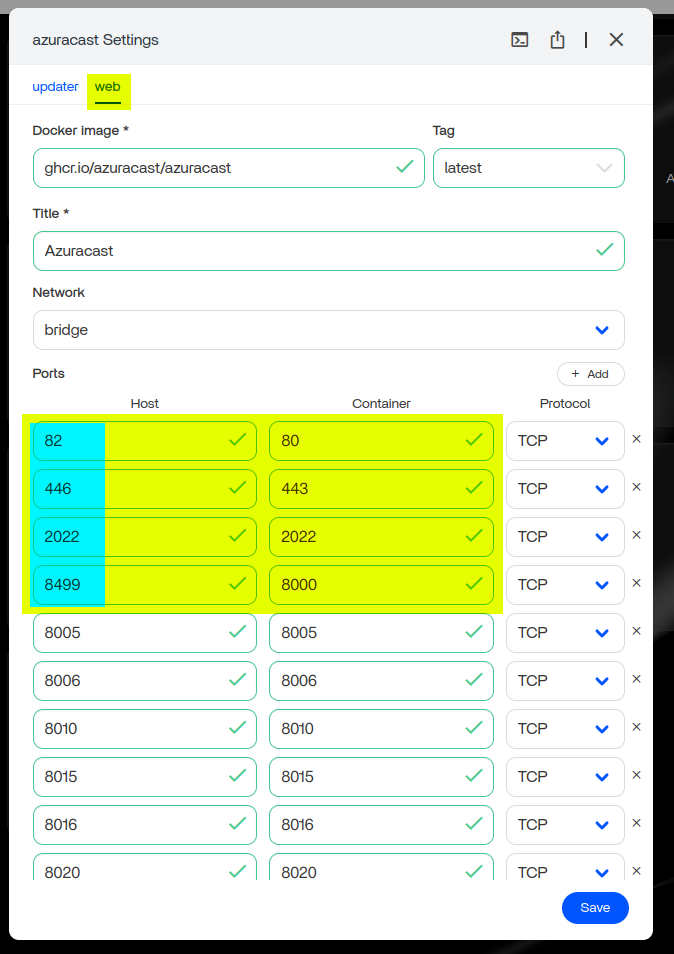
Set Volume paths on the ZimaOS side
Do not change the paths on the AzuraCast (container) side.
Later, you may add additional volumes for music storage.

Do not modify any Environment Variables (unless you are confident what you are doing).
Under the “updater” tab
Set the Web UI port.
This must match the host-side port you assigned to port 80 under the “web” tab.

4. Install the App
Click Install.
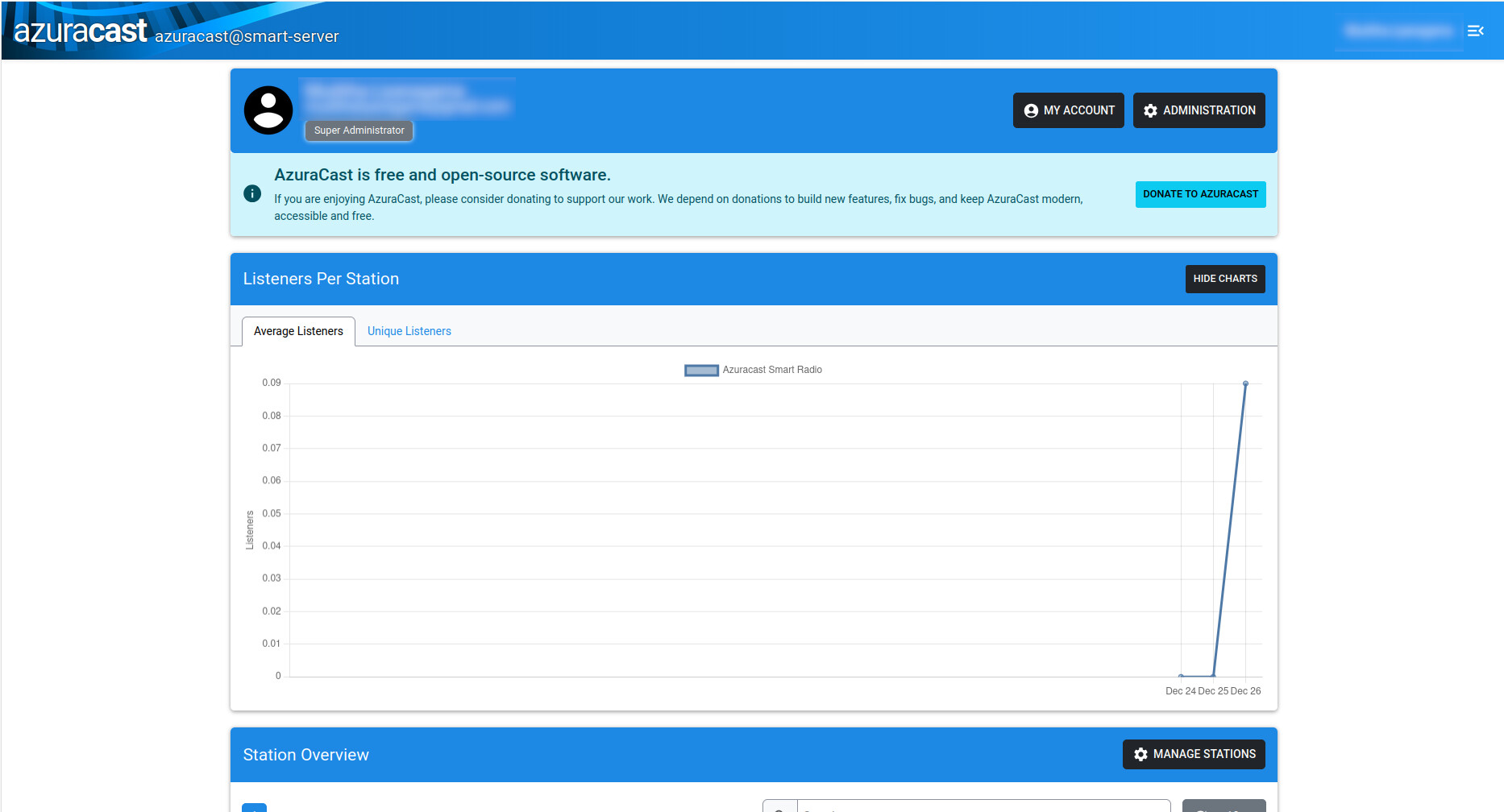
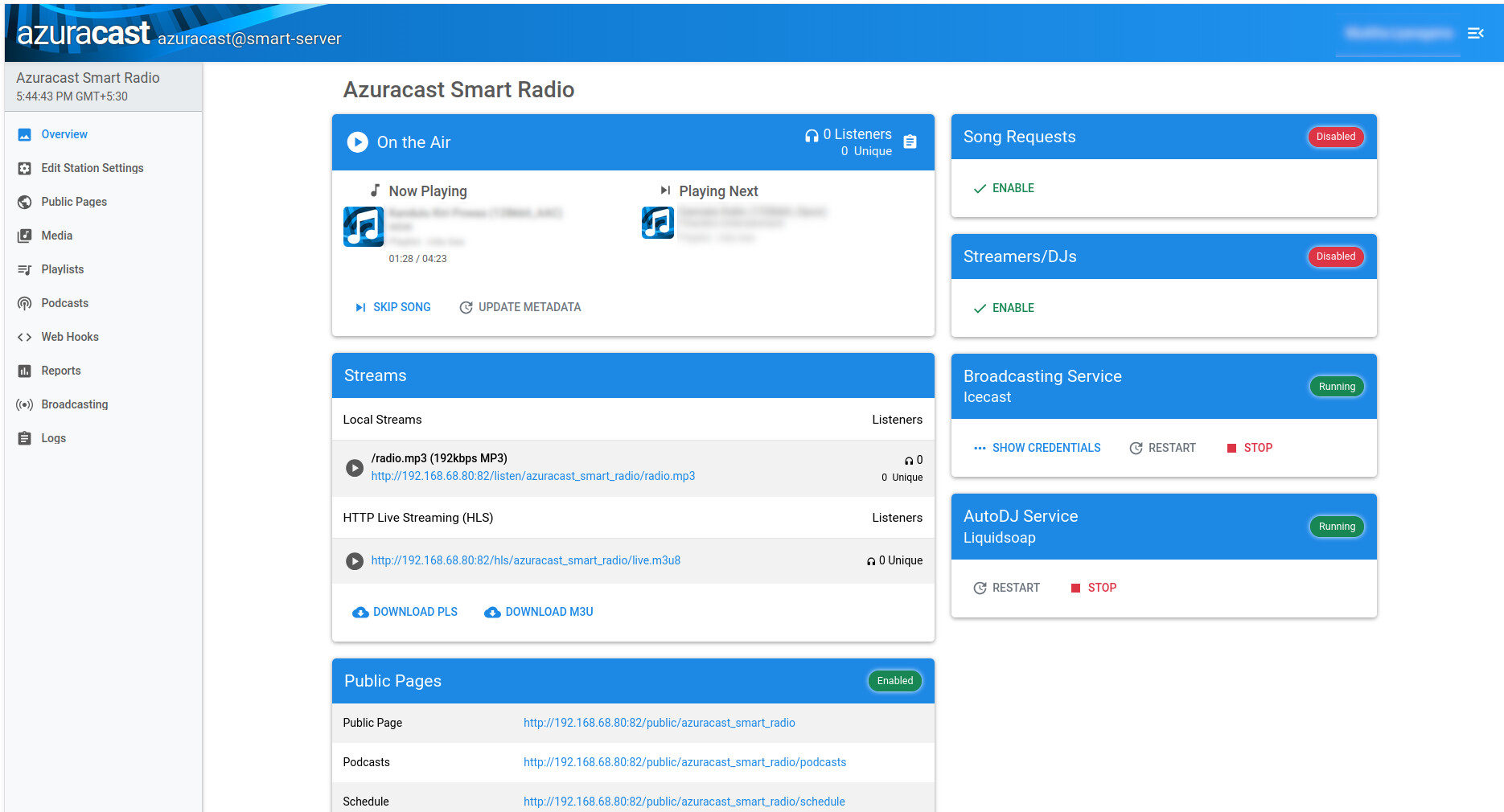
When installation completes, access your AzuraCast dashboard by visiting:
http://<your_server_ip>:<Web_UI_port>
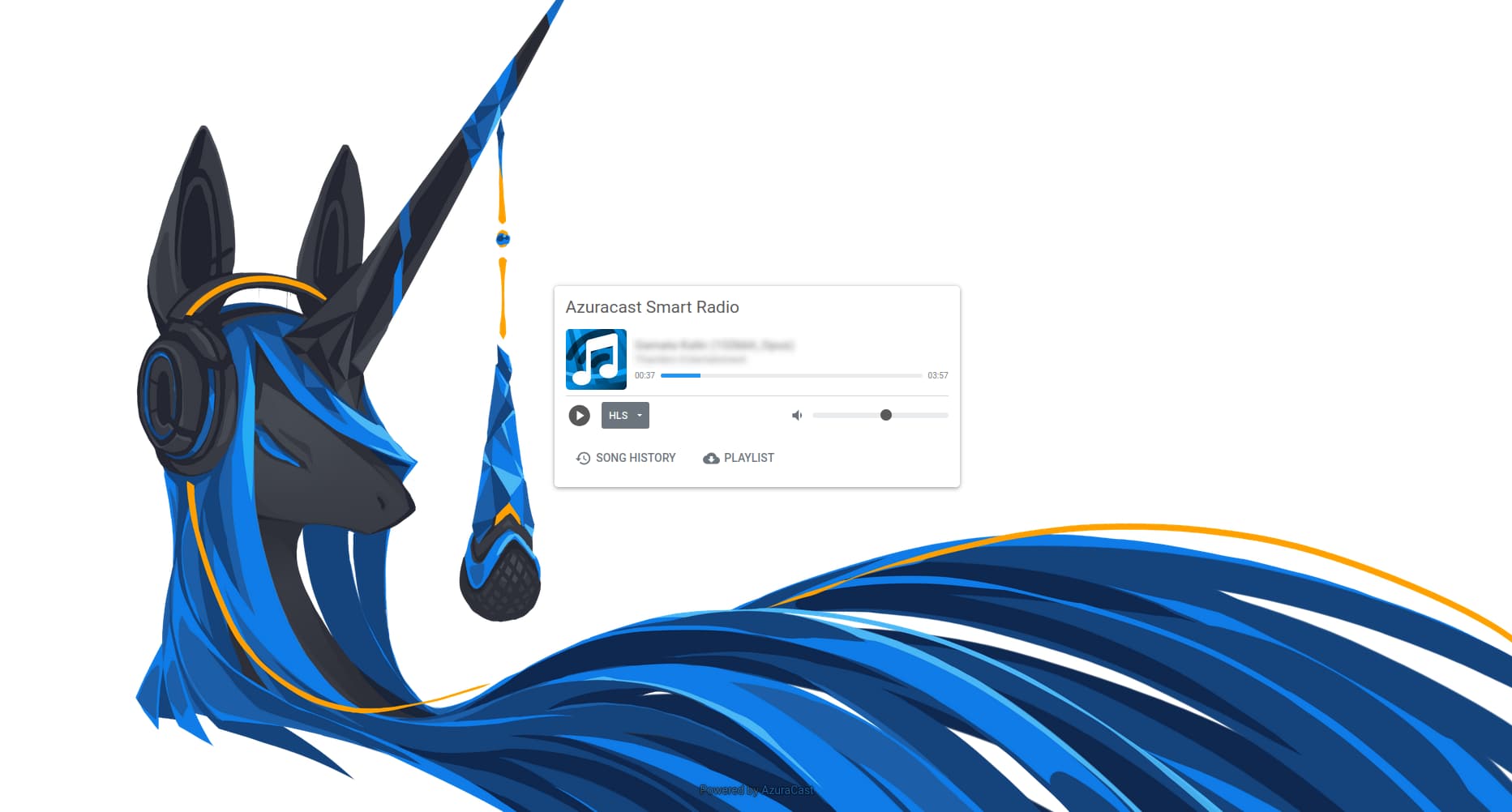
Create your admin account, configure your first station, and start broadcasting!

Final Thoughts
With this configuration, AzuraCast runs smoothly on ZimaOS and is easy to maintain. After setup, you can expand your library, add radio stations, integrate AutoDJ, and explore all the powerful tools AzuraCast provides.
Merry Christmas — and Happy Broadcasting!