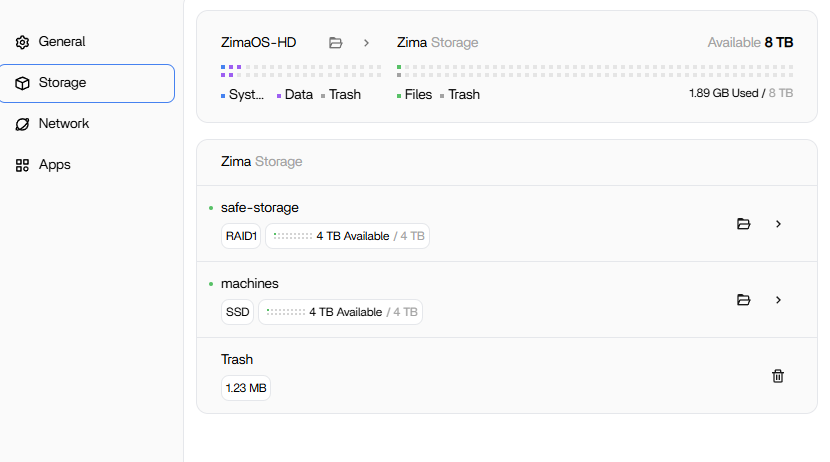
I’m new to Zimaboards. I just got my Zimaboard 2 16GB. I like the simplicity of doing RAID in ZimaOS, but everything else seems so odd. I finally figured out how to get my drives setup. I have a 4TB NVMe I want to use for VMs and Containers only. I have that setup as a single drive named machines. Then I have two WD Blue 4TB SSDs as RAID 1 mirrored for files, media, etc. called safe-storage. I think everything migrated around, but folders are still on their original places on the internal storage.
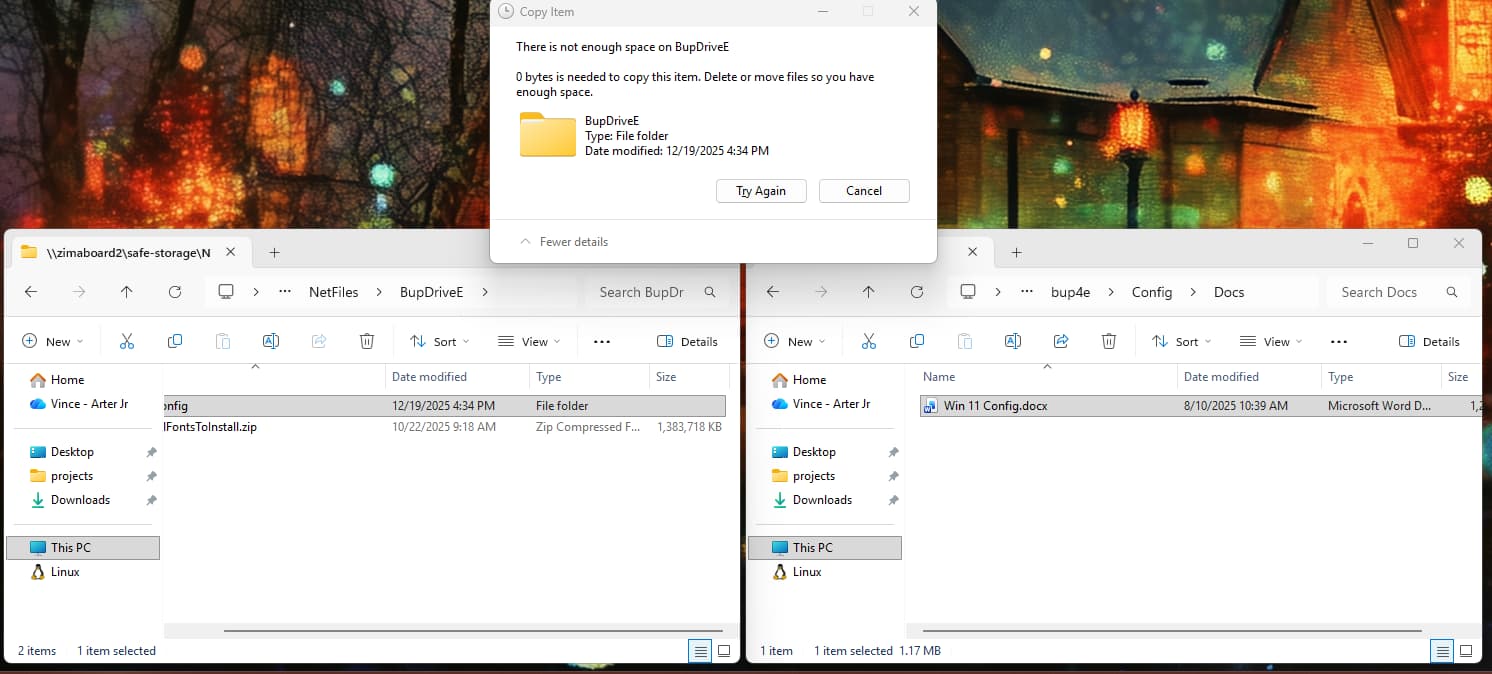
I’ve worked through so many problems with this software the past few days. Now I have the mirrored drives ready to go and started copying files from my Win 11 machine to the SMB share on the share /Zimaboard2/safe-storage/. It literally shows 4TB free. When I started copying I only got about 1.5GB before it started telling me I needed more space. What the heck? I have 4TB - 1.5GB FREE!
It looks like it only does this via SMB from Windows. If I upload via the WebUI it works. This makes no sense. The space is there. Anyone?
I just tried some other things, including resetting the device and formatting drives. Nothing worked. Then I tried to Upload the same for (~100MB) from the WebUI instead of over SMB from Windows and it worked. I didn’t get the “need more space” crap. Anyone else see this? I am NOT running the ZimaOS Windows client because it is blocked by my corporate rules on the device.
This isn’t a RAID or ZimaOS capacity issue, it’s an SMB / Windows-side behavior.
What’s happening:
- ZimaOS shows the correct free space (RAID is fine).
- Uploads via ZimaOS Web UI work, which confirms the storage is available.
- Windows SMB copy fails early because Windows is incorrectly calculating available space on the SMB share.
This is usually caused by:
- SMB quota / allocation reporting mismatch
- Windows SMB cache or client-side restriction (very common on managed or corporate Windows builds)
- Windows estimating space before the copy starts and aborting incorrectly
Key proof:
- Same file uploads via Web UI = works
- Same file via SMB from Windows = fails at ~1.5GB
- That rules out RAID, filesystem, and disk health
Suggested checks (Windows side):
- Try from a different Windows machine (non-corporate if possible)
- Reboot Windows (clears SMB cache)
- Map the share again or test with
robocopy
- If this is a corporate device, policies can absolutely interfere with SMB transfers
Bottom line:
ZimaOS and RAID are working correctly. This is a Windows SMB client issue, not a storage problem.
I’ve seen the same behavior and confirmed it by copying via the Web UI without issue.
It happens on personal, corp, everything, other machines… etc. I found this can happen as stated above. I could use scp or such, but I’d like it to be easier to “sync”. I’ve tried all the things about (except robocopy) to this point.
Here’s what worked for me…
- Open PowerShell 7.x.
New-SmbMapping -LocalPath R: -RemotePath \\IP-or-ServerName\fileshare -UserName MyUserId -Password 'MyPassword'
3. xcopy "C:\Users\MyUserId\MyFolderOfFoldersAndFilesSource\" "R:\MyFolderOfFoldersAndFilesTarget\" /e- And enter
D for Directory when prompted by xcopy.
Haven’t had a failure yet of massive directories since doing this approach vs. Explorer. Woo hoo! I can access the files and edit / save from apps just fine. It was the initial copying that was killing me. I had to put my 1990s DOS hat on to get it to work. 
It was fast and worked. I was able to xcopy a 25GB (including some 2-5GB single files) directory in just a few minutes! Awesome.
2 Likes