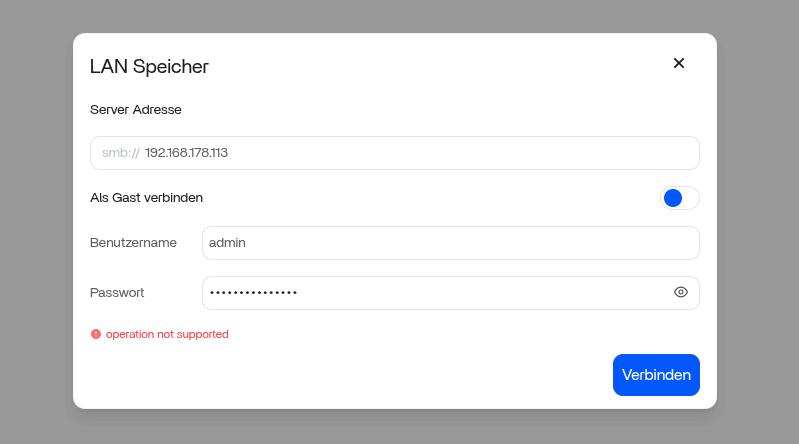
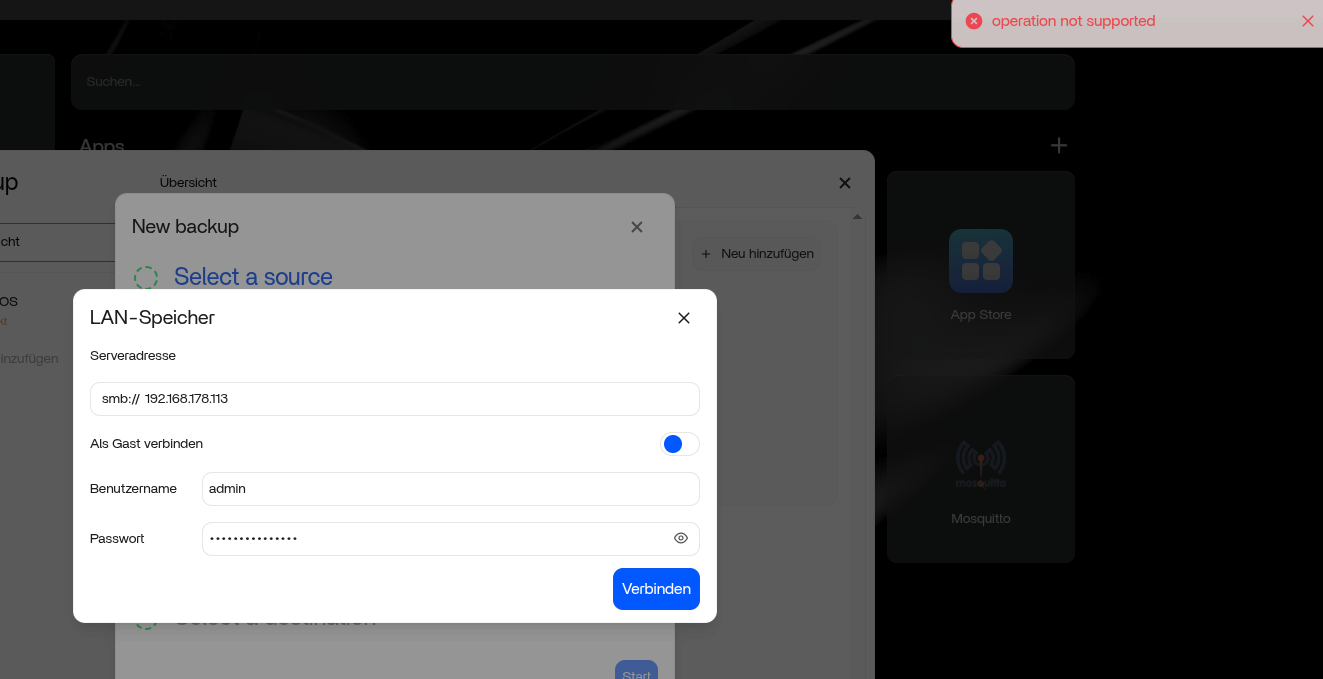
Is anyone else running into issues with SMB shares after updating to v1.54?
Ever since the update, I’ve been completely unable to connect to my NAS. Every time I try to map the drive or access the share, I get the following error:
“operation not supported”
This is a major headache for me because I use this connection to run backups to my NAS over my local network (LAN). Since the NAS doesn’t use HTTPS, I’m strictly dependent on a stable SMB connection. It was working perfectly on the previous version, and nothing has changed in my network configuration or NAS settings.
Has anyone found a workaround, or is there a way to roll back the SMB client settings? I’d love to know if this is a widespread bug or if there’s a new security toggle I need to flip.
Most cases are not a full SMB break. v1.5.4 added “Pause Sharing”, and some shares end up stopped after the upgrade. When that happens, Windows throws “operation not supported”.
Quick checks:
Go to Files → Shared Folders and confirm the share is active, not paused
Remove the mapped drive on the client, clear saved credentials, reconnect using \\IP\share
Try accessing the share from another client or via the Files app (server-side)
If Files works locally but clients fail, it’s almost always a paused share or SMB negotiation issue, not your data.
You are not alone with this problem. I’ve all media on old Synology NAS and the Jellyfin and Immich server have worked fine with this smb connections to the machines till… I search for a solution since one week…
You’re not wrong to question it, but this is still the same 1.5.4 issue.
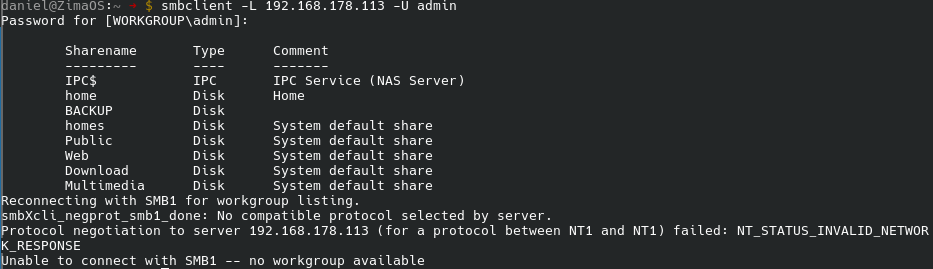
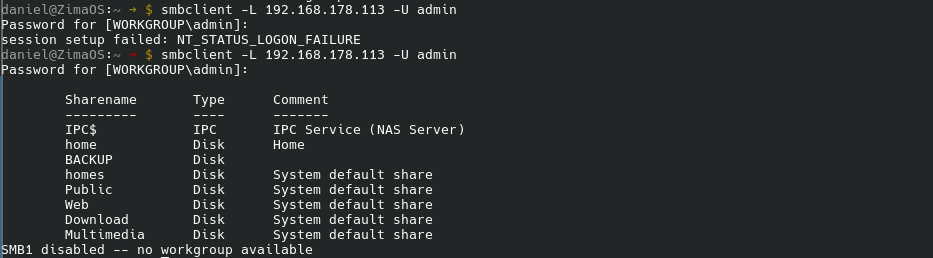
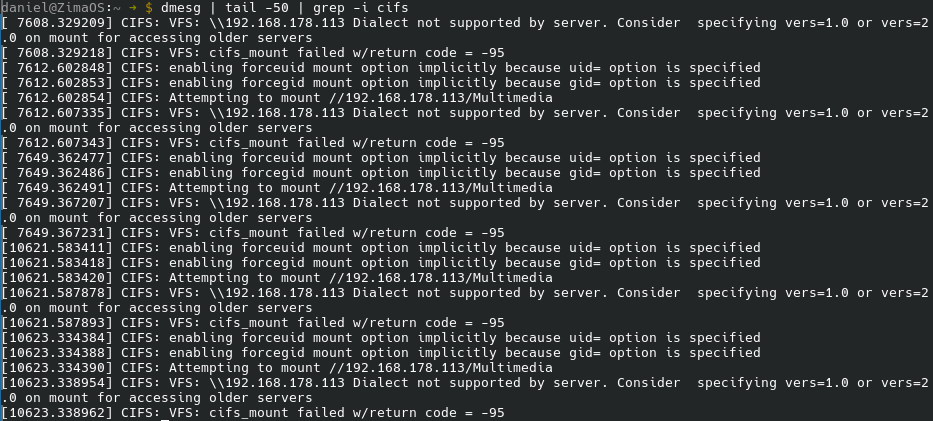
Those errors (-22, “Malformed UNC”) are misleading. In 1.5.4 the SMB client behaviour changed, and older Synology NAS boxes (SMB1 / early SMB2) no longer negotiate properly. The Files / Backup UI doesn’t let you force vers=, so the mount fails and throws generic CIFS errors.
That’s why:
Jellyfin / Immich worked before the update
smbclient often still works
The breakage started exactly after upgrading to 1.5.4
It’s not a bad path and not an app issue, it’s a protocol mismatch with no UI fallback.
At the moment there’s no workaround in the UI. It needs a fix from IceWhale (dialect selection or legacy fallback).
If anything here doesn’t line up, post the full CIFS log and we can double-check.
Same issue after 1.54 update - SMB mount broken in UI, “operation not supported” error.
Fix via SSH on ZimaCube:
mkdir -p /DATA/nas-mount
mount -t cifs //YOUR-NAS-IP/ShareName /DATA/nas-mount -o guest,sec=ntlmssp
Works perfectly even when the UI fails. Root cause is the SMB dialect mismatch introduced in 1.54 - forcing sec=ntlmssp gets around it.
Not a permanent fix (no fstab, no UI integration), but good enough until IceWhale addresses it. Would love to see a vers= / security mode option exposed in the Files app UI.