Hello,
I faced the similar problem with Syncthing running on ZimaOS. Here is the trick which worked for me.
First totally uninstall any Syncthing installation previously installed.
Delete “syncthing” folder inside “AppData” folder.
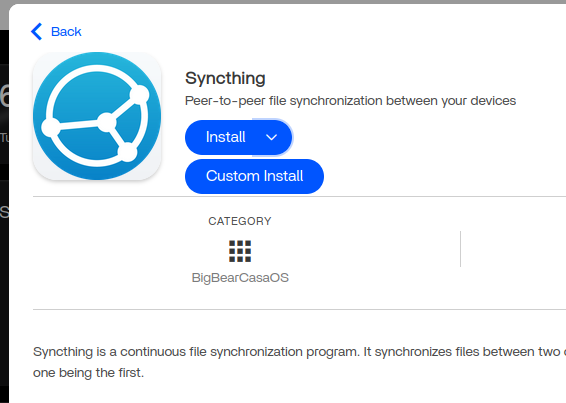
Go to App Store
find syncthing app and select custom install
SSH into terminal of ZimaOS
Find the PUID and PGID for your user by entering following two commands (one at a time)
id -u username
id -g username
These will give you the specific PUID and PGID for your user.
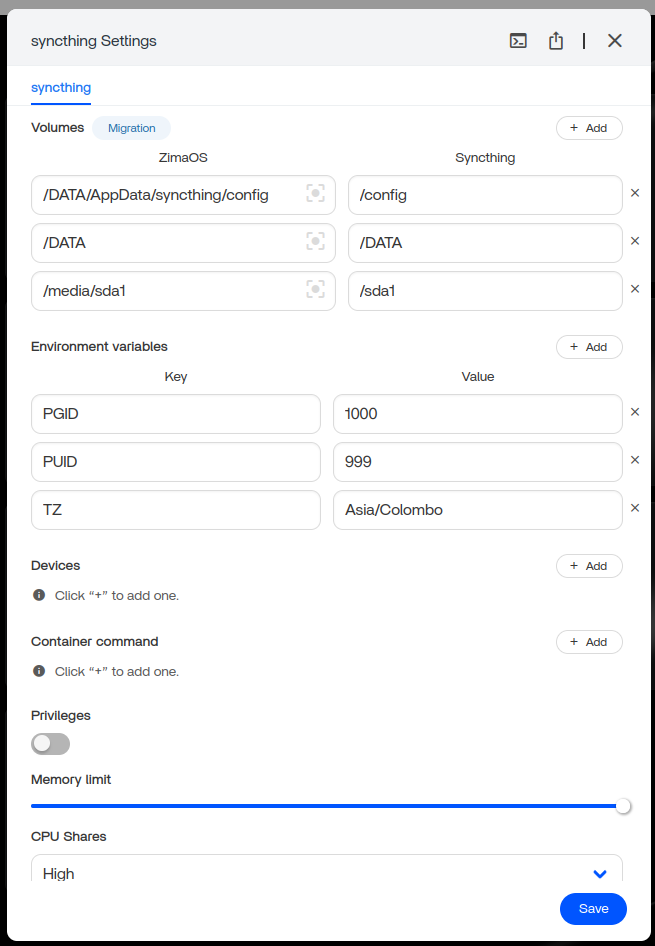
Then replace PUID and PGID on above setup with your user’s PUID and PGID then click save and wait for installation to complete.
Remember: When you are adding a folder never create syncthing destination folder path via Files browser in ZimaOS. Give the folder path to syncthing and let it create the folder by itself.
You will thank me later.