ZimaOS 1.8.0 Beta 2 is now available

Dear Zima members,

This update introduces Spotlight and includes several fixes and improvements for Photos, app management, and the overall system experience.

New

  • Added Spotlight support, allowing you to quickly search for and access relevant features and content on your device.

Fixes

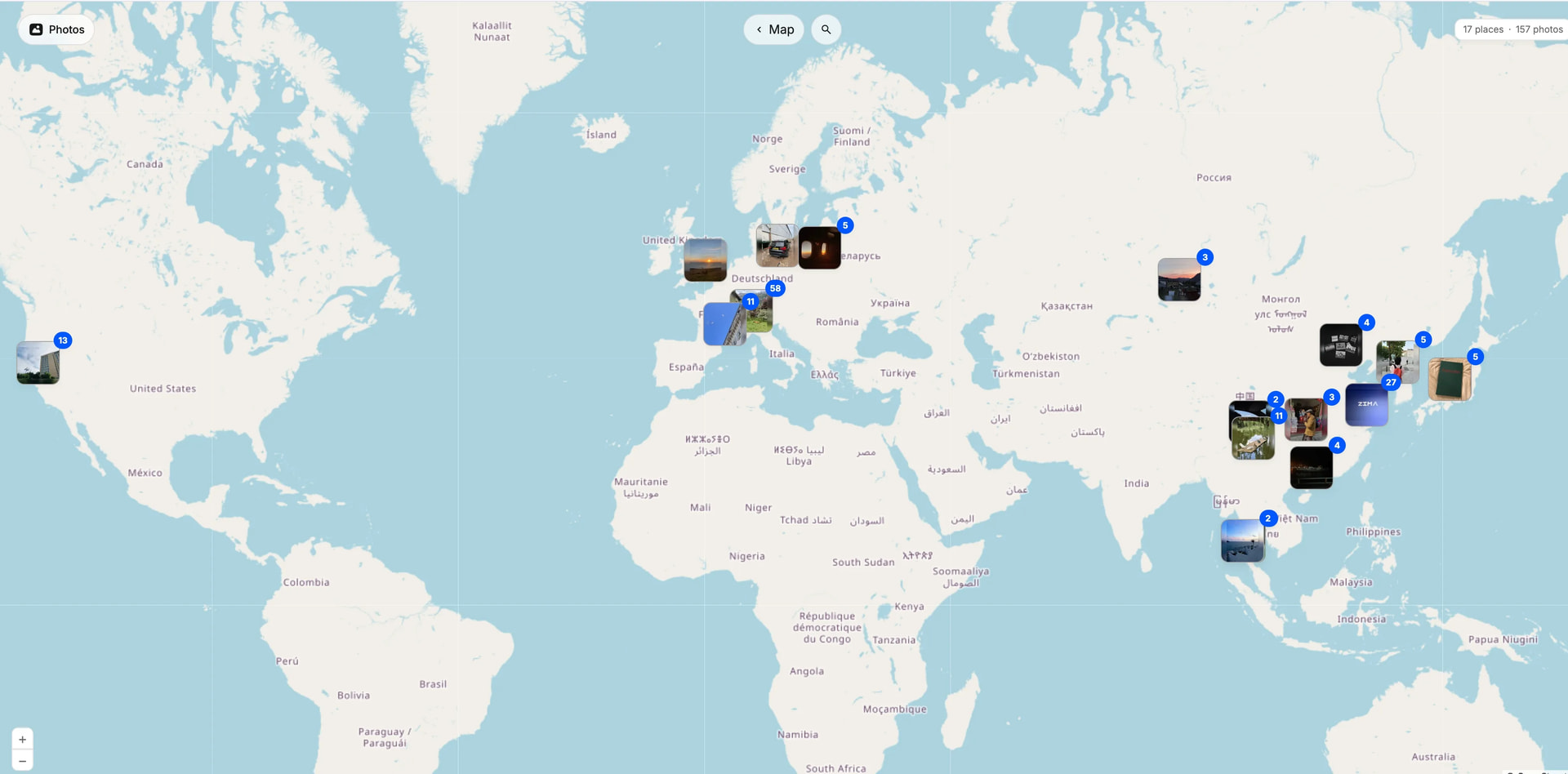
  • Fixed an issue where map data did not load automatically. It now displays correctly without requiring a click and remains available after refreshing the page.
  • Fixed an issue where panoramic video previews incorrectly showed “Video unavailable” after timing out.
  • Fixed inaccurate indexing progress in CPU mode and an issue where the status did not load correctly after receiving progress updates.
  • Fixed an issue where accessing directories containing symbolic links incorrectly showed “External link disconnected.”
  • Fixed an issue where dragging during panoramic video playback could unexpectedly pause the video.
  • Fixed an issue where the scrollbar area in the upper-right corner of the page was blocked by the glass-effect control and could not be clicked.
  • Fixed app installation failures in certain scenarios.
  • Fixed incorrect app update status detection, preventing apps that do not require an update from being incorrectly shown as updatable.

Improvements

  • Optimized the startup process by delaying the creation of the Embedding database table, preventing model downloads from blocking app startup and improving first-launch speed.

  • Optimized the Gallery page layout by adjusting the page height to match the waterfall view and making better use of the available screen space.

  • Improved the authentication experience. After a device restart, users will no longer need to re-enter their password in most scenarios.

  • Improved memory information display on the app details page.
How to update:

Thank you for continuing to share your feedback and bug reports during the beta period. If you run into any issues while using Beta 2, feel free to @777spider or @collin1113_99312 and leave a message.

Best,
ZimaOS Team
I tested ZimaOS 1.8.0-beta2 because the release notes mentioned improvements to the Docker app lifecycle.

Unfortunately, the situation has become worse on my system.

Before updating, I already had a recurring issue after rebooting ZimaOS: some Docker containers were shown as running, but the applications were not reachable. Manually restarting the affected containers immediately fixed them.

After installing 1.8.0-beta2, this problem now affects roughly 80% of my Docker containers. After every reboot, I have to manually restart most of them before they work again.

During troubleshooting, I found that ZimaOS App Management is restarting Docker during the boot process.

The relevant log entries are:

[StartUpContainers] docker service is unavailable, attempting recovery
[StartUpContainers] restart timeout, using force kill + start
[StartUpContainers] dockerd process exited after force kill
[StartUpContainers] removed stale docker0 bridge after dockerd termination
[StartUpContainers] docker service is already active, skipping restart acceleration

What appears to happen is:

  1. Docker starts and the containers are started.
  2. ZimaOS App Management enters its StartUpContainers recovery process.
  3. Docker is stopped again.
  4. ZimaOS removes the existing docker0 bridge.
  5. Docker starts a second time.
  6. Many containers are still shown as running, but their applications are no longer reachable.
  7. Manually restarting the affected container immediately restores normal operation.

I also found Docker network inconsistencies during troubleshooting. ZimaOS reported:

Docker runtime network state is inconsistent:
missing_network_references=13

I was able to confirm exactly 13 containers with stale/missing Docker network references. However, the problem is not limited to those containers. For example, Portainer had a valid Docker network and was still affected after reboot.

Portainer was started before the second forced Docker restart. After the restart it was still reported as “running”, but I had to manually restart the container before I could use it normally again.

This strongly suggests that the Docker startup/recovery process itself is leaving containers in an inconsistent state.

With 1.8.0-beta2 the problem is significantly worse than before, because now almost all of my Docker applications need to be restarted manually after reboot.

At this point this is becoming a serious reliability problem for me. A NAS should be able to reboot and bring Docker applications back into a usable state without requiring dozens of manual container restarts.

Could the ZimaOS team please investigate the StartUpContainers / restart acceleration logic, especially the forced Docker restart and docker0 removal during boot?

I can provide additional logs if needed.

@isanto1306 I will track this problem. I have sent you a private message to send my email address and the relevant log acquisition command.

StartUpContainers recovery is not cancelled after docker.service becomes active, causing a second forced Docker restart and removal of docker0 while live-restored containers are still running.

@isanto1306 You’re right — restarting the Docker process shouldn’t delete docker0 here. I’ve handled this issue. I’m planning to build a separate test package. Would you be willing to help test it (or would you rather wait and test it together with a later release)?

Yes, absolutely. I’d be happy to test the separate package.

The issue is very reproducible on my system, so I can compare the behavior before and after the fix quite easily.

If you send me the test package, I can specifically check:

  • whether Docker still gets restarted a second time during boot

  • whether docker0 is still removed

  • whether the containers remain reachable after reboot

  • whether the StartUpContainers timeout still appears

  • whether the stale network / sandbox errors are reduced or gone

@isanto1306 You try sudo rauc install https://casaos.oss-cn-shanghai.aliyuncs.com/IceWhaleTech/zimaos-rauc/extenal-package/zimaos-x86_64-1.8.0-beta3.raucb
restart the machine after the installation is completed (if you encounter any problems, feel free to contact me).

The fix works on my system. Docker now starts only once, docker0 is no longer removed, and the containers remain reachable after reboot.

Hi Bin,

I found another issue in ZimaOS 1.8.0-beta3 during a deep system check.

zimaos-photos-ai-worker.service is stuck in a restart loop.

The service fails with:

photos ai-worker failed: initialize native NCNN runtime: ncnn runtime library not found

Because the service uses Restart=on-failure with a 3-second delay, it was restarting continuously. On my system it had already reached more than 2,200 restarts.

For now I stopped the loop temporarily with:

systemctl mask --runtime --now zimaos-photos-ai-worker.service

This looks like the Photos AI Worker is included and enabled in beta3, but its required NCNN runtime/library is missing or cannot be found.

Could you please check whether the NCNN runtime is missing from the beta3 build or whether the library path is incorrect?

@isanto1306 Thank you for helping investigate the issue. ZimaOS 1.8.0-beta3 has not been publicly released yet; its main purpose is to test the ZimaOS-AppManagement fix for the container startup issue caused by docker0 being removed. I will pass the photos-related issue on to the relevant colleagues.

Thanks for your feedback. Please try reinstalling version 1.8.0-beta3. We have updated the photo service. If you continue to experience issues, could you please provide screenshots?
And has your Docker container now returned to normal operation?

@Dina

I have one additional question regarding the Photos app.

Since Photos is integrated directly into ZimaOS and is not a Docker container, would it be possible to completely disable or remove the Photos service if a user does not need it?

In my case, I do not use the Photos app at all, so I would prefer not to have the Photos services running in the background unnecessarily.

Would it be possible to make Photos optional in the future, for example with a setting to disable or uninstall the integrated Photos component completely?

@Bin

Thank you for the update.

Regarding the Docker issue: yes, Docker container startup is now working normally for me with ZimaOS 1.8.0-beta3.
I have tested several clean reboots. The previous issue where Docker/docker0 caused the containers to restart or required my post-boot workaround has not occurred again. I have now removed that workaround, and the containers start normally after boot.

hello,

I like the idea of having a photos app and I like that it’s different from other apps.

But I don’t like the gallery view:

It looks like a whole bunch of chaotically presented pictures without any logical structure to me (like just a photo wall). I have the feeling that I don’t have any control over them. The monthly and yearly views jump back to the chaos as soon as I select a time period.

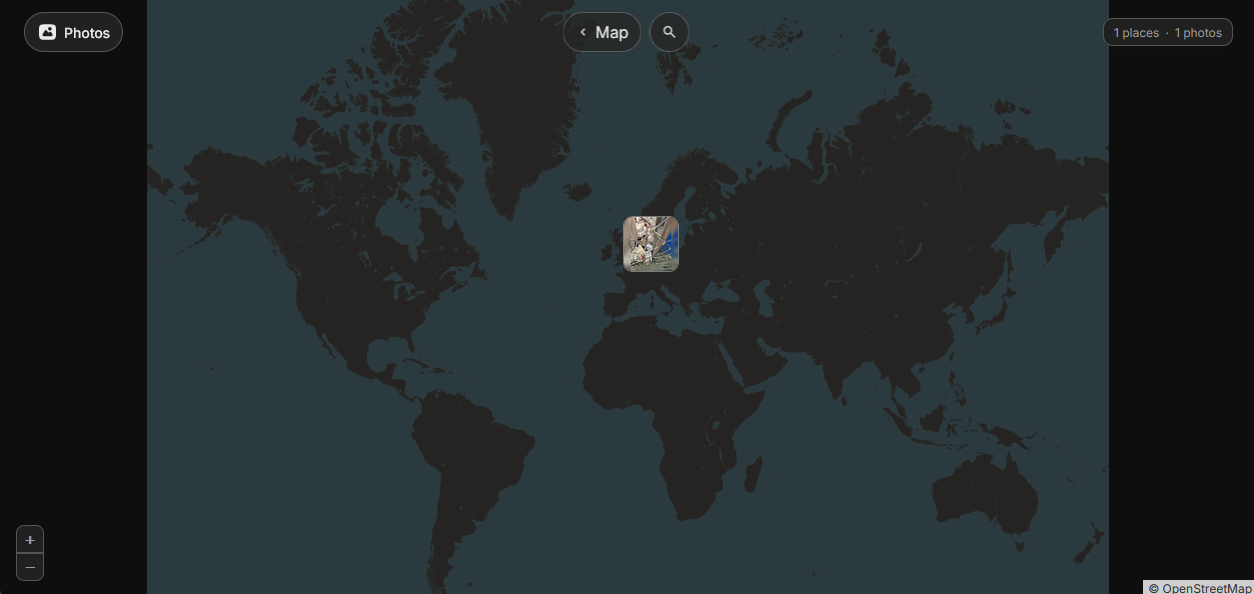
Collections / maps: They need some zoom factors; it makes no sense to show the whole world if there are pictures from just a limited region

I’m using the photo mode; I simply copied my files from USB hard drives onto the NAS without any specific organization. I created a Gallery for my photos; I thought I could just drag and drop them, but I had to run a migration process instead.
Afterward, the gallery wasn’t displaying the indexed photos. Maybe a reboot is needed? I have quite a few photos, and I’d like to organize them by theme.
Once the photos are there, it would also be great to be able to swipe through months and years—like in Google Photos—to save time.

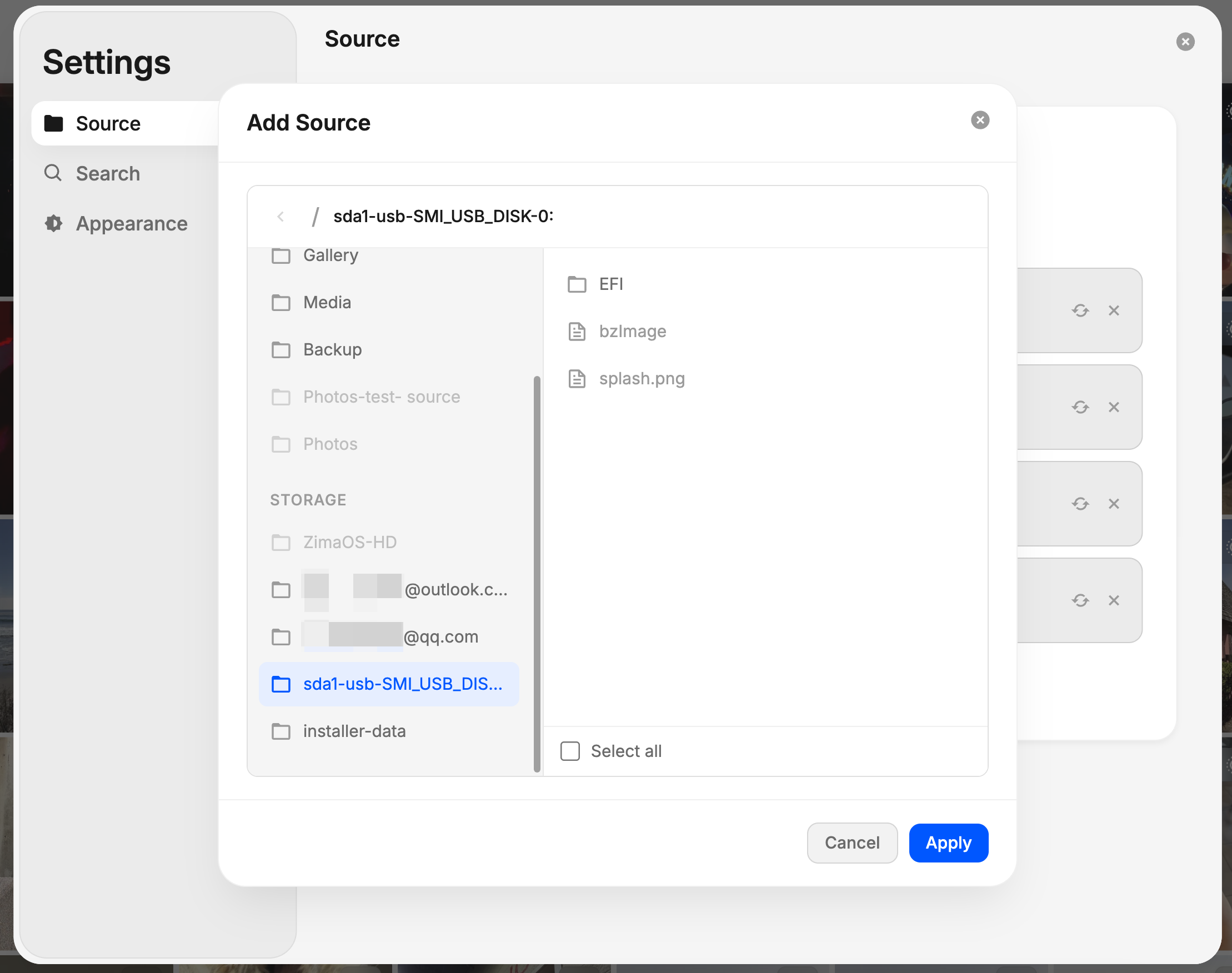
You can select a USB device as the data source.

Thanks for your suggestion. We will carefully consider this proposal.

Photos doesn’t seem to recognize folders with names containing “è” (and maybe other characters with accents?). I changed the folder name, yet for some reason Photos is still seeing the old name with the accent.

My iMac’s Spotlight is still indexing the Cube. It’s been several days, but this is to be expected for 50+ TB.

I was curious, is this Spotlight index local to the computer? I know some servers will open up their own index to Spotlight, but I sense that is not the case here. So Zima Search and the local Spotlight index are two separate databases?

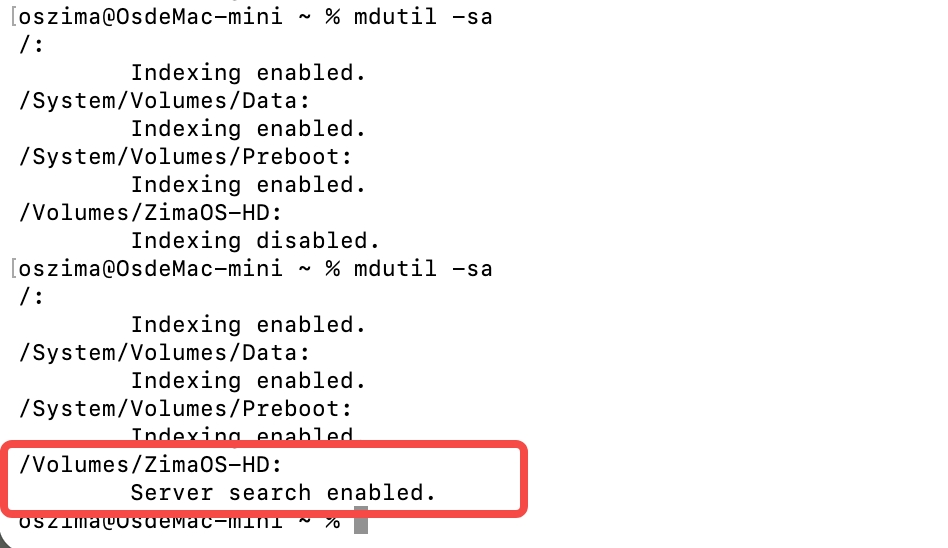
Hi Timothy, you can check this on your Mac:

  1. Start zimaos-search.
  2. Mount the folder you want to search with Spotlight.
  3. Run mdutil -sa in Terminal.

If it shows Server search enabled, it’s working.