USB management problem with V1.80

Thank you for your feedback and patience. We understand that frequent drive-activity lights or drives waking from sleep can be concerning. After further investigation, we have the following updates:

  1. Regarding the drive activity light blinking every 10 seconds:
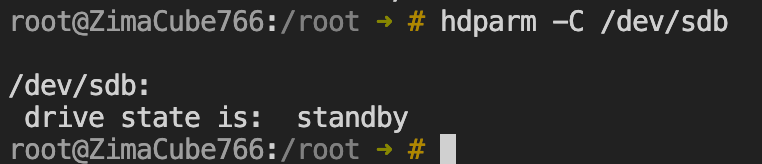
    We confirmed that this is caused by Device Management reading the drive temperature every 10 seconds. We continuously checked the drive state using hdparm -C /dev/sdX and confirmed that this temperature-reading operation does not wake drives that are in sleep mode.
    However, we understand that regularly blinking drive activity lights may be distracting or concerning. Therefore, we will fix this issue in the next release: when a drive is in sleep mode, its activity light will no longer blink as a result of temperature-reading operations.

  2. Regarding drives waking from sleep:
    We are continuing to investigate other operations or services that may cause drives to leave sleep mode. If we identify additional causes, make further fixes, or release an update, we will share the information in this thread as soon as possible.
If you notice any new behavior or findings, please feel free to let us know. We will try to reproduce the issue and investigate it as soon as possible. Real-world usage information and feedback are very important in helping us improve drive sleep behavior and the overall user experience.

Hi Dina,

Thank you for the detailed explanation.

However, I think we need to make an important distinction here.

The main issue is not the activity LED blinking every 10 seconds. The main issue is that USB hard drives that previously entered standby correctly under ZimaOS 1.7.1 no longer do so reliably under 1.8.0.

I personally tested this behavior and confirmed that rolling back to 1.7.1 restored proper standby operation.

I understand that your tests using hdparm -C indicate that the temperature checks do not wake sleeping drives on your test hardware. However, different USB-to-SATA bridges may handle these commands differently.

Fixing the blinking LED would be welcome, but it would not be a solution if the affected hard drives still cannot enter or remain in standby.

This issue was already reported during beta testing, which makes it especially frustrating that it remains unresolved in the stable release.

Could you please confirm whether the next update will address the actual USB HDD standby regression, rather than just the activity LED behavior?

Thank you.

Dear Dina,

Perhaps my explanation wasn’t clear, but the main problem is access to my HDs every 5 secondes.
And I think if I want destroyed it.
Apart from the camera module, I dont understand the difference between the V1.71 and V1.80 and why my external HDs docker run perfectly with V1.71 ?
My question how manage standby mode with ZimaOS and it will be possible that USB stay after stanby mode of ZimaOS with V1.80 ?

I hope my explanation will clear for you

Thank a lot for your support

@Dina, thank you for the update. Just to add to my previous post (where I showed that smartctl ignores the -n standby flag on my WD My Book Duo), I wanted to address your point about hdparm -C.

You mentioned that your tests with hdparm -C do not wake the drives. That might be true for the hardware you tested, but it confirms what @isanto1306 said: different USB-to-SATA bridges behave differently.

In my WD enclosure, the bridge does not pass the ATA registers properly. Therefore, any command sent by zimaos-local-storage (even smartctl -n standby) resets the drive’s internal idle timer and prevents it from sleeping.

I also noticed there is an open issue on GitHub (IceWhaleTech/ZimaOS#639) describing the exact same root cause (smartctl polling waking drives).

Could the team consider a workaround for hardware like mine? For example:

  • An option to completely disable SMART polling in ZimaOS for specific USB drives.

  • Or, a way to increase the polling interval significantly so the drive can reach its idle state.

I can force the drive to sleep with smartctl -s standby,now, but ZimaOS wakes it up again a few minutes later. Thank you for looking into this!

@isanto1306 , @jclaudej , @Juanolo2001 , thanks for your feedback. We are continuing to investigate why USB drives may wake from sleep mode. To help us reproduce and identify the issue accurately, please help confirm the following information:

  1. How did you configure the USB drive to enter sleep mode? Did you configure it through Settings > Disk Sleep in the ZimaOS Dashboard, or does the drive enclosure have its own independent sleep feature?

  2. How do you determine that the USB drive has been awakened? For example, do you observe the drive activity light turning on, hear the drive spin up, notice a change in temperature or power consumption, or verify it using a command?

We are currently using the following command to check whether a USB drive is in sleep mode:

smartctl -d sat -n standby -i /dev/sdX

Please note that ZimaOS does not currently officially support USB drive sleep. However, we have received reports that USB drives were able to remain asleep in ZimaOS version 1.7.1. We will investigate what may be causing USB drives to wake in version 1.8.0 and will share an update as soon as we have further findings.

Hi Dina,

Thank you for following up. I can provide some results from my previous tests.

1. How are my USB drives configured to enter standby?

I tested USB hard drives connected through external USB enclosures, including an ORICO DS500U3. The enclosures have their own automatic standby behavior, so this does not depend solely on ZimaOS Settings > Disk Sleep.

2. How did I verify that the drives were actually sleeping?

I did not rely only on the activity LEDs. On October 23, I performed actual disk access tests under ZimaOS 1.7.1.

One of my WD USB hard drives showed these results:

  • First disk access after inactivity: 4.092 seconds

  • Immediate second access: 0.003 seconds

This strongly suggests that the drive had entered standby and needed time to spin up again.

Additional tests with the ORICO enclosure showed first-access delays of approximately 13–15 seconds, followed by almost instantaneous access.

3. Difference between ZimaOS versions

Under ZimaOS 1.7.1, automatic USB HDD standby worked again.

Under ZimaOS 1.8.0, the same drives did not reliably enter or remain in standby, which is why I rolled back.

I understand that USB drive sleep is not officially supported. However, this is still a regression in behavior that previously worked with the same hardware.

4. Regarding your smartctl command

Please also consider that not all USB-to-SATA bridges support the required ATA power-mode commands correctly. As Juanolo2001 demonstrated, some bridges ignore the -n standby option.

Therefore, a successful test on one USB enclosure does not necessarily prove that the same behavior applies to other enclosures.

I hope these results help your investigation.

My main concern remains the actual standby behavior, not the blinking activity LEDs.

Thank you.

Hello Dina,

Thank you for following up. I can share some results from my tests.

1. How are my USB drives configured to enter sleep mode?

My USB hard drives automatically enter sleep mode after about 60 minutes with my Sabrent dock without activity.

In ZimaOS, I have set this timeout to 10 minutes.

2. How did I verify that the drives were actually in sleep mode?

In addition to observing the activity lights, I could hear the hard drives spinning; furthermore, by placing my hand on them unlike with version 1.71 I noticed that they were warm.

Thank a lot for your help

Have nice day :wink:

An other point

When I launch command : sudo fdisk -l

**Disk /dev/sdb: 1.82 TiB**, 2000398934016 bytes, 3907029168 sectors
Disk model: Dual SATA Bridge
Units: sectors of 1 * 512 = 512 bytes
Sector size (logical/physical): 512 bytes / 4096 bytes
I/O size (minimum/optimal): 4096 bytes / 4096 bytes
Disklabel type: dos
Disk identifier: 0xbeda9f55

Device     Boot Start        End    Sectors  Size Id Type
/dev/sdb1        2048 3907028991 3907026944  1.8T 83 Linux


**Disk /dev/sdc: 1.82 TiB**, 2000398934016 bytes, 3907029168 sectors
Disk model: Dual SATA Bridge
Units: sectors of 1 * 512 = 512 bytes
Sector size (logical/physical): 512 bytes / 4096 bytes
I/O size (minimum/optimal): 4096 bytes / 4096 bytes
Disklabel type: dos
Disk identifier: 0x1b4baf33

Device     Boot Start        End    Sectors  Size Id Type
/dev/sdc1        2048 3907028991 3907026944  1.8T 83 Linux

This HDs are inside my dock Sabrent

When I try this code : jclaudej@ZimaOS:~ ➜ $ smartctl -d sat -n standby -i /dev/sdb
I have :

jclaudej@ZimaOS:~ ➜ $ smartctl -d sat -n standby -i /dev/sdb
smartctl 7.5 2025-04-30 r5714 [x86_64-linux-6.18.9] (local build)
Copyright (C) 2002-25, Bruce Allen, Christian Franke, www.smartmontools.org

Smartctl open device: /dev/sdb [SAT] failed: Permission denied

? but I lose the sleep mode

@Dina, to help with the investigation, I have gathered the exact hardware details of my setup. I believe this is crucial because it shows why the smartctl -n standby command fails on my specific enclosure.

Here is the technical breakdown of my hardware and why I think the USB bridge is the culprit.

1. Hardware Details

  • Enclosure: WD My Book Duo (Model 25F6)

  • Internal Drives: 2x WDC WD80EFAX-68KNBN0 (WD Red Plus 8TB), Firmware 81.00A81

2. USB Controller / Bridge Info
I ran lsusb to identify the USB controller. It shows an ASMedia chip:

  • ID 1058:25f6 Western Digital Technologies, Inc. My Book Duo 25F6

3. Why smartctl fails on my hardware (Kernel Logs)
I ran sudo dmesg | grep -iE 'usb|scsi' to see how the Linux kernel handles the enclosure. The key finding is this line:

  • usb-storage 2-3.3:1.0: USB Mass Storage device detected

  • scsi host2: usb-storage 2-3.3:1.0

This means my enclosure is using the older usb-storage driver (Bulk-Only Transport) instead of the newer uas (USB Attached SCSI) driver. This is a known limitation of some ASMedia bridges. Because of this, advanced ATA commands (like checking power mode) are not translated correctly.

4. Proof of the failure
When I try to check the power state (the command you mentioned in your previous post), it fails to read the ATA registers:

CHECK POWER MODE: incomplete response, ATA output registers missing
CHECK POWER MODE not implemented, ignoring -n option

Summary of my theory:
Because ZimaOS’s zimaos-local-storage service periodically runs smartctl -A -n standby to check the drives, and because my ASMedia bridge (using the usb-storage driver) ignores the -n standby flag, every poll effectively wakes the drive up (or resets its internal idle timer). This is why they never sleep.

I can force them to sleep manually with sudo smartctl -s standby,now /dev/sda, and they spin down. But the ZimaOS polling wakes them up again shortly after.

Could the team look into a way to handle this? For example, detecting if the USB bridge supports power state checks before polling, or allowing users to disable SMART polling for specific USB drives.

Let me know if you need me to run any specific tests. I am happy to help!

Hi @Dina,

First of all, thank you for your continued help and for looking into this issue with us.

Based on the community feedback and some tests I ran today, I wanted to share a finding that might be related to the wake-up problem. I am not 100% sure, but I wanted to run it by you.

I ran a simple test with the zimaos-device-management service, and the results are incredibly consistent on my end. Here is exactly what happens on my WD My Book Duo:

Scenario 1: Service is running
If I put the drives to sleep using smartctl -s standby,now, they spin down. However, within about 3 seconds, the drive wakes up again. If I force it to sleep again, it wakes up 3 seconds later. It’s a continuous loop.

Scenario 2: Service is stopped
If I run sudo systemctl stop zimaos-device-management and then put the drives to sleep, they stay completely silent. I waited several minutes, and there was no spinning and no wake-ups.

Scenario 3: Service is started again
If I run sudo systemctl start zimaos-device-management, the drives immediately wake up and start spinning again.

Some context about these tests:

  • The drives were completely unmounted (umount -l), so no applications (Samba, Docker, etc.) were accessing them.

  • I have the exact same apps installed as I did in 1.7.1, where sleep worked perfectly.

  • The hardware is the same WD My Book Duo (which uses an ASMedia USB bridge).

I completely understand your previous point that temperature checks do not wake the drives on your test hardware. However, I suspect that this specific ASMedia bridge might be extremely sensitive to these periodic checks (every 3 seconds) and interprets them as a signal to wake up the drive.

I was wondering if it might be possible to look into how this service communicates with external USB enclosures. Or, perhaps in the future, could there be an option to adjust the polling interval for this service, or temporarily pause it for sensitive USB drives?

Thank you again for your time and for working on this. I am happy to run any other tests if it helps the team!

@isanto1306 @jclaudej @Juanolo2001
Thank you very much for your replies. We have prepared a test build containing the fix and would like to invite you to help verify whether it resolves the issue of USB drives not entering sleep mode properly.

I have just sent you a private message. Please check your inbox. After testing, we would appreciate it if you could share the results and any relevant feedback with us. Thank you for your help and support.

Thank you very much, Dina.

Perfect the sleep mode feature has been restored with V1.81 - alpha1-

Everything is in order on my end.

If I run into any other issues,

I will let you know.

All the best,

Jean-Claude

Hi @Dina,

First of all, I want to say a huge thank you to you and the dev team for the 1.8.1-alpha1 update.

The 3-second wake-up loop is completely gone! The drives now stay asleep most of the time. However, I have been monitoring the hardware very closely, and I have noticed a very precise pattern that I wanted to share with you.

I have logged the exact times the enclosure wakes up and goes back to sleep, and it seems there is a background task in ZimaOS running exactly every 30 minutes.

Here is the timeline of my observations:

  • 08:26 - Drives wake up (fan starts).

  • 08:36 - Drives go to sleep (completely silent). [10 minutes active]

  • 08:56 - Drives wake up again. [Exactly 30 minutes after the last wake-up / 20 minutes of silence]

  • 09:06 - Drives go back to sleep. [10 minutes active]

  • 09:26 - Drives wake up again. [Exactly 30 minutes after the last wake-up / 20 minutes of silence]

  • 09:36 - Drives go back to sleep.

  • 09:56 - Drives wake up again.

My theory:
The WD My Book Duo hardware has an internal auto-standby timer of 10 minutes. When it is left alone, it shuts down the fans and sleeps perfectly.
However, it seems there is a ZimaOS service, cron job, or systemd timer that runs exactly every 30 minutes to check the drives. This check wakes the drives up, and then they wait another 10 minutes of inactivity to go back to sleep.

Could you please check with the team if there is any 30-minute interval task (perhaps in zimaos-device-management, or a SMART/storage health check) that could be adjusted or paused for sensitive USB enclosures?

We are very close! If we can identify this 30-minute task, the drives will be able to sleep indefinitely, giving us the exact same perfect behavior we had in 1.7.1.

Thank you again for your hard work on this alpha version. It is a massive improvement!

Hi @Dina,

Just to clarify my findings and the exact cycle I am observing with the 1.8.1-alpha1 version:

I understand that my WD My Book Duo shuts itself down 100% (including the fan), reaching absolute zero noise after 10 minutes of inactivity. However, it seems that a ZimaOS process wakes it up exactly every 30 minutes.

Here is the math of the cycle:

  • 10 minutes of noise (until the hardware auto-sleeps).

  • 20 minutes of absolute silence.

  • Total: 30 minutes between one wake-up and the next.

So, the hardware is doing its job perfectly, but a 30-minute background task in ZimaOS is interrupting its deep sleep. These observations were made using the 1.8.1-alpha1 version.

Thank you!

Thanks for your feedback. To further identify which service may be waking the drives, please test the following steps in order. Please change only one condition at a time and observe the drives for at least one hour after each step.

  1. First, please make sure that no Docker containers are using the affected drives. Stop any containers or applications that may be accessing the drives continuously before proceeding with the next tests.

  2. Stop the Device Management service, then wait for approximately one hour and check whether the drives are still awakened:

sudo systemctl stop zimaos-device-management.service
  1. If the drives still wake up, stop the Photos services as well, then observe whether the drives continue to wake up:
sudo systemctl stop 'zimaos-photos*'

After completing the test, you can restart the relevant services with the following commands:

sudo systemctl start zimaos-device-management.service
sudo systemctl list-unit-files --type=service --no-legend --no-pager 'zimaos-photos*' \
  | awk '$1 !~ /@\.service$/ {print $1}' \
  | xargs -r sudo systemctl start

Please let us know the result after each step, including whether the drives still woke up after stopping each service. This will help us identify the cause further. Thanks!

Same problem here on ZimaOS 1.8.0, and I can add some data that points to the cause.

Setup: WD Ultrastar 8TB (WD80EDAZ) in a USB enclosure, Disk Standby set to 10 minutes in the ZimaOS settings. The drive last spun down on its own on October 16 and has stayed active ever since, even though nothing reads or writes to it (/sys/block/sdX/stat stays constant for hours, and all containers using the drive were stopped).

What I found:

  • hdparm -C fails with HDIO_DRIVE_CMD: Invalid argument.
  • smartctl -n standby -i -d sat /dev/sdX works and reports the power mode correctly. smartctl -s standby,now -d sat /dev/sdX puts the drive into standby.
  • After I stopped zimaos-device-management.service and zimaos-photos* (with Plex and Audiobookshelf stopped), the drive went to sleep on its own for the first time since October 16.

I stopped both at the same time, so I can’t say yet which one is responsible. I’ll test them separately and report back. My guess is that the periodic status check keeps resetting the drive’s idle timer while it is awake, so it never reaches the standby timeout.

Could the team check whether zimaos-device-management polls USB disks in a way that prevents them from sleeping, and whether the check can be made to skip drives that are already idle?

Hi @Dina,

I have great news. I believe I have finally found the exact service responsible for the 30-minute wake-up cycle: smartd.service.

To give you the full context of the elimination process: I had Docker, Samba, DLNA, zimaos-photos, and zimaos-device-management ALL completely stopped. Even with all those services disabled, the drives were still waking up exactly every 30 minutes.

I decided to check the logs for smartd and I found the exact 30-minute pattern:

Nov 06 18:26:18 ZimaBoard2 smartd[891]: Device: /dev/sda [SAT], Read SMART Self Test Log Failed
Nov 06 18:56:16 ZimaBoard2 smartd[891]: Device: /dev/sda [SAT], failed to read SMART Attribute Data

As you can see, smartd was polling /dev/sda exactly every 30 minutes. The drive then takes 10 minutes to go back to deep sleep (20 min asleep + 10 min awake = 30 min cycle).

The definitive test:
I stopped the service with sudo systemctl stop smartd.service. The drives have now been in absolute deep sleep (no fans, no noise) for over 1 hour without waking up.

Conclusion & Suggestion for the dev team:
The 1.8.1-alpha1 update was a huge success because it fixed the aggressive 3-second wake-ups from zimaos-device-management. However, the final piece of the puzzle was smartd.

I know the standard Linux solution is to add the -n standby flag to smartd.conf. However, this flag does not work for my hardware. As I demonstrated earlier in this thread, the ASMedia USB bridge in my WD enclosure drops the ATA commands and ignores the -n standby option entirely. Any command sent by smartd will physically wake up the drive.

Because of this, the only effective solution for these sensitive USB enclosures is to completely disable SMART polling for specific drives.

Could ZimaOS consider adding a toggle in the UI to disable smartd monitoring for specific USB drives? Or, at the very least, allow users to edit smartd.conf to exclude certain devices (e.g., using DEVICESCAN -d ignore or similar) without the system overwriting our changes?

Thank you so much for your help and for the alpha update!

@ Dina,

With V1.81 Alpha, photo application seems of line ?
Normal or not ?

:wink:

Follow-up with the single-service result (ZimaOS 1.8.0, WD80EDAZ in a USB enclosure):

  • With only zimaos-device-management.service stopped, the drive goes into standby and stays there for hours. Before, with all services running, it never slept (last time: October 16).
  • I check the drive state with smartctl -n standby -i -d sat /dev/sdX, which shows either ACTIVE or IDLE, or STANDBY. hdparm -C does not work on this enclosure and fails with HDIO_DRIVE_CMD: Invalid argument.
  • Disk Standby is set to 10 minutes in the ZimaOS settings.

Two questions for the team:

  1. Are there known side effects of keeping zimaos-device-management stopped (storage view, USB hotplug, drive temperature/health in the UI)?
  2. Is 1.8.1-alpha1 available for testing on my setup too?

Hi, could you describe the problems you’ve encountered with the photo?