Does anyone know how to know the exact storage that the machine have been consumed? I got various information from different UI and I have NO idea which one I should trust. Below is the case:
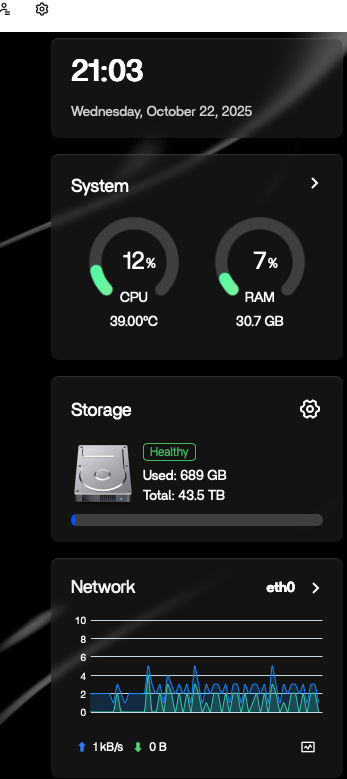
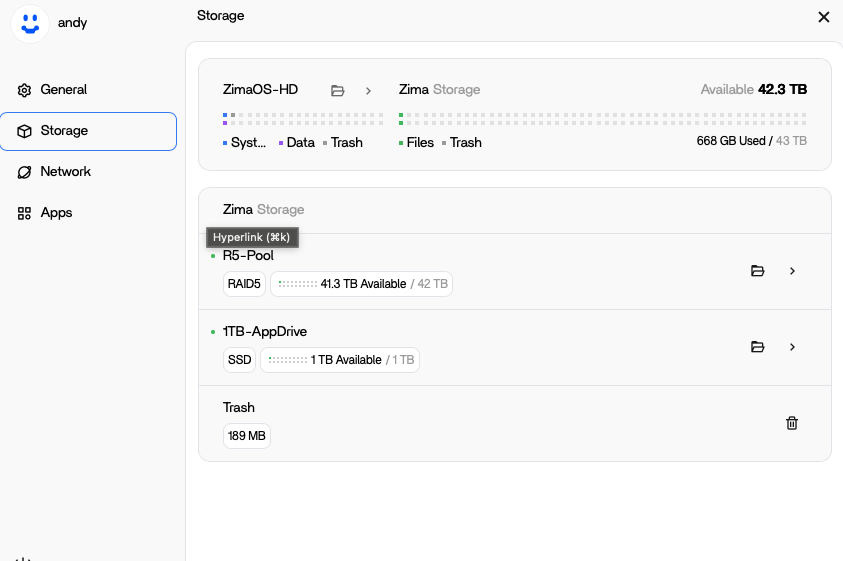
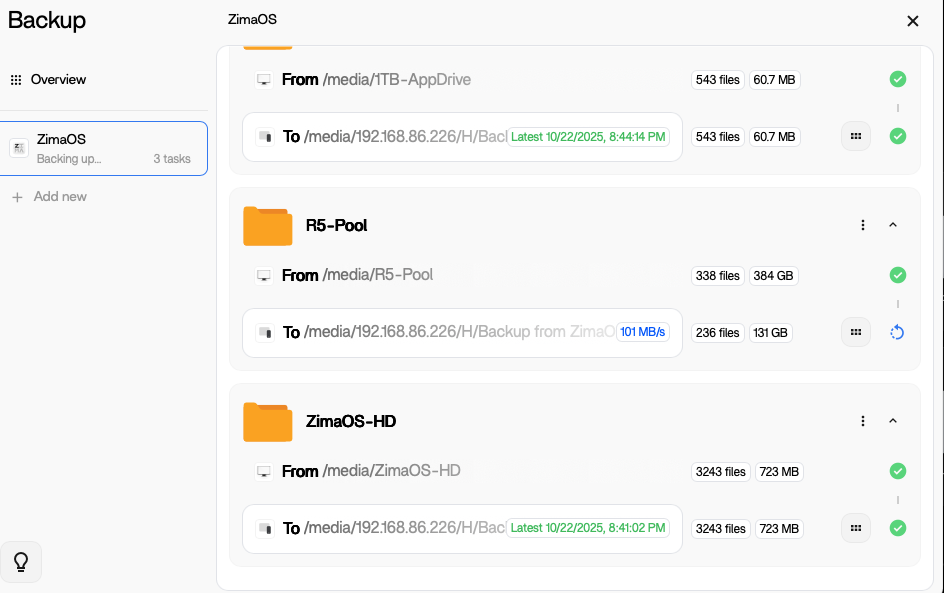
On my dashboard, the page shows my storage has been consumed 689GB (First pic), but when I go into the setting of my storage, it shows I have consumed 668GB (Second pic). Then I do a backup of ALL my drives, and it show I have been only using 384 GB and the rest are only add up to 1GB maybe… (third pic) so I have no idea which figure I should believe. Does anyone have any idea on that? thanks.
It’s not actually a storage fault — the three interfaces are just reporting usage differently.
The dashboard shows total filesystem usage (includes system files, Docker layers, and hidden data).
The storage panel only counts visible user data under /DATA, which is why it looks smaller.
The backup tab reports the actual size of copied files (after compression or deduplication), so that figure’s always different again.
In short:
Dashboard = raw disk usage
Storage page = user-visible data
Backup = real backup size
If you want to confirm what’s real, run:
df -h /DATA
du -sh /DATA
The df result is the true filesystem usage; du shows only visible files. The difference comes from Docker, system, and cache data. Rebooting or restarting the storage service usually refreshes the display.
Thanks, I get it now,so if I backup all those drives through the build in backup function, how many data I am actually backup? The one from dashboard or the user-visble data?
Good question,
When you use the built-in backup function, it only includes user-visible data, not the raw system usage you see on the dashboard.
So it backs up the same data shown in the Storage page (your personal folders, apps, and settings), but excludes system files, Docker layers, cache, and temporary data. That’s why the backup size is usually smaller than what’s shown on the dashboard, it’s backing up just what matters to restore your data, not the full system overhead.
Good news! We’re reorganizing how storage space information is displayed across different locations. You’ll get a more intuitive, unified, and effective display.