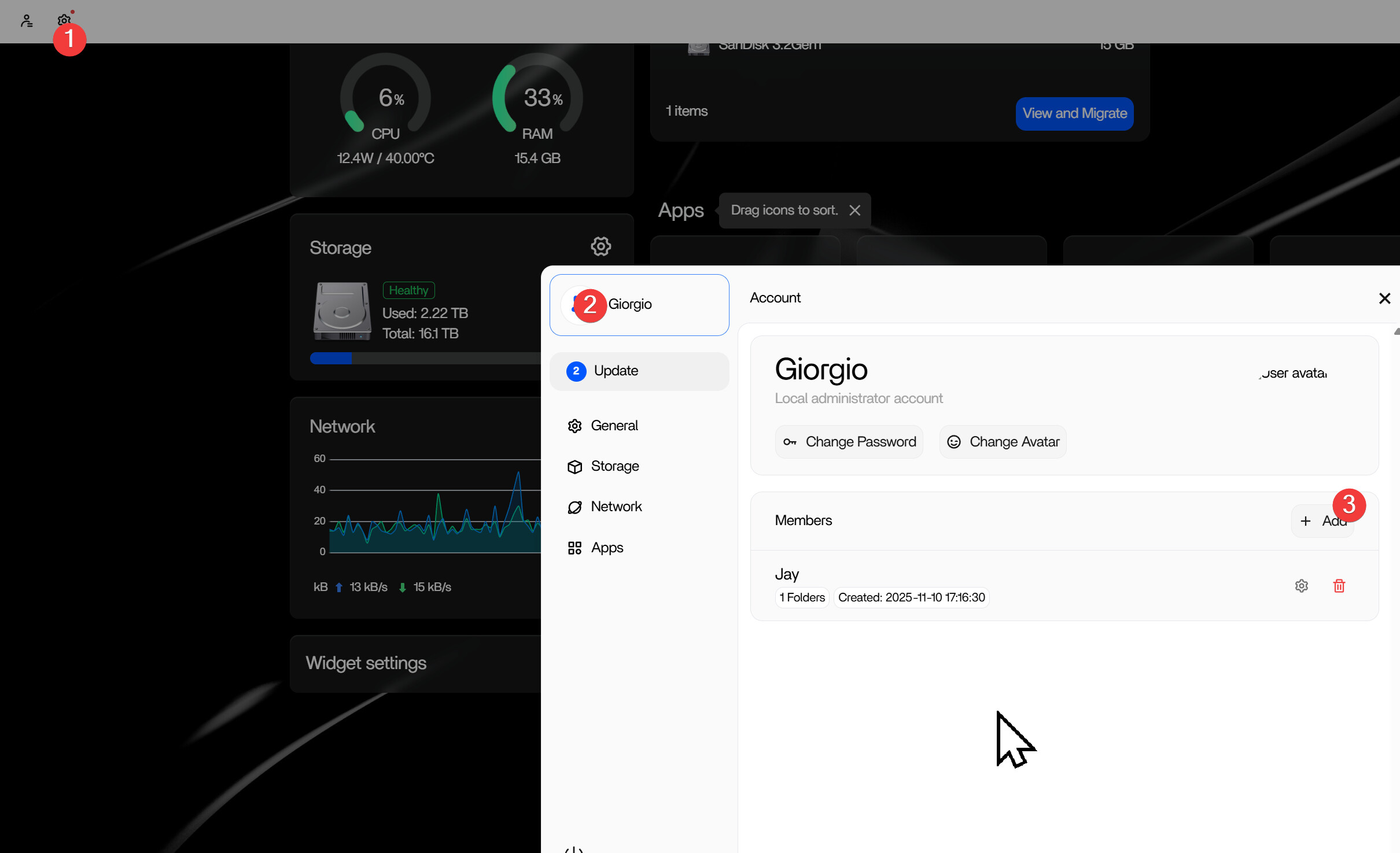
I need to share files remotely (!) with several people over the internet. I’ve already forwarded ports through my Mikrotik and can access ZIMA. However, I can only do this as an administrator.
I can delete, create folders, and copy files as I please! That’s great! But how can I allow another user (with limited rights) to use my ZIMA remotely?
Could you please tell me if it’s possible to create a second or third user account to access the ZIMA admin panel (web interface) and shared folders over the internet?
You can also assign proper folders and related privileges to them.
The Zima Client can help you to remotely access your ZimaOS, but the sub-member support is limited in Zima Client and is in improving in progress. Hope this is helpful.
Thank you very much for answer of yours!
Can you say version of your ZimaOS
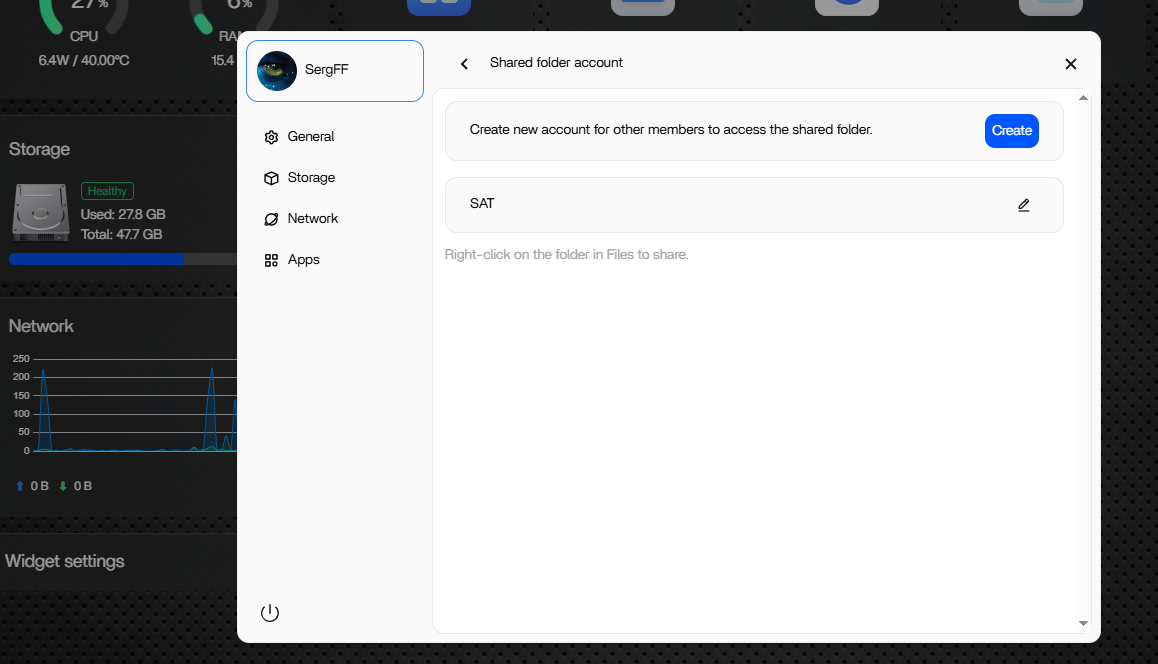
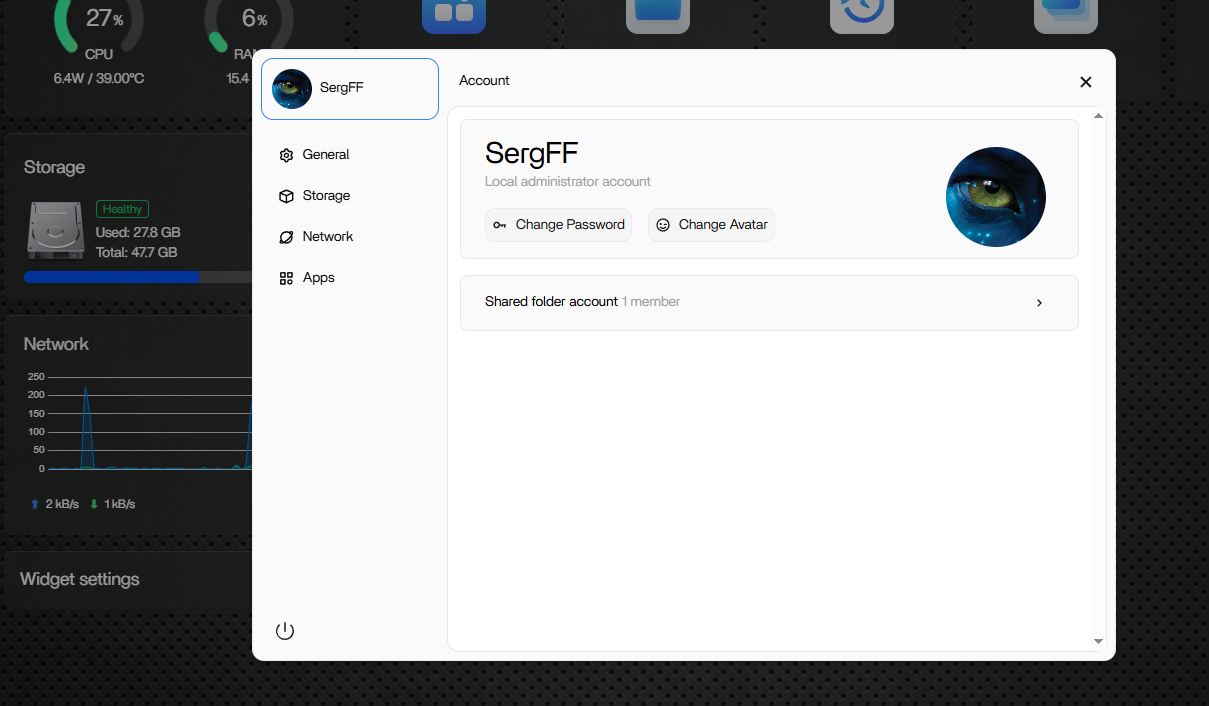
I have ZimaOS v1.4.3 and I couldn’t find the exact same menu as shown in the picture under number 3. Mine is a little different (I’ve attached screenshots)
And I think this is only for access within the network using the SAMBA protocol. Correct?
Hi!
Yes. Everything works perfectly in the new version of the operating system!
Thank you @gelbuilding
Question two.
If I create a 2-disk array (RAID 1) with important data, will I be able to access the data after updating (reflashing) the device to the new operating system?