Hello
Nice Doberman. I have 2 myself. Love those dogs.
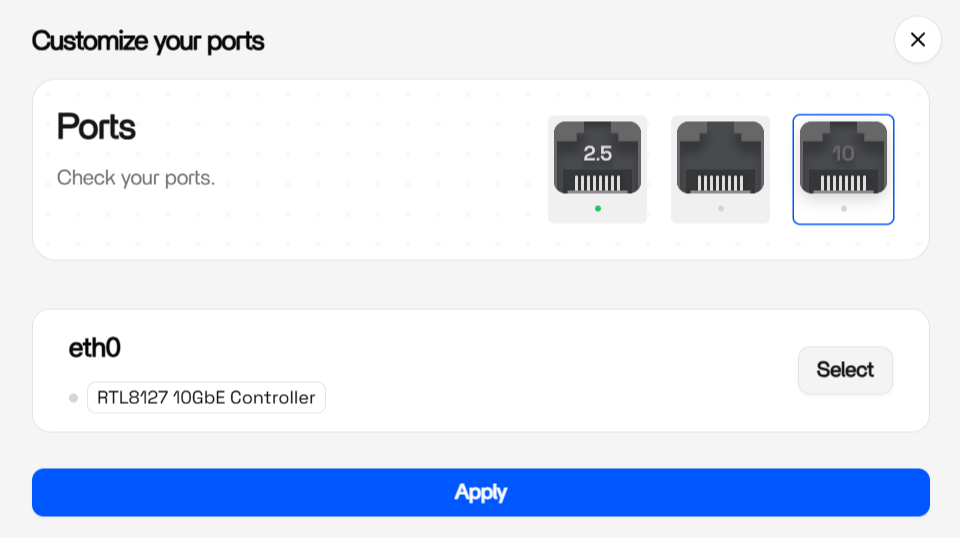
Well, during my troubleshooting I decided to replace the Realtek NIC in my ZimaOS NAS for another Fiber NIC (Asus XG-C100F) with the older AQC107 chipset and that worked immediatelly on first boot.
Got an IP after a few seconds from DHCP and 10G connectivity so I’m happy.
I then installed the new Realtek RTL8127ATF on my Windows 11 PC and also installed the Realtek drivers from their website because I had no IP as well after the first boot. Windows did not recognise the NIC properly. I was worried the card could be damaged at this point.
But…After the drivers installed I got an IP and also 10G connectivity flawlessly.
So indeed the ZimaOS is missing the correct driver, I believe.
I have no time to wait for a fix so I’ll keep this working solution for me now.
Thank you so much for the support.
I’ll paste here the results of your request regardless. Maybe it will help others?
uname -r
6.18.9
cat /etc/os-release
NAME=“ZimaOS”
BOARD=“ZimaCube”
VERSION=“v1.8.0-beta2”
ID=zimaos
VERSION_ID=1.8.0-beta2
PRETTY_NAME=“ZimaOS v1.8.0-beta2”
CPE_NAME=cpe:2.3:o:icewhale:zimaos:1.8.0-beta2::development::::zimacube:*
VARIANT=“ZimaOS ZimaCube”
VARIANT_ID=zimacube
SUPERVISOR_MACHINE=ZimaCube
SUPERVISOR_ARCH=amd64
BUILD_DATE=“2026/10/06 16:50:54 UTC”
MANUFACTURER=“IceWhale Technology”
MODEL=ZimaCube
lspci -nnk -d 10ec:
16:00.0 Ethernet controller [0200]: Realtek Semiconductor Co., Ltd. RTL8127 10GbE Controller [10ec:8127] (rev 08)
Subsystem: Realtek Semiconductor Co., Ltd. Device [10ec:0123]
Kernel driver in use: r8169
Kernel modules: r8127
ethtool -i eth0
driver: r8169
version: 6.18.9
firmware-version: rtl8127a-1_0.0.5 05/14/25
expansion-rom-version:
bus-info: 0000:16:00.0
supports-statistics: yes
supports-test: no
supports-eeprom-access: no
supports-register-dump: yes
supports-priv-flags: no
ethtool eth0
Settings for eth0:
Supported ports: [ TP MII ]
Supported link modes: 10baseT/Half 10baseT/Full
100baseT/Half 100baseT/Full
1000baseT/Full
10000baseT/Full
2500baseT/Full
5000baseT/Full
Supported pause frame use: Symmetric Receive-only
Supports auto-negotiation: Yes
Supported FEC modes: Not reported
Advertised link modes: 10baseT/Half 10baseT/Full
100baseT/Half 100baseT/Full
1000baseT/Full
10000baseT/Full
2500baseT/Full
5000baseT/Full
Advertised pause frame use: Symmetric Receive-only
Advertised auto-negotiation: Yes
Advertised FEC modes: Not reported
Speed: Unknown!
Duplex: Unknown! (255)
Auto-negotiation: on
master-slave cfg: preferred slave
master-slave status: unknown
Port: Twisted Pair
PHYAD: 0
Transceiver: internal
MDI-X: Unknown
netlink error: Operation not permitted
Link detected: no
ip -br addr
lo UNKNOWN 127.0.0.1/8 ::1/128
eth0 DOWN
eth1 UP 10.0.0.134/24 2605:a601:aa6a:9100:20a6:508:5270:3aa/64 fe80::dfdf:40e4:784c:5b0c/64
wlan0 DOWN
thunderboltbr0 DOWN 169.254.18.190/16
virbr0 DOWN 192.168.122.1/24 fd8d:4bc9:7f1a:122::1/64
docker0 DOWN 172.17.0.1/16
nmcli device show eth0
Settings for eth0:
Supported ports: [ TP MII ]
Supported link modes: 10baseT/Half 10baseT/Full
100baseT/Half 100baseT/Full
1000baseT/Full
10000baseT/Full
2500baseT/Full
5000baseT/Full
Supported pause frame use: Symmetric Receive-only
Supports auto-negotiation: Yes
Supported FEC modes: Not reported
GENERAL.DEVICE: eth0
GENERAL.TYPE: ethernet
GENERAL.HWADDR: 1A:4B:24:C9:B8:55
GENERAL.MTU: 1500
GENERAL.STATE: 20 (unavailable)
GENERAL.CONNECTION: –
GENERAL.CON-PATH: –
WIRED-PROPERTIES.CARRIER: off
IP4.GATEWAY: –
IP6.GATEWAY: –
~