New Server - Fresh Zima OS 1.5.0 install - Network

So any more instructions? Can I set the IP to a static by CL?

sudo nmcli connection modify "Wired connection 1" ipv4.method manual ipv4.addresses "192.168.1.10/24" ipv4.gateway "192.168.1.1" ipv4.dns "8.8.8.8,8.8.4.4"

I have the output from the new script Gellbuilding provided.
zimaos_premium_clean_2025-11-16_15-30.txt (6.9 KB)

Yes, if you are familiar with NMCLI or NMTUI, you can specify the IP through these two tools first

The problem was found to be a problem with LSHW’s data parsing, and we expect to fix it in version 153

1 Like

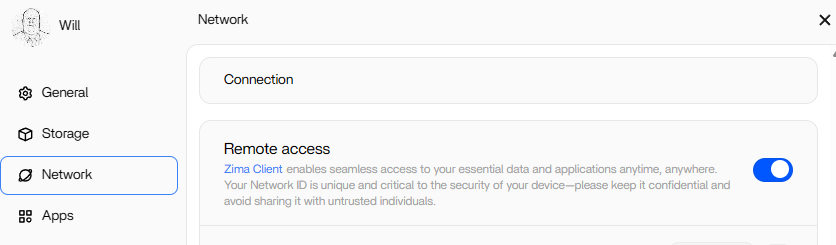
I’d like to revisit this. It has been on 1.5.3 for a while, and still don’t see anything in the UI regarding being able to config the networking. I’d be happy to help troubleshoot any way I can.
Today I tried removing my static IP via NMTUI and going to DHCP. Rebooted, got a DHCP IP. Checked and still no way to config it in the UI. I also disabled IPV6

Still this

image

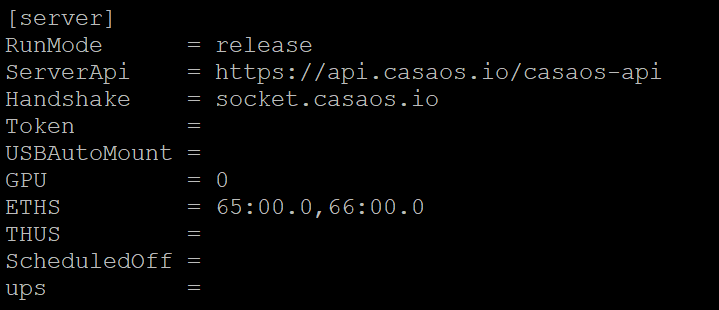
I tried setting ETHS in the zimaos.conf file to blank still nothing in the UI after reboot.
I have it back set to 65:00.0,66:00.0

I will send you a zip file with output of nmcli, lspci,ziamos.conf,lshw All fresh today

Sorry, the 153 version mentioned at that time was actually the 154 version that was recently prepared to be released, and the emergency bug was fixed at that time, so a 153 version was released first, and the 154-beta and 154 official versions will be released in the next few days
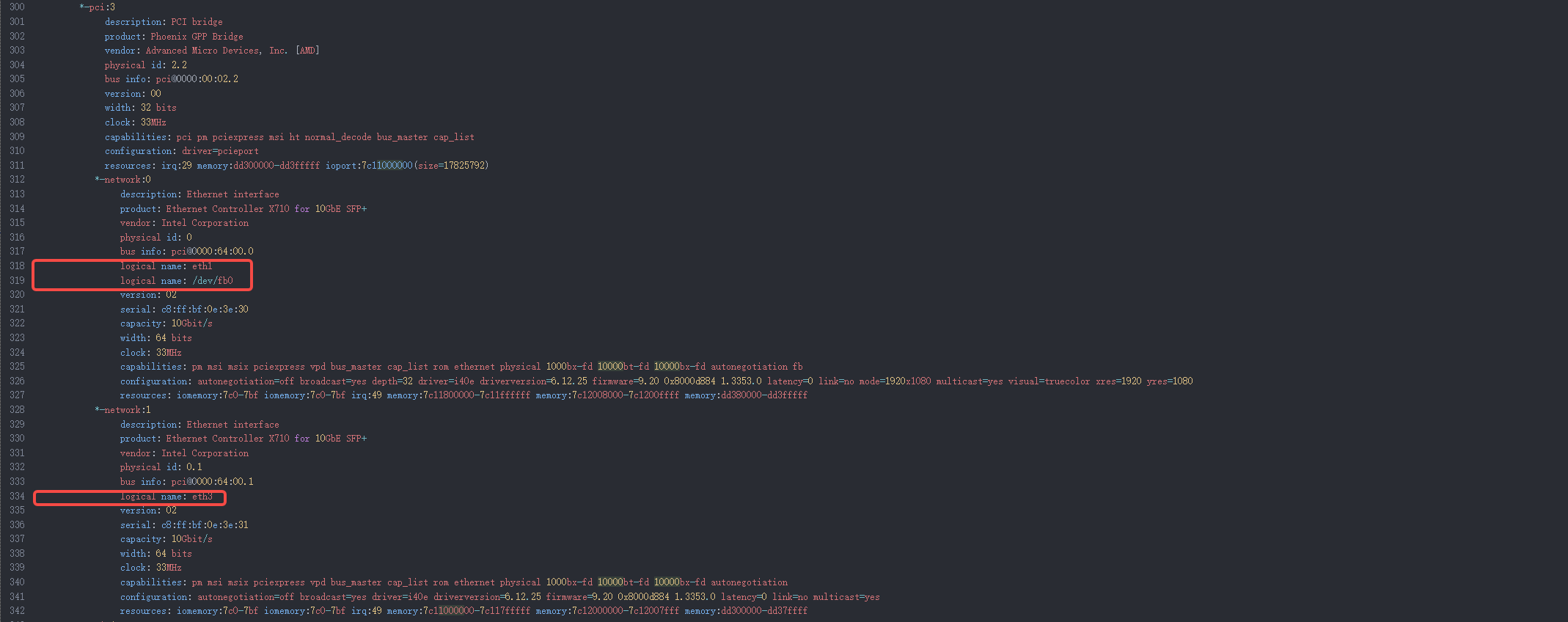
The code to fix the network resolution issue was submitted on version 154

I would like to confirm, I am seeing network config in 1.5.4 finally. Thank you.

P.S. I’m even pleased that it appears to see my SFP+ ports too as 10gb ports. I will hopefully get to try those out soon.

1 Like